Search results for: computers tips solutions ram video editing
About 4 filtered results
by Jennifer Hahn · Posted
Point-and-shoot cameras are a great value-add to your photography kit, social media sharing, or as a vacation companion for quick stills and capturing memories on the fly. And these days, the value is even greater with point-and-shoot video recording. The point-and-shoot design makes things simple to change to video mode and press record. Though after you’ve captured your video, it can become cumbersome to edit and share that footage.
Some cameras allow you to edit/trim your video footage (also called “Movies” in some cameras) in camera, which

by Steven Esposito · Posted
When shopping around for a new computer, you may be tempted to look at Apple's hardware, and you'd be right to indulge your curiosity, especially if you are a creative professional. Whether you are eyeing a MacBook Pro or even one of the Mac Studios, you are going to be hit with a slew of options. These add a cost to your system, but this increase in resources could be worth it. So, today we are going to look at Apple's upgrade path, what it means to you, and why you should consider investing in it.
Apple MacBook Pro and Apple Mac Studio

by Cortney Moore · Posted
There’s nothing like the holidays and the impending new year to get you thinking about your goals. And in a world where influencers and media personalities are living large while they create content for the masses, you may find yourself wanting to cash in on that hobby of yours. The estimated 532.43 billion-dollar cosmetics industry, which is also expected to surpass 805.61 billion by 2023, is a great niche to jump on if beauty really is your thing. All it
by Chris Goldin · Posted
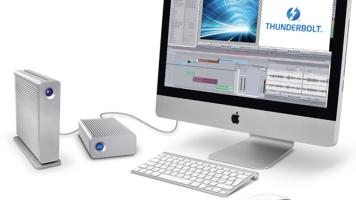
Video editing is one of the most demanding tasks you can execute on a computer. A modern video-editing program such as Adobe Premiere requires high performance from the processor, RAM memory, GPU (if using GPU acceleration), as well as storage drives. Choosing a fast storage solution can be a little tougher than picking the fastest computer processor, as there are more tradeoffs involved. The largest drives aren’t