
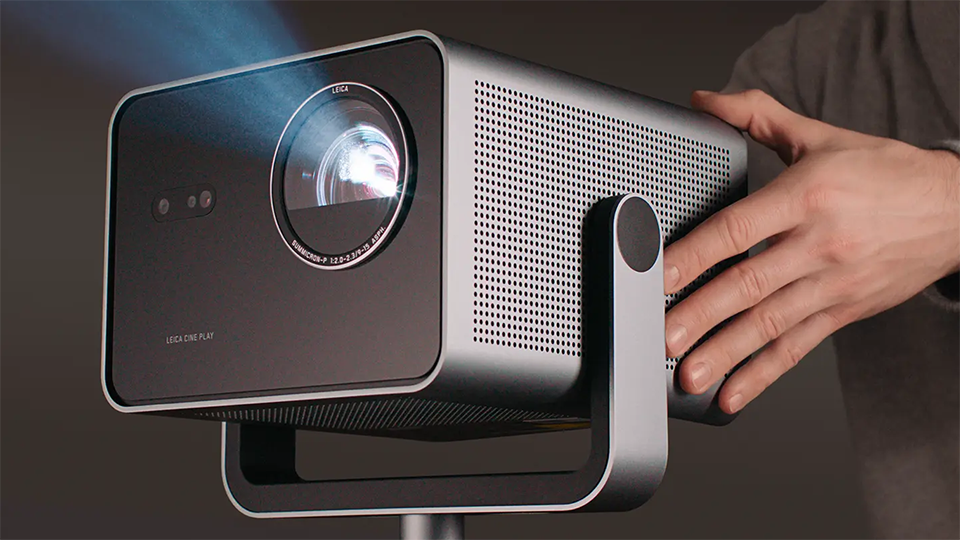
Leica’s Cine Play 1 is one of the most interesting laser projectors on the market. At first glance it looks like a stylish portable projector, but if you take a deeper look, there’s a lot more happening under the surface. All the typical specifications you’d expect to see in a portable system are present here—wireless connectivity, integrated speakers, and a built-in stand—but when you add Leica optics to the equation you raise picture quality expectations, something portable projectors sometimes compromise on in favor of ease of use and portability. When I received the Cine Play 1 for review, I was excited to see which features Leica prioritized, and if this model could also serve as the primary display device in a dedicated home cinema environment.
Setup and Unboxing
While looks are subjective, the Cine Play 1’s aluminum housing gives the projector a premium look and feel; something you’d expect from a product bearing the Leica badge. The built-in stand provides viewing flexibility with adjustable angles, and it’s also where you connect the power cable, offering users a clean and discrete installation. For even greater viewing flexibility, you have the option of removing the built-in stand and swapping it for the optional Floor Stand, which is made specifically for this projector. Like the attached stand, the floor stand also has a connection for the power cord and perfectly matches the aesthetics of the projector. At 25” high and nearly 13 pounds, the stand feels quite sturdy, giving users piece of mind that the projector is securely placed.
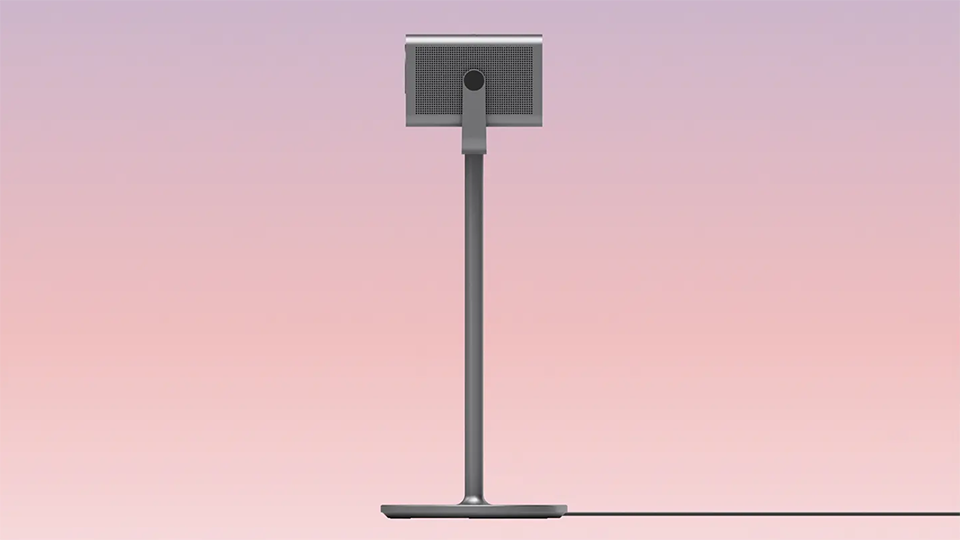
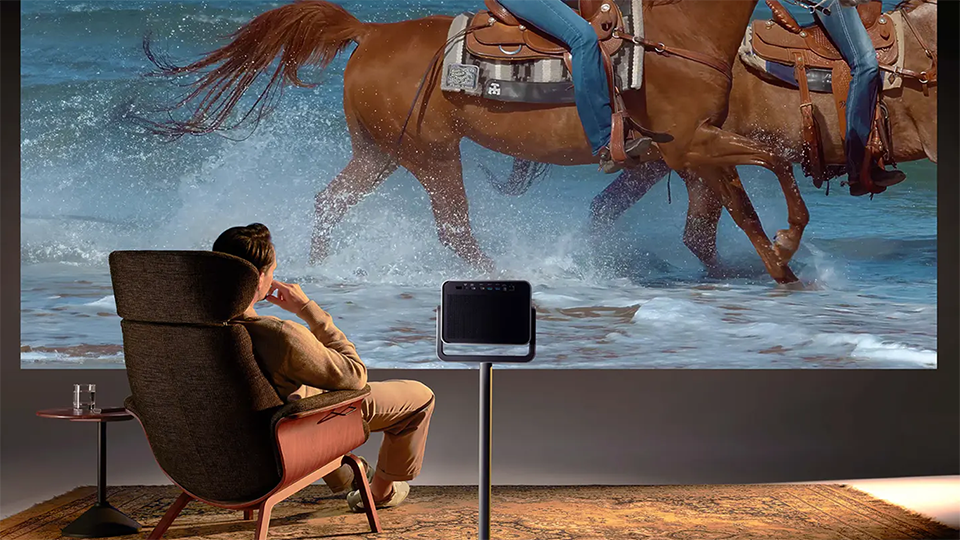
As expected, a physical remote control is also included, along with the option to use the free VIDAA app for control from your smart devices—more on VIDAA and its interface later. The Cine Play 1 is an RGB triple-laser projector that supports images up to a whopping 300 inches, and thankfully the projector’s automatic keystone correction and alignment modes make getting the image properly displayed to your screen or wall a breeze. The projector also supports permanent mounting solutions if you choose to ditch the aforementioned stands all together.
Features and Connectivity
Let’s dig into what makes this projector look so great on paper, and there’s a lot to like here. We’ll start with the features that impact picture quality. The Cine Play 1 boasts a UHD onscreen resolution of 3840 x 2160 and supports HDR10+ and Dolby Vision content. While projectors are best used in darkened viewing environments, the Cine Play 1’s 3000-lumen output puts out plenty of light, while its 1500:1 contrast ratio help the projector bring dark scenes to life and add “pop” to high-resolution content.
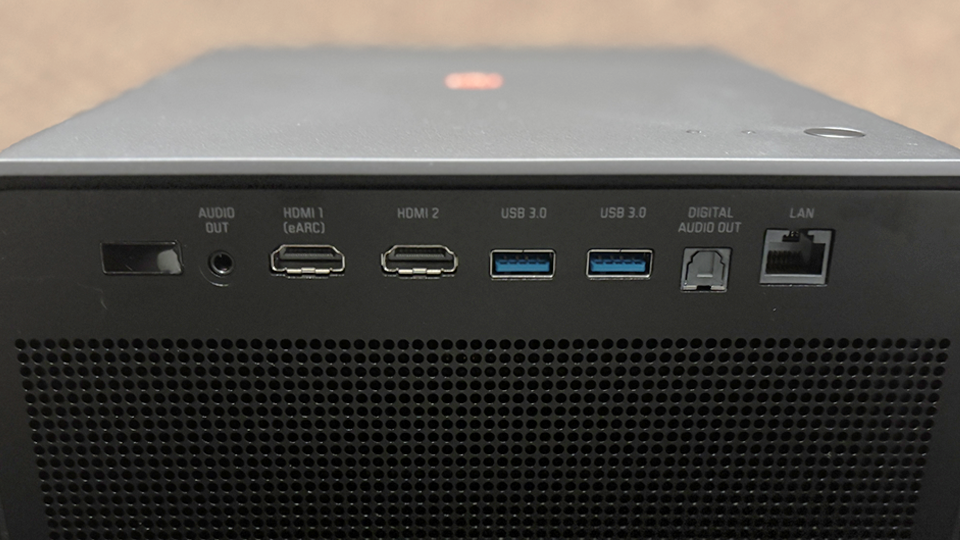
On the connectivity side on things, the Cine Play 1 has a bevy of wireless and wired options. On the rear of the projector you’ll find two HDMI inputs, one with eARC support for connecting to compatible audio systems. You’ll also find two USB 3.0 ports, a digital optical output, and an analogue audio connection. For internet connectivity, an Ethernet port is also onboard. Let’s face it, wireless connections are what make portable projectors fun, and the Cine Play 1 has a lot to offer here. With Wi-Fi 6, Apple Airplay 2, and Bluetooth 5.3 support, this projector is ready to display your favorite content without the hassle of physical connections.
In Use
Built into the projector is Leica’s Image Optimization (LIO), an imaging processing algorithm that’s designed to deliver natural and life-like images. Combined with Leica’s Summicron lens, the Cine Play 1 delivers a truly cinematic image. Filmmaker mode is my go-to image preset, especially for movies, and the Cine Play 1 delivered the kind of viewing experience you’d expect in a high-end home cinema environment. So much so that I wouldn’t hesitate to make this “portable” projector a permanent solution. I had no issue displaying HDR material and never felt that the content it displayed was outside of the creator’s intent. My main display is a 77” OLED, and while the Cine Play 1 can’t match its infinite contrast, the immersive image this projector offers is truly next level and something OLEDs and LCD-based panels simply can’t match.
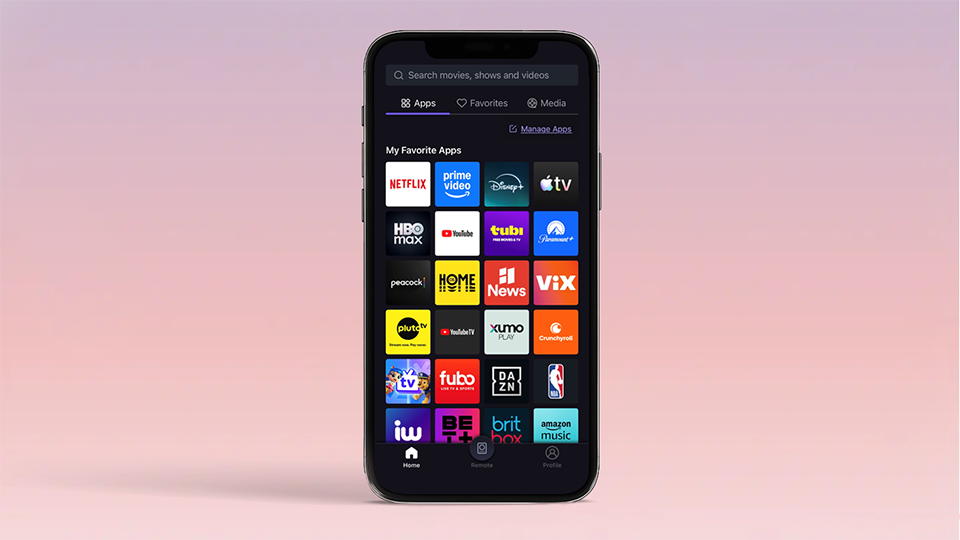
The Cine Play 1 uses the VIDAA OS, and while this was my first time experiencing it, I found Leica’s implementation of it to be well placed. As a hardcore Apple TV user, I tend to bypass built-in display OS’. When I do encounter them, I expect 3 things: fluid navigation, an easy-to-understand layout, and a wide range of supported apps. In this regard, VIDAA OS delivered on all fronts. Will I be ditching my Apple TV? No, but if I had to use VIDAA OS daily, I’d be OK with its interface. Similarly, the VIDAA app is simplistic and offers a smartphone remote option for easy control.
One the audio side, the Cine Play 1 features two integrated 10-watt speakers that were surprisingly loud and clear when in use. This is especially useful for those who rely on the projector’s portability and don’t want to transport an external audio source. For home theater use, however, I always recommend a wired connection via the HDMI eARC or digital optical connections to external devices like receivers or soundbars.
More than a Portable Projector?
It feels strange calling the Cine Play 1 a portable projector, not because it isn’t capable in this regard, but because it’s capable of so much more. With that said, I am a fan of products that can be versatile without compromise, and the Cine Play 1 is definitely one such product. While it’s not the smallest portable projector on the market, I’m yet to encounter one that outperforms it. Conversely, if you decide to never take the Cine Play 1 outside, it’s perfectly at home daily driving a home theater experience; and with up to 25,000 hours of laser life, the Cine Play 1 is definitely in it for the long haul.
