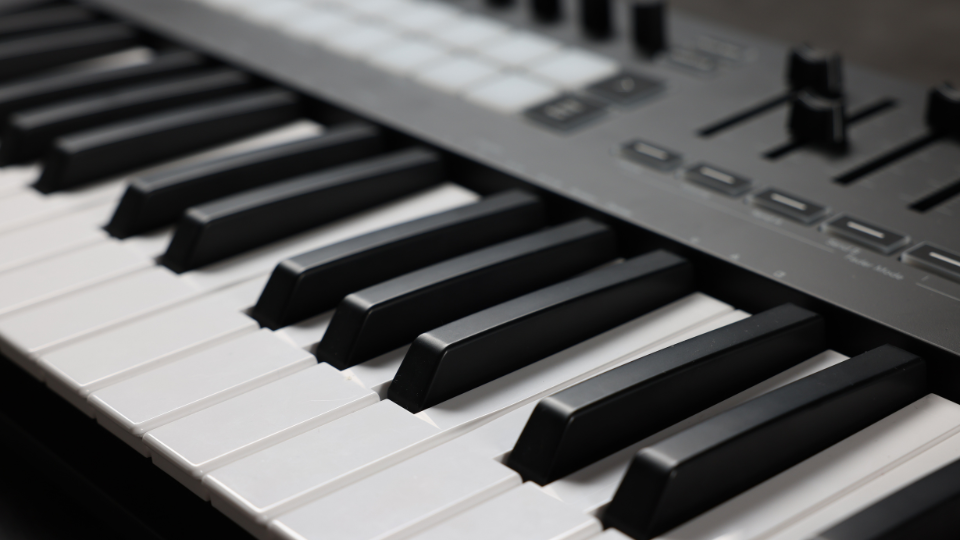
The Musical Instrument Digital Interface, or MIDI for short, is the technical standard protocol that allows electronic musical instruments to interact with music hardware and software like synthesizers, soft-synths, and DAWs.
MIDI is not audio, but rather a set of instructions sent to a piece of hardware or software using keys, knobs, sliders, or other methods of input to define the pitch, timing, volume, and velocity of the sound module’s output. The MIDI controller has become essential in modern music production and can be found in just about any home or professional recording studio throughout the world.
One of the most common and popular choices for a MIDI controller is a MIDI keyboard—but they come in a variety of shapes and sizes, from simple 25-key operators to full-on, extensively featured 88-key behemoths with motorized knobs and faders, weighted keys with aftertouch, pressure sensitive sample pads, and full color touchscreen displays. So how can you know which one is right for you? In this guide, we’ll go over the functions and features of MIDI controllers so you can get what you need for the right price.

What Should I Consider When Shopping for a MIDI Controller?
There are a couple of performative and technical considerations you should be aware of before you go ahead and purchase anything—modern controllers often have quite a few features we’ve come to expect in a keyboard, like velocity-sensitive keys, programmable buttons, and USB compatibility—but there are a few more advanced capabilities you should be aware of. Here are some things you should know about a controller before pulling the trigger.
Performance and Expression Features
Weighted or Unweighted Keys?
When playing a real piano, the keys are weighted from the articulation of an intricate hammer action mechanism that culminates in firing a felt hammer that strikes the string— MIDI controllers do not need that to function, so many (and often less expensive) options have unweighted keys which can make the feel of the keyboard inauthentic.
If you want the authentic feel of a piano keyboard, ensure that the controller you purchase has weighted keys—hammer-weighted keyboards will mimic the feel of a grand piano, but there are also semi-weighted keyboards that still have a comfortable play and action that keyboardists will appreciate. Keep in mind that weighted keybeds are expensive and can add a TON of weight to the keyboard, but if you’re coming from a piano background, it’s worth it.
Pitch and Modulation
Most MIDI keyboards will have pitch and modulation controls, quite often a pair of wheels. However, smaller models either eschew them entirely or opt for touch sensitive ribbon strips, but there are separately available premier modulation options that use a touch and pressure “3D” controller for even more expressive capability such as the EXPRESSIVE E Touché SE (not dissimilar to the controls flagship Arturia synths have).

For the stock standard of most MIDI keyboards, the pitch wheel is spring-loaded and aptly changes the pitch of the input, where the mod wheel is free spinning and will add expression that affect timbre, cutoff, tremolo, or whatever else you’d like to program into your sound. These can add a lot of flexibility and expressive capability to your playing, and they’re not too difficult to implement.

A standard pitch and mod wheel found on a MIDI controller
Aftertouch
Some MIDI keyboards feature aftertouch, which allows you to modulate sound by applying extra pressure after the key has been struck—this allows you to play with the timbre or even the polyphony of individual notes as they’re being held (I personally cannot go without this feature). People who want an intuitive and flexible option for expression may want to prioritize aftertouch in their MIDI controller.
MIDI Polyphonic Expression (MPE)
MPE is a feature that enables expressiveness per-note by assigning each note to its own MIDI channel—this allows you to independently manipulate the sound of an individual input, like bending the pitch or timbre of a single note in a chord while leaving the others alone.

Keyboards like the EXPRESSIVE E Osmose or the stuff offered by ROLI take full advantage of MPE with their intuitive designs, but MPE has become a more common feature—if you plan on doing some particularly expressive and nuanced playing, make sure your keyboard has it.
Technical/Connectivity Features
CV/Gate Output
MIDI controllers with a CV/Gate output can be used to control analog modular or semi-modular synthesizers directly without the need of a computer, usually through a ¼” or 3.5mm TS/TRS port. If you want to use a drum machine or a keyboard-less synth like you would a with a keyboard (or just want to control your synth with a different keyboard) you’ll have to make sure your controller has a CV/Gate output.
There are also many creative uses for a CV/gate output. If you’re interested in synthesis or experimentation, having one can expand your musical possibilities.
Sequencers and Arpeggiators
While sequencers and arpeggiators are standard on modern DAWs, some MIDI controllers will have them built-in so introducing them to your project is more accessible and tactile. Sequencers can play back notes or sounds in a specific order and amount of time, and arpeggiators aptly arpeggiate the notes you’re playing, looping each note in a specified pattern and sequence.
If you want to control these parameters without having to navigate your DAW, then make sure your controller has these functions (particularly useful if you’re using the controller in live performances).
Drum Pads and Alternative Inputs
Many MIDI controllers will come with drum pad triggers; pressure-sensitive rubber pads that trigger programed sounds like those found on classic samplers like the Akai MPC. If you’re someone who wants to program drums from within a single controller, pads will be something you’ll want to have—and they can trigger any sound you want, so it’s not limited to just finger drummers!
DAW Integration and Automapping
Many modern MIDI controllers will have the ability to instantly map themselves to the parameters of a DAW, often between many different versions of software (Pro Tools, Ableton, Logic X, etc.). If the MIDI controller has this, it essentially makes the controller a plug and play machine, with each knob and fader automatically mapped to their proper parameters—extremely useful for expediting setup or connecting the controller to multiple different devices or DAWs. Without this feature, you’d have to map each and every parameter manually, and with dozens of inputs, that can be a chore.
Not every keyboard will work with every DAW, and not all plug-ins will work even if the DAW is compatible (I’ve had trouble with Omnisphere and a particular controller in the past). Make sure to check if your preferred software is automatically compatible with your controller—otherwise be ready to spend quite a bit of time mapping everything yourself (but personal customization isn’t a bad thing!).
USB vs. 5-Pin DIN
When MIDI was first introduced in February of 1983, controllers used a 5-pin DIN connection which can still be found on some new controllers and audio interfaces—but as time goes on, this type of connection is becoming less common. If you’re working with an older controller that only accepts a 5-pin DIN connection, you’ll need to purchase a separate MIDI interface or audio interface with 5-pin DIN MIDI input.

5-Pin DIN Connector
But the majority of modern MIDI controllers communicate with interfaces and sound modules via USB. USB-B (sometimes called printer cable) to USB-A (the standard square one usually that takes two attempts to insert into the slot) was the most common connection type, but USB-C connectivity is quickly becoming the new standard.
While most MIDI controllers will come with a compatible cable, make sure your computer or interface has the proper USB input! I’d like to see dongles phased out at some point.
Types of MIDI Keyboard Controllers
Now that you have the rundown some of the important features a MIDI controller can have, let’s go over the different classes of MIDI keyboard controllers so you can know what’s best for your situation.
Portable and Slim-Key/Mini-Key Keyboard MIDI Controllers (~25 Keys)
For those who need a portable and inexpensive option, there are tons of options for a mini-key MIDI controller from barebones gear like the Nektar Technology SE25, readily functional and affordable stuff like the IK Multimedia iRig Keys 2, to the impressively featured Arturia MiniLab 3 with a display, rotary encoders, faders, and modulation touch strips.

The mini-keys are a tradeoff for size (I personally overshoot notes and need to at the keyboard when playing), so those who want an authentic keyboard experience should look for portable full-sized key options like the Nektar Technology Impact LX25 or Novation Launchkey 25 MK4.
Lightweight Performance MIDI Keyboards (~49-61 Keys)
Those who are looking for a lightweight keyboard they can bring to the gig and use with both hands should look to a 49 or 61 key MIDI controller—many options like the feature rich Arturia KeyLab 61 mk3/Arturia KeyLab 49 mk3 and Novation SL MkIII come in both flavors.

But not all MIDI keyboards this size have to run you $500—if you sacrifice a bit of functionality, great keyboards like the Arturia KeyLab Essential mk3 or Nektar Technology Impact LX49 are offered at B&H, and if you’re really on a budget and just need the keys, stuff like the Nektar Technology SE49 and M-Audio Keystation 49 barely cross the $100 mark.
Full Sized Weighted Key MIDI Keyboards (~88 Keys)
Those looking for the most piano-esque full experience—and those who plan on keeping their gear in the studio—should look to full sized 88-key hammer-weighted keyboards like the Arturia KeyLab 88 mk3, Roland A-88MKII, M-Audio Hammer 88, or the delightfully prime-numbered 73-key StudioLogic SL73 MK2. All these options are at different price points but are feature rich enough to use as both a controller and performance option.

Weirder Stuff (Some Amount of … Keys?)
Because the way we create music is ever evolving, there are MIDI keyboards that buck the skeuomorphic trend of traditional keyboards and go for a more idiosyncratic approach. They will take a while to learn, but so does the piano—what’s the problem?
The Intuitive Instruments Exquis is MPE enable MIDI controller that uses a series of hexagonal keys rather than a keyboard, able to more intuitively display scales, chords, and functions, and is often used by microtonal musicians who are trying to break free from the western 12-tone system.

The to-be-released Fender Motion 32 suggests the shape of a keyboard but really is a set of pad triggers that looks to integrate scales and chords in a new and intuitive way—I haven’t tried it myself but would love to give a whirl.

And for those who play the keyboard but want to rock like a lead guitarist, there’s always the ever-charming Keytar controller—the Alesis Vortex Wireless 2 is a fully featured, USB wireless MIDI keyboard controller that will give you a specific look and attitude on stage.

Conclusion
Audio equipment manufacturers are always trying to make a new and engaging way to interact with music, but it seems that the keyboard is here to stay. We hope this guide has helped you understand what kind of MIDI keyboard you may be looking for and the different functionalities they can have. If you have any more questions reach out to out pro audio experts online or at the Manhattan superstore—we also have models on display that you can try out yourself!
