
It’s been six years since GoPro launched the original MAX 360 action camera, so its long awaited follow-up, the new MAX2 360, feels less like a sequel and more like a reinvention, capturing 8K 360° video that’s far sharper and more detailed than anything the original MAX could produce. It’s clear GoPro is trying to match or exceed the specs of competitor cameras that are many more than two generations in, with notable software and hardware upgrades across the board. Have they been able to catch up, or does the MAX2 have a ways to go? We took it for a spin to find out.
Form Factor in Focus
Measuring 2.7 x 2.5 x 1.9”, the MAX2 isn’t quite a square, but it’s a lot closer than other 360 cameras on the market, which tend more toward the rectangular. For me, a square size makes total sense when the camera is mounted onto something like a helmet or a vehicle. It makes less sense for any handheld work. I constantly got parts of my hands in the frame when using the MAX2 without a selfie stick, tripod, or similar accessory. Errant hands are usually easy enough to crop out, yet still become an extra element you need to keep in mind whenever shooting.
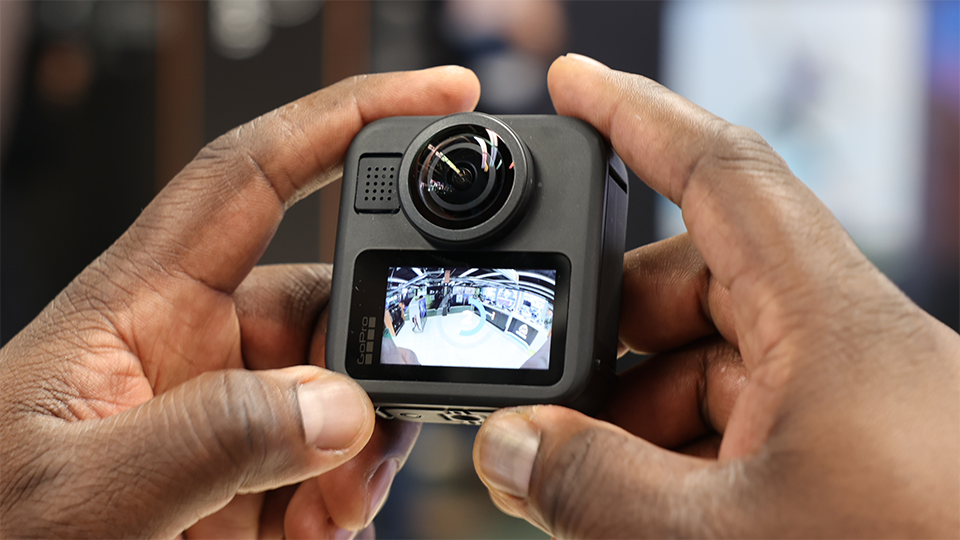
Weight wise, the MAX2 is in line with competitors at 6.9 oz. The bottom of the camera includes both a 1/4”-20 thread and a classic fold-out 2-prong action camera mount so you can utilize existing GoPro accessories. The included rubber lens caps are strong and simple to use, and the lenses are easily replaceable with a separately available kit. The touchscreen LCD is bright and sharp but relatively small, making the menus a bit tough to navigate for folks with larger fingers (a group that may or may not include me and my returning model, indie filmmaker Orville Herry). Previewing shots and adjusting settings in real time through the Quik smartphone app quickly became my preferred way to use the MAX2.
Sensor Size and Resolution
So how’s the image? In short, great. The MAX2 has two 1/2.3”-type CMOS sensors that it stitches together into a “true 8K image,” meaning the resolution post-stich is actually 8K, versus competitor cameras that lose resolution on duplicated sensor coverage and end up with post-stitch outputs closer to 7.5K. Good marketing copy, but not exactly a game-changing feature. I will say it’s clear the footage is leagues better than the 5.6K capture of the original MAX, with more detail, color, and framing flexibility. Daytime shots look especially crisp now, comparable to many recent non-360° action cameras.
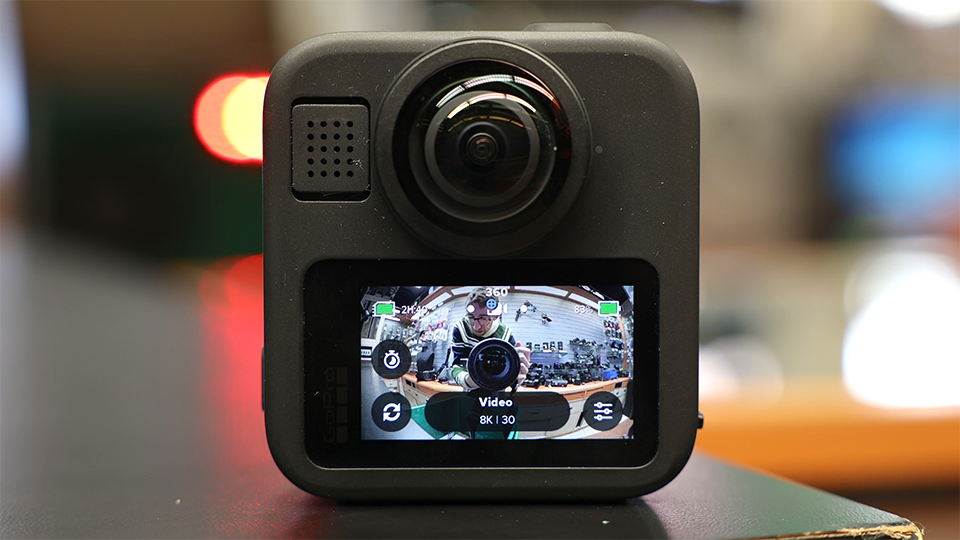
8K maxes out at 30p, then you can drop down to 5.6K for 60p or 4K for 100p. These are really solid numbers, and though the drop in resolution is noticeable, especially as you crop in, these higher frame rate options are useful for extreme sports and other opportunities where slow-motion looks great but framing the perfect shot in real time isn’t practical. The 10-bit color is quite saturated and punchy out of the box, so users can turn on GP-Log to get a flatter image that’s easy to tune to their liking in post.
It Comes Back to the App
GoPro’s Quik phone app has far more robust and developed reframing features than the GoPro Player desktop app, but Quik’s limited export options cater more to content creators than high-end professionals. GoPro makes plug-ins for editing programs like Adobe Premiere and DaVinci Resolve, yet they too lack the impressive motion templates and time-saving tracking techniques found in Quik, instead demanding quite a bit of practice and patience. I wish there were a way to get the full Quik toolset in a desktop app or plug-in that could output at higher bit rates. As is, you’ll need hours at a computer tweaking keyframes and timing if you want fully customized edits.
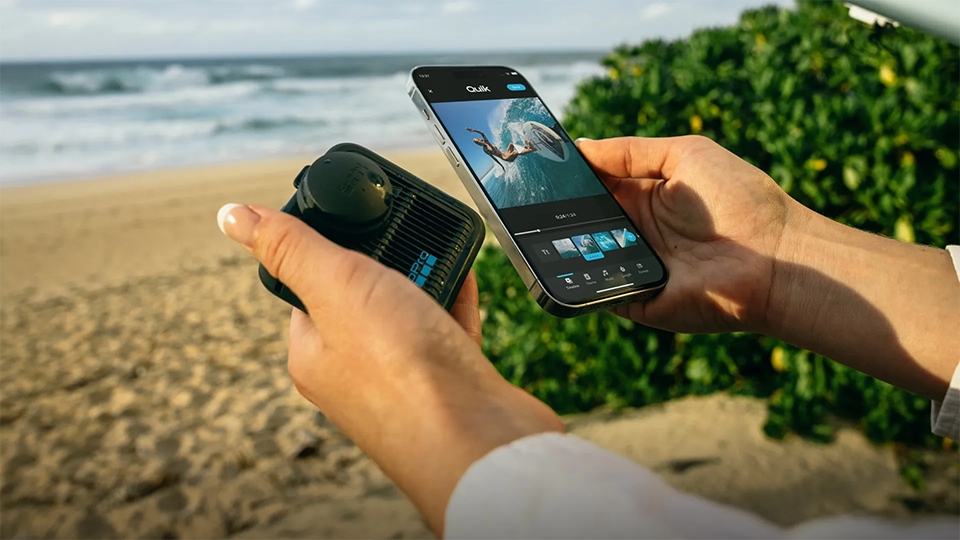
For me, this software disparity is the clearest sign that GoPro wants the MAX2 in the hands of athletes, influencers, families, and other users who are more likely to throw together highlights on a phone than spend days in an editing suite. For that prosumer market, the MAX2 checks a lot of boxes—the stabilization is top notch, the battery life is strong, and the build feels durable, though I would’ve loved a slightly larger touchscreen. If you’re in the market for a 360° camera and primarily see yourself working with footage on a phone, the MAX2 and the Quik app make a very worthwhile pairing.
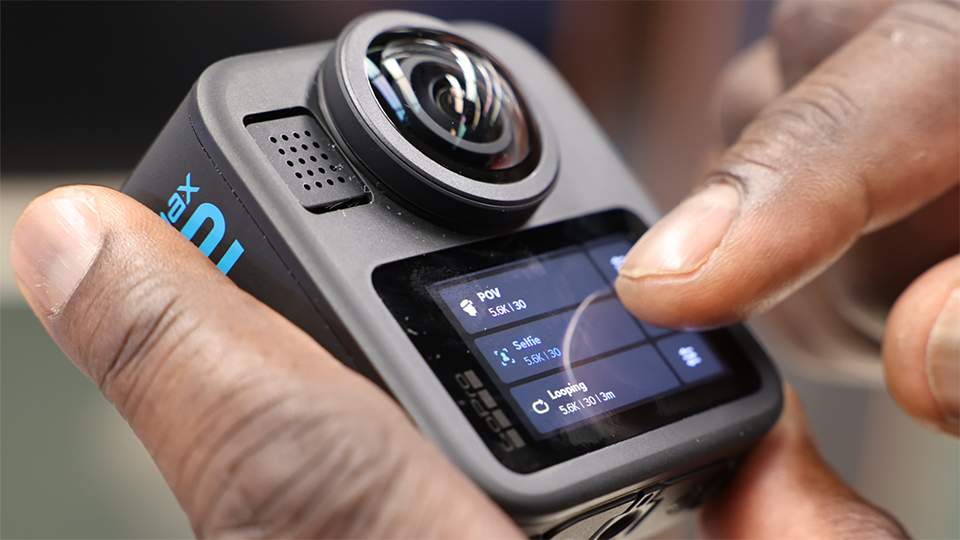
For more information about the GoPro MAX2 360 camera, including features, specs, and highlights, be sure to check out the detailed product page.
