CPU Processors

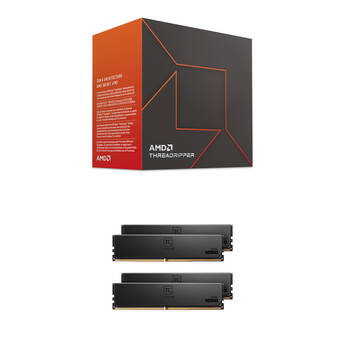
AMD Ryzen Threadripper 7960X 24-Core & 128GB T-Create Master DDR5 6400 MHz ECC RDIMM Memory Kit (4 x 32GB)
- 128GB (4 x 32GB) Capacity
- 6400 MHz | CL32 Latency
- 24 Cores & 48 Threads
- 4.2 GHz Clock Speed
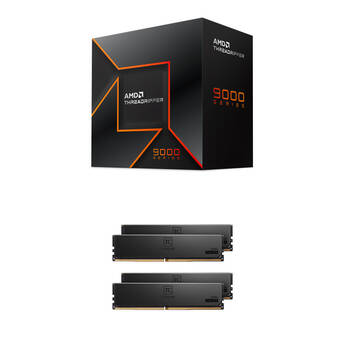
AMD Ryzen Threadripper 9970X 32-Core & 128GB T-Create Master DDR5 6000 MHz ECC RDIMM Memory Kit (4 x 32GB)
- 128GB (4 x 32GB) Capacity
- 6000 MHz | CL30 Latency
- 32 Cores & 64 Threads
- 4 GHz Clock Speed
AMD Ryzen Threadripper 7970X 32-Core & 128GB T-Create Master DDR5 6000 MHz ECC RDIMM Memory Kit (4 x 32GB)
- 128GB (4 x 32GB) Capacity
- 6000 MHz | CL30 Latency
- 32 Cores & 64 Threads
- 4 GHz Clock Speed
Intel Xeon 696X 2.4 GHz 64-Core LGA 4710 Processor
- 64 Cores & 128 Threads
- 2.4 GHz Base Clock Speed
- 4.8 GHz Maximum Turbo Boost Frequency
- LGA 4710 Socket
AMD Ryzen Threadripper 9970X 32-Core & 128GB T-Create Master DDR5 6000 MHz ECC RDIMM Memory Kit (8 x 16GB)
- 128GB (8 x 16GB) Capacity
- 6000 MHz | 32-39-39-84 Timings
- 32 Cores & 64 Threads
- 4 GHz Clock Speed
AMD Ryzen Threadripper 9970X 32-Core & 128GB T-Create Master DDR5 6400 MHz ECC RDIMM Memory Kit (8 x 16GB)
- 128GB (8 x 16GB) Capacity
- 6400 MHz | 32-39-39-84 Timings
- 32 Cores & 64 Threads
- 4 GHz Clock Speed
AMD Ryzen Threadripper 7970X 32-Core & 128GB T-Create Master DDR5 6000 MHz ECC RDIMM Memory Kit (8 x 16GB)
- 128GB (8 x 16GB) Capacity
- 6000 MHz | 32-39-39-84 Timings
- 32 Cores & 64 Threads
- 4 GHz Clock Speed
AMD Ryzen Threadripper 7970X 32-Core & 128GB T-Create Master DDR5 6400 MHz ECC RDIMM Memory Kit (8 x 16GB)
- 128GB (8 x 16GB) Capacity
- 6400 MHz | 32-39-39-84 Timings
- 32 Cores & 64 Threads
- 4 GHz Clock Speed
AMD Ryzen Threadripper 9970X 32-Core & 128GB T-Create Master DDR5 6400 MHz ECC RDIMM Memory Kit (4 x 32GB)
- 128GB (4 x 32GB) Capacity
- 6400 MHz | CL32 Latency
- 32 Cores & 64 Threads
- 4 GHz Clock Speed
AMD Ryzen Threadripper 9960X 24-Core & 192GB T-Create Master DDR5 6000 MHz ECC RDIMM Memory Kit (4 x 48GB)
- 192GB (4 x 48GB) Capacity
- 6000 MHz | CL30 Latency
- 24 Cores & 48 Threads
- 4.2 GHz Clock Speed
AMD Ryzen Threadripper 7960X 24-Core & 192GB T-Create Master DDR5 6000 MHz ECC RDIMM Memory Kit (4 x 48GB)
- 192GB (4 x 48GB) Capacity
- 6000 MHz | CL30 Latency
- 24 Cores & 48 Threads
- 4.2 GHz Clock Speed
AMD Ryzen Threadripper 7970X 32-Core & 128GB T-Create Master DDR5 6400 MHz ECC RDIMM Memory Kit (4 x 32GB)
- 128GB (4 x 32GB) Capacity
- 6400 MHz | CL32 Latency
- 32 Cores & 64 Threads
- 4 GHz Clock Speed
AMD Ryzen Threadripper 9960X 24-Core & 192GB T-Create Master DDR5 6000 MHz ECC RDIMM Memory Kit (8 x 24GB)
- 192GB (8 x 24GB) Capacity
- 6000 MHz | 32-39-39-84 Timings
- 24 Cores & 48 Threads
- 4.2 GHz Clock Speed
AMD Ryzen Threadripper 7960X 24-Core & 192GB T-Create Master DDR5 6000 MHz ECC RDIMM Memory Kit (8 x 24GB)
- 192GB (8 x 24GB) Capacity
- 6000 MHz | 32-39-39-84 Timings
- 24 Cores & 48 Threads
- 4.2 GHz Clock Speed
AMD Ryzen Threadripper 9960X 24-Core & 192GB T-Create Master DDR5 6400 MHz ECC RDIMM Memory Kit (8 x 24GB)
- 192GB (8 x 24GB) Capacity
- 6400 MHz | 32-39-39-84 Timings
- 24 Cores & 48 Threads
- 4.2 GHz Clock Speed
AMD Ryzen Threadripper 7960X 24-Core & 192GB T-Create Master DDR5 6400 MHz ECC RDIMM Memory Kit (8 x 24GB)
- 192GB (8 x 24GB) Capacity
- 6400 MHz | 32-39-39-84 Timings
- 24 Cores & 48 Threads
- 4.2 GHz Clock Speed
AMD Ryzen Threadripper 9960X 24-Core & 192GB T-Create Master DDR5 6400 MHz ECC RDIMM Memory Kit (4 x 48GB)
- 192GB (4 x 48GB) Capacity
- 6400 MHz | CL32 Latency
- 24 Cores & 48 Threads
- 4.2 GHz Clock Speed
AMD Ryzen Threadripper 7960X 24-Core & 192GB T-Create Master DDR5 6400 MHz ECC RDIMM Memory Kit (4 x 48GB)
- 192GB (4 x 48GB) Capacity
- 6400 MHz | CL32 Latency
- 24 Cores & 48 Threads
- 4.2 GHz Clock Speed
AMD Ryzen Threadripper 9970X 32-Core & 192GB T-Create Master DDR5 6000 MHz ECC RDIMM Memory Kit (4 x 48GB)
- 192GB (4 x 48GB) Capacity
- 6000 MHz | CL30 Latency
- 32 Cores & 64 Threads
- 4 GHz Clock Speed
AMD Ryzen Threadripper PRO 9985WX 3.2 GHz 64-Core sTR5 Processor Kit with ASUS Pro WS TRX50-SAGE WIFI sTR5 CEB Motherboard
- 64 Cores & 128 Threads
- 3.2 GHz Base Clock Speed
- 5.4 GHz Maximum Turbo Frequency
- sTR5 Socket
AMD Ryzen Threadripper 7970X 32-Core & 192GB T-Create Master DDR5 6000 MHz ECC RDIMM Memory Kit (4 x 48GB)
- 192GB (4 x 48GB) Capacity
- 6000 MHz | CL30 Latency
- 32 Cores & 64 Threads
- 4 GHz Clock Speed
AMD Ryzen Threadripper PRO 9985WX 3.2 GHz 64-Core sTR5 Processor Kit with ASUS Pro WS TRX50-SAGE WIFI A sTR5 CEB Motherboard
- 64 Cores & 128 Threads
- 3.2 GHz Base Clock Speed
- 5.4 GHz Maximum Turbo Frequency
- sTR5 Socket
AMD Ryzen Threadripper 9970X 32-Core & 192GB T-Create Master DDR5 6000 MHz ECC RDIMM Memory Kit (8 x 24GB)
- 192GB (8 x 24GB) Capacity
- 6000 MHz | 32-39-39-84 Timings
- 32 Cores & 64 Threads
- 4 GHz Clock Speed
AMD Ryzen Threadripper 9970X 32-Core & 192GB T-Create Master DDR5 6400 MHz ECC RDIMM Memory Kit (8 x 24GB)
- 192GB (8 x 24GB) Capacity
- 6400 MHz | 32-39-39-84 Timings
- 32 Cores & 64 Threads
- 4 GHz Clock Speed
AMD Ryzen Threadripper 7970X 32-Core & 192GB T-Create Master DDR5 6000 MHz ECC RDIMM Memory Kit (8 x 24GB)
- 192GB (8 x 24GB) Capacity
- 6000 MHz | 32-39-39-84 Timings
- 32 Cores & 64 Threads
- 4 GHz Clock Speed
AMD Ryzen Threadripper 7970X 32-Core & 192GB T-Create Master DDR5 6400 MHz ECC RDIMM Memory Kit (8 x 24GB)
- 192GB (8 x 24GB) Capacity
- 6400 MHz | 32-39-39-84 Timings
- 32 Cores & 64 Threads
- 4 GHz Clock Speed
AMD Ryzen Threadripper 9970X 32-Core & 192GB T-Create Master DDR5 6400 MHz ECC RDIMM Memory Kit (4 x 48GB)
- 192GB (4 x 48GB) Capacity
- 6400 MHz | CL32 Latency
- 32 Cores & 64 Threads
- 4 GHz Clock Speed
AMD Ryzen Threadripper 7970X 32-Core & 192GB T-Create Master DDR5 6400 MHz ECC RDIMM Memory Kit (4 x 48GB)
- 192GB (4 x 48GB) Capacity
- 6400 MHz | CL32 Latency
- 32 Cores & 64 Threads
- 4 GHz Clock Speed
How to Choose a New CPU Processor
The performance of a computer is, to a large degree, dependent upon the speed and capability of its CPU processor. However, overall computer performance also depends upon the amount of memory, whether it has a graphics card, and the provision of enough cooling to keep the CPU below its maximum operating temperature.
What Does a Computer CPU Processor Do?
A computer CPU is like the human brain, in that it controls the PC. In some ways, it's like an enormous calculator, although it also controls computer functions such as accessing internal hard drives, displaying images on the screen, and running programs. Computers need enough memory to handle large files, and this is why the amount of computer memory RAM is important. If there's insufficient RAM, computers use the hard drive to top off the memory and, because hard drives are slower, this slows the computer down.
Main CPU Manufacturers
There are two major suppliers of processors for desktop and laptop computers: Intel and AMD. However, Apple and other companies are now also introducing their own processors. While many people favor Intel processors in the belief that they're faster, this isn't necessarily the case, as AMD processors have similar capabilities. Each manufacturer makes a wide range of CPUs ranging from low-cost, low-performance types up to extremely fast and powerful gaming processors. It's important to consider CPU performance when upgrading your computer.
Comparing the Performance of CPU Processors
The best computer processors are those with high clock speeds and more cores. Clock speed represents how quickly a processor performs calculations, while the number of cores determines the number of processes a CPU can perform simultaneously. The caveat of selecting more cores is that software is written for multiple cores, and if not, there's limited benefit in going from dual or quad core processors to theoretically faster 8-core processors. A better option would be selecting a processor with a higher clock speed.
Computer processors have a maximum operating temperature; when that's reached, they slow down to avoid overheating. That's why it's important to consider fans and CPU coolers for demanding applications such as gaming and video editing.
Matching CPUs to Motherboards
CPU families have certain pin layouts that must match processor sockets installed on motherboards. When upgrading, make certain the processor you're planning to install is supported by your motherboard. Apart from ensuring the socket is the same, also check that the computer BIOS supports the processor. If a motherboard is more than a few years old, it's often better to upgrade both the processor and motherboard.
Extend the life of your desktop. Upgrade your processor and, if necessary, your motherboard and RAM from the selection of CPUs and computer components at B&H Photo and Video.