Computer Memory RAM

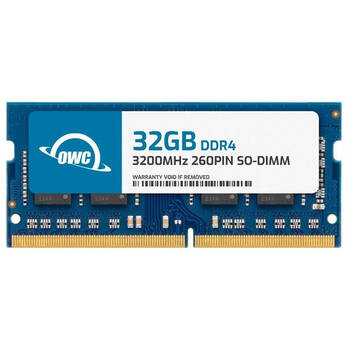
OWC 32GB DDR4 3200 MHz SO-DIMM Memory Module
- 32GB (1 x 32GB) Capacity
- 3200 MHz Clock Speed
- PC4-25600
- 260-Pin SO-DIMM
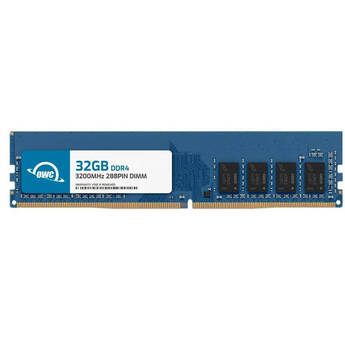
OWC 32GB DDR4 3200 MHz UDIMM Memory Module
- 32GB Capacity
- 3200 MHz Clock Speed
- PC4-25600
- 288-Pin DIMM
Synology 4GB DDR4 SO-DIMM ECC Memory Module
- 4GB (1 x 4GB) Capacity
- 260-Pin SO-DIMM
- ECC, Unbuffered
- For Select Synology Models
Synology 4GB DDR4 SO-DIMM ECC Memory Module
- Designed for the DiskStation DS1621+
- 4GB (1 x 4GB) Capacity
- 260-Pin SO-DIMM
- ECC, Unbuffered
Synology 4GB DDR4 ECC UDIMM Memory Module
OWC 64GB DDR3 1600 MHz ECC RDIMM Memory Kit (4 x 16GB)
- 64GB (4 x 16GB) Capacity
- 1600 MHz Clock Speed
- PC3-12800
- 240-Pin DIMM
QNAP 8GDR4A0-SO-3200 RAM for NAS System (1 x 8GB)
- 8GB (1 x 8GB) Capacity
- 3200 MHz Clock Speed
- SODIMM Shape
- For TS-432X & TS-632X NAS Systems
CORSAIR 16GB VENGEANCE RGB DDR5 6000MHz UDIMM AMD EXPO Memory Kit (2 x 8GB, Gray)
- 16GB (2 x 8GB) Capacity
- 6000 MHz Clock Speed
- PC5-44800
- 288-Pin UDIMM
KLEVV 16GB FIT V DDR5 6000 MT/s Low-Profile UDIMM Memory Kit (2 x 8GB, Ceramic White)
- 16GB (2 x 8GB) Capacity
- 6000 MT/s Clock Speed
- PC5-48000
- 288-Pin UDIMM
KLEVV 16GB FIT V DDR5 6400 MT/s Low-Profile UDIMM Memory Kit (2 x 8GB, Jet Black)
- 16GB (2 x 8GB) Capacity
- 6400 MT/s Clock Speed
- PC5-51200
- 288-Pin UDIMM
KLEVV 16GB FIT V DDR5 6400 MT/s Low-Profile UDIMM Memory Kit (2 x 8GB, Ceramic White)
- 16GB (2 x 8GB) Capacity
- 6400 MT/s Clock Speed
- PC5-51200
- 288-Pin UDIMM
KLEVV 16GB FIT V DDR5 6400 MT/s Low-Profile UDIMM Memory Kit (2 x 8GB, Jet Black)
- 16GB (2 x 8GB) Capacity
- 6400 MT/s Clock Speed
- PC5-51200
- 288-Pin UDIMM
KLEVV 16GB FIT V DDR5 6400 MT/s Low-Profile UDIMM Memory Kit (2 x 8GB, Ceramic White)
- 16GB (2 x 8GB) Capacity
- 6400 MT/s Clock Speed
- PC5-51200
- 288-Pin UDIMM
KLEVV 16GB FIT V DDR5 6000 MT/s Low-Profile UDIMM Memory Kit (2 x 8GB, Jet Black)
- 16GB (2 x 8GB) Capacity
- 6000 MT/s Clock Speed
- PC5-48000
- 288-Pin UDIMM
KLEVV 16GB FIT V DDR5 6000 MT/s Low-Profile UDIMM Memory Kit (2 x 8GB, Ceramic White)
- 16GB (2 x 8GB) Capacity
- 6000 MT/s Clock Speed
- PC5-48000
- 288-Pin UDIMM
TEAMGROUP 16GB T-Create Classic DDR5 5600 MHz SO-DIMM Memory Module (Black)
- 16GB Capacity
- 5600 MHz
- PC5-44800
- 262-Pin SO-DIMM
QNAP 4GB DDR4 2666 MHz SO-DIMM T1 Version Memory Module (1 x 4GB)
- 4GB (1 x 4GB) Capacity
- 2666 MHz Clock Speed
- PC4-21300
- 260-Pin SO-DIMM
QNAP 4 GB 288-Pin U-DIMM DDR4 RAM Module
CORSAIR 16GB VENGEANCE DDR5 6000 MHz UDIMM Memory Kit (2 x 8GB, Gray)
- 16GB (2 x 8GB) Capacity
- 6000 MHz Clock Speed
- PC5-48000
- 288-Pin UDIMM
PNY 32GB XLR8 DDR4 3600 MHz Gaming Desktop Memory Kit (2 x 16GB, Black)
- 32GB (2 x 16GB) Capacity
- 3600 MHz Clock Speed
- 288-Pin UDIMM
- 1.35V
OWC 16GB DDR5 4800 MHz SO-DIMM Memory Module
- 16GB Capacity
- 4800 MHz Clock Speed
- PC5-38400
- 262-Pin SO-DIMM
OWC 16GB DDR5 4800 MHz DIMM Memory Module
- 16GB Capacity
- 4800 MHz Clock Speed
- PC5-38400
- 288-Pin DIMM
PNY 32GB XLR8 DDR4 3600 MHz DIMM Memory Kit (2 x 16GB)
- 32GB (2 x 16GB) Capacity
- 3600 MHz Clock Speed
- PC4-28800
- 288-Pin UDIMM
OWC 16GB DDR5 5600 MHz SO-DIMM Memory Module
- 16GB Capacity
- 5600 MHz Clock Speed
- PC5-44800
- 262-Pin SO-DIMM
Synology 8GB DDR4 UDIMM ECC Memory Module
- For the Synology FlashStation FS2500
- 8GB (1 x 8GB) Capacity
- 288-Pin UDIMM
- 1.2V
QNAP 4GB DDR4 2666 MHz UDIMM ECC Memory Module
- For the QNAP TS-x83XU Series
- 4GB (1 x 4GB) Capacity
- 2666 MHz Clock Speed
- PC4-21300
OWC 64GB DDR4 3200 MHz SO-DIMM Memory Kit (4 x 16 GB)
- 64GB (4 x 16 GB) Capacity
- 3200 MHz Clock Speed
- PC4-25600
- 260-Pin SO-DIMM
OWC 64GB DDR4 3200 MHz SO-DIMM Memory Kit (2 x 32 GB)
- 64GB (2 x 32 GB) Capacity
- 3200 MHz Clock Speed
- PC4-25600
- 260-Pin SO-DIMM
Upgrading a PC with Memory (RAM)
Adding computer memory to your PC is an easy way to improve efficiency and performance. Most computers come with a standard amount of RAM already installed, but you can usually add more to better suit your needs. Installing more RAM is also fairly simple, even for basic level computer users.
There are multiple types of memory modules, and some better suited to certain applications than others are. Some are ideal for building powerful gaming PCs, while others give a boost to work computers, laptops or even large servers.
What Are the Benefits of Installing Additional Computer Memory?
As your computer accumulates software applications and files, its hardware needs to keep up with the growing demand for resources. RAM modules provide additional processing power so that numerous complex programs can load quickly and run efficiently. Some graphics display cards feature their own on-board RAM specifically dedicated to producing sharp, high-quality visuals in video games. Even basic programs for tasks like word processing and spreadsheets load faster and run smoother with additional RAM installed.
Installing RAM Memory for Increased Performance
Installing RAM is an easy process, whether you're working with a desktop tower or a laptop. It requires no additional software, and the process is similar across different machines and nearly all RAM types. It's simple to insert the chips into the corresponding slots while the computer is powered down, and you'll see the benefits immediately during the PC's next startup. RAM is also easy to remove and replace if needed, but it typically performs reliably for a long time with proper use. Graphics cards with their own built-in RAM also simply plug into place in expansion slots, although they may also require the installation of certain software or additional cooling fans to deal with the added heat production.
Different Types and Sizes of Computer Memory
When installing RAM into a computer or server, be sure to match the number of pins on the chip to the ones accommodated by the computer's slots. It's also important to check the notch position to make sure it lines up correctly. Install only up to the maximum amount of RAM that your operating system can handle to get optimal performance from your machine. Laptops take smaller memory modules while servers will likely require much larger chips. With a memory kit containing multiple RAM pieces, you can provide upgrades to server components for several computers in your home or within your company.
There's no need to settle for a computer that has slowed with age when you can buy PC memory. Choose from the wide selection of PC and Mac RAM memory (i.e: DDR4 RAM) as well as other desktop components available from B&H Photo and Video.