Computer Monitor & Displays


Dell Pro 32" Plus QHD USB-C Hub IPS Monitor
- 31.5" 16:9 IPS Panel
- HDMI | DisplayPort
- USB-C Ports | USB-A Ports | RJ45 Port
- 2560 x 1440 Resolution at 100 Hz
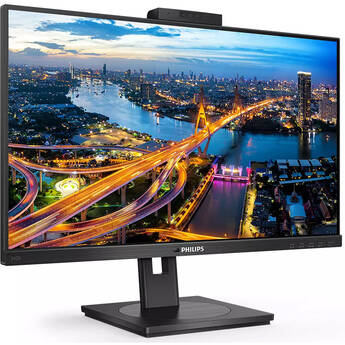
Philips 242B1H 23.8" 16:9 Adaptive-Sync IPS Monitor
- 23.8" In-Plane Switching (IPS) Panel
- DisplayPort, HDMI & VGA Inputs
- 1920 x 1080 Resolution
- 1000:1 Static Contrast Ratio
BenQ GW2490T 23.8" Monitor (Black)
- 23.8" 16:9 IPS Panel
- HDMI | DisplayPort
- FHD 1920 x 1080 at 100 Hz
- 5 ms Response Time
Acer AOPEN 32HC5QR W0biip 31.5" Full HD 240 Hz Curved Gaming Monitor
- 31.5" 16:9 VA Panel
- HDMI 2.1 | DisplayPort 1.4
- Full HD (1080p) 1920 x 1080 at 240 Hz
- FreeSync Premium
ASUS ProArt PA247CV 23.8" Monitor
- 23.8" In-Plane Switching (IPS) Panel
- HDMI | DisplayPort | USB Type-C
- 1920 x 1080 Resolution @ 75 Hz
- 1000:1 Static Contrast Ratio
MSI PRO MAX 271QPHW E14 27" 1440p HDR 144 Hz Monitor
- 27" 16:9 IPS Panel
- HDMI | DisplayPort | USB-C (65W)
- QHD (1440p) 2560 x 1440 at 144 Hz
- Adaptive Sync
LG UltraWide 29BF550B-W 29" 1080p HDR 100 Hz Monitor
- 29" 21:9 IPS Panel
- HDMI | DisplayPort | USB-C
- WFHD (1080p) 2560 x 1080 at 100 Hz
- 5 ms (GtG) Response Time
Dell Pro P 27" Full HD IPS USB-C Hub Monitor
- 27" 16:9 IPS Panel
- HDMI | DisplayPort | USB-C
- FHD 1920 x 1080 at 120 Hz
- 5 ms (GtG) Response Time
BenQ VideoVue PV3200U 31.5" 4K HDR Video Editing Monitor
- 31.5" 16:9 IPS Display
- HDMI 2.0 | USB-C (65W)
- 4K UHD 3840 x 2160 at 60 Hz
- 5 ms (GtG) Response Time
ASUS Republic of Gamers Swift OLED PG27AQWP-W 26.5" 1440p HDR 540 Hz / Full HD 720 Hz Dual Mode Gaming Monitor (White)
- 26.5" 16:9 TrueBlack Glossy OLED Panel
- HDMI 2.1 | DisplayPort 2.1
- QHD (1440p) 2560 x 1440 at 540 Hz
- Full HD 1920 x 1080 at 720 Hz
Dell UltraSharp 34" 1440p 120 Hz Curved Thunderbolt Hub Monitor Kit (2-Pack)
- 34" 21:9 Curved IPS Panel
- HDMI | DisplayPort | Thunderbolt 4
- 3440 x 1440 at 120 Hz
- Up to 5 ms Response Time
HP E24t G5 23.8" Multi-Touch Monitor
- 23.8" 16:9 IPS Panel
- HDMI 1.4 | DisplayPort 1.2 | USB-A
- Full HD 1920 x 1080 at 75 Hz
- 5 ms (GtG) Response Time with Overdrive
Samsung ViewFinity S70D 27" 4K HDR Monitor (Black)
- 27" 16:9 IPS Panel
- HDMI | DisplayPort | 3.5mm
- UHD 4K 3840 x 2160 at 60 Hz
- 5 ms (GtG) Response Time
LG 34BP65C-B 34" 21:9 160 Hz FreeSync Curved VA Monitor
- 34" Curved Vertical Alignment (VA) Panel
- HDMI & DisplayPort Inputs
- 3440 x 1440 Resolution at 160 Hz
- 3000:1 Static Contrast Ratio
Samsung Odyssey OLED G5 G50SF 27" 1440p HDR 180 Hz Gaming Monitor
- 27" 16:9 QD-OLED Panel
- HDMI 2.0 | DisplayPort 1.2
- QHD 2560 x 1440 at 180 Hz
- FreeSync | G-Sync Compatible
BenQ MA320UG 31.5" 4K HDR 120 Hz Nano Gloss Monitor for MacBook
- 31.5" 16:9 Nano Gloss IPS Panel
- HDMI | Thunderbolt 4 (96W)
- UHD 4K 3840 x 2160 at 120 Hz
- 5 ms GtG Response Time
FeelWorld D10 10.1" Portable Multi-Touch Monitor
- 10.1" 16:10 IPS Panel
- HDMI 1.4 | USB-C | 3.5mm
- 1920 x 1200 at 60 Hz
- 1000:1 Static Contrast Ratio
ASUS VA24DQSB 23.8" 16:9 FreeSync Eye Care IPS Monitor
- 23.8" In-Plane Switching (IPS) Panel
- HDMI + DisplayPort + VGA Inputs
- FHD 1920 x 1080 Resolution @ 75 Hz
- 1000:1 Static Contrast Ratio
Dell Dual Pro P 24" Full HD IPS Monitor Kit
- 24" 16:9 IPS Panel
- HDMI | DisplayPort
- FHD 1920 x 1080 at 120 Hz
- 5 ms (GtG) Response Time
Dell P2724DEB 27" 1440p Video Conferencing Monitor
- 27" 16:9 IPS Panel
- HDMI | DisplayPort | USB-C (90W)
- QHD (1440p) 2560 x 1440 at 60 Hz
- 2K QHD IR Webcam w/ Dual Mics
Dell P3426WEB Pro P 34" WQHD USB-C Hub Curved Conferencing Monitor
- 34" 21:9 IPS Panel
- HDMI | DisplayPort | USB-C
- WQHD 3440 x 1440 at 100 Hz
- 5 ms (GtG) Response Time
ASUS ProArt Display OLED PA32UCDM 31.5" 4K HDR 240 Hz Monitor
- 31.5" 16:9 QD-OLED Panel
- HDMI | Thunderbolt 4 (96W)
- 4K UHD 3840 x 2160 at 240 Hz
- 0.1 ms (GtG) Response Time
ViewSonic VA1903h 18.5" 16:9 TN Monitor
- Twisted Nematic (TN) Panel
- HDMI | VGA Inputs
- 1366 x 768 WXGA Resolution
- 600:1 Static Contrast Ratio
Wimaxit M1050CV4 10.5" HDR Portable Monitor
- Image Flip for Teleprompter
- 10.5" 3:2 IPS Display
- Mini-HDMI | USB-C | 3.5mm
- 1920 x 1280 Resolution
Acer PM161QT bmiuuux 15.6" Multi-Touch Portable Monitor
- 15.6" 16:9 IPS Touchscreen
- USB-C 3.2 Gen 1 | Mini-HDMI | 3.5mm
- Full HD 1920 x 1080 at 60 Hz
- Adaptive-Sync | FreeSync
Dell Pro E2726HS 27" Full HD Monitor
- 27" 16:9 IPS Panel
- HDMI | DisplayPort | VGA
- 1920x 1080 Resolution at 100 Hz
- 1000:1 Static Contrast Ratio
BenQ GW2486TC 23.8" Monitor (White)
- 23.8" 16:9 IPS Panel
- HDMI | DisplayPort | USB-C
- 1920 x 1080 Resolution at 100 Hz
- 5 ms (GtG) Response Time
ViewSonic VX3276-mhd 31.5" 16:9 IPS Monitor
- 31.5" In-Plane Switching (IPS) Panel
- DisplayPort + HDMI + VGA Inputs
- 1920 x 1080 Full HD Resolution
- 1200:1 Static Contrast Ratio
Shopping Computer Monitors and Displays
Computer monitors and displays connect to desktop PCs and other devices so you can view content. The type of monitor to buy depends upon the types of work you do on your computer. After deciding on a screen size, look for features such as design, panel, resolution, and connectivity.
Types of Computer Monitors
For basic computing tasks, consider a Full HD monitor with a screen size between 19 and 24 inches. Pair work and entertainment PCs with bigger displays, to take advantage of the extra screen real estate. To keep up with high-intensity video game actions, opt for gaming monitors. These have very high resolutions, fast response times, high refresh rates, and wide viewing angles. Whether you need a display at home or in the office, consider widescreen computer monitors for maximum production. These have an aspect ratio 16:9 or 16:10, display dimensions that let you open multiple apps side-by-side, and make movies and games look cinematic.
Ultrawide monitors have an aspect ratio of 21:9. They can accommodate even more windows, and they make video games more immersive. Touchscreen monitors feature touch-enabled screens that allow gestures such as swiping, tapping, and pinch-to-zoom. Consider smart display clients when looking for touchscreen monitors for work. These are all-in-one desktop computers running Windows and other operating systems.
Computer Monitor Panel Types and Resolution
The majority of computer displays use LCD panels. For brighter images, look for an LED monitor, which is an LCD panel with light-emitting diode backlighting. An LED computer monitor is thinner than a regular LCD panel and uses less power. The three types of LCD panels used for monitors are TN, VA, and IPS, each with distinct benefits:
- TN panels have high refresh rates and fast response times.
- VA panels offer good viewing angles and the best contrast.
- IP panels render vibrant colors with excellent contrast and impressive viewing angles.
The stellar responsiveness of TN panels makes them ideal as gaming monitors. For the best image quality, choose an IPS computer monitor. An HD computer display has a resolution of 1280 x 720 pixels. This is the minimum resolution to look for in a monitor to enjoy crisp text and images as well as vivid colors. For 20-inch and larger monitors, opt for Full HD or 1080p resolution to make images look sharp. Quad HD (1440p) and Ultra HD (4K) models deliver sharper images and are best for multimedia editing and gaming. For health care offices, medical diagnostic displays feature such high-resolution panels and boast high color accuracy.
What's the Benefit of a Curved Computer Monitor?
A curved monitor keeps its entire screen within your field of view. Flat monitors measuring 27 inches and wider look imposing when you're sitting close to them, and you have to move your head to see the edges. A monitor with curved sides, however, brings its edges closer to keep you in the sweet spot while reducing glare and without sacrificing image quality.
Whether you're looking for computer monitors and displays to stream movies, play video games, or multitask at work, you can find the right model among B&H Photo and Video's selection of new and used computer monitors.