Production Monitors

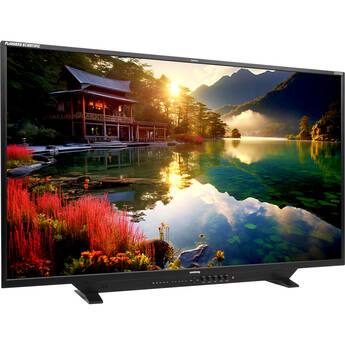
Flanders Scientific XMP550 55" QD-OLED 4K HDR Mastering Monitor
- 3840 x 2160 QD-OLED Display
- 179° Viewing Angle
- 4,000,000:1 Contrast Ratio
- 2,000 cd/m² Brightness
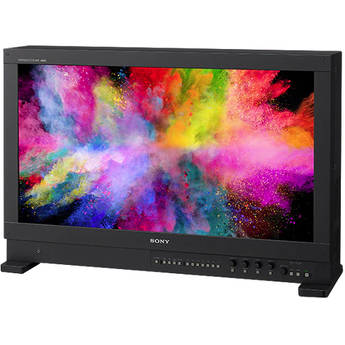
Sony BVM-HX310 31" 4K HDR TRIMASTER HX Professional Master Monitor
- Supports 4096 x 2160 Resolution
- 89° Viewing Angle
- 1,000,000:1 Contrast Ratio
- 1000 cd/m² Brightness
Flanders Scientific XMP551 55" QD-OLED HDR UHD 4K Mastering Monitor
- 3840 x 2160 10-Bit QD-OLED Display
- 179° Viewing Angle
- 8,000,000:1 Contrast Ratio
- 4000 cd/m² Brightness
Flanders Scientific XMP651 65" QD-OLED HDR Mastering Monitor
- 65" True Reference-Grade Monitor
- HDR/SDR Mastering and Dolby Vision
- 4000 cd/m² Brightness, Wide Color Gamut
- 8,000,000:1 Contrast Ratio
Sony BVM-HX1710 16.5" 4K TRIMASTER HX Professional Master Monitor
- TRIMASTER HX Precision Imaging LCD Panel
- Supports up to 3840 x 2160 Resolution
- Wide 89° Viewing Angle
- High 3000 cd/m² Brightness
Sony BVM-HX1710N 16.5" 4K TRIMASTER HX Networked Professional Master Monitor
- TRIMASTER HX Precision Imaging LCD Panel
- Supports up to 3840 x 2160 Resolution
- Wide 89° Viewing Angle
- RJ45 Ethernet, Integrated IP Support
Canon DP-V3120 31" 4K HDR Reference Monitor
- 2000 cd/m² Screen Brightness
- 0.001 cd/m² Black Levels
- 2,000,000:1 Contrast Ratio
- 4 x 12G-SDI Inputs, 4 x 12G-SDI Outputs
EIZO ColorEdge Prominence 30.5" CG1 4K HDR Reference Monitor
- HDR 30.5" Reference Monitor
- Up to 4K60 Video Support
- SDI, HDMI, DisplayPort, and SFP28 Inputs
- 178° FOV, 1000 cd/m² Brightness
Ikegami 31" UHD 4K Multi-Format LCD Monitor
- Supports 4096 x 2160 Resolution
- 1000 cd/m² Brightness
- 1,000,000:1 Contrast Ratio
- 178° Viewing Angles
Sony BVM-HX3110 30.5" 4K TRIMASTER HX Professional Master Monitor
- Supports up to 4096 x 2160 Resolution
- Wide 45° Viewing Angle
- HIgh 4000 cd/m² Brightness
- 12G/6G/3G/HD-SDI & HDMI Ports
Using SDI & Production Monitors
Unlike computer displays, video production monitors are portable and have a higher affinity to read camera signals accurately. With their rugged design, they can withstand external weather conditions right alongside your camera.
Production Monitor Uses
These devices monitor videos for aesthetics and technical validity. To monitor the aesthetics, they help you examine the parameters of an image, such as the colors, framing, and focus. To monitor the technical merits, you have to look at an image's data, which is usually interpreted by the monitors in waveforms, graphics, and other information. This data is necessary to produce videos within the boundaries of the agreed-upon standards. As a rule, shop for a monitor that'll allow you to check for both the aesthetics and technical validity in videos.
What to Look for in Broadcast Monitors
Consider your needs when looking for a broadcast monitor. Choose one that's able to read the native resolution and aspect ratio of a signal. If it can't display the native resolution, then it should come with a 1:1 pixel-mapping feature. A good monitor should also have a refresh rate of at least 60 Hz. Some professional video on-camera monitors are lightweight and easily portable, making them ideal for outside broadcasting.
Choose a monitor with compatible connectors, such as HDMI, BNC, and SMPTE, to ensure easy and convenient connections and operations. For a more organized setup, choose one with ergonomic controls that are simple to use even without the remote control. The contrast ratio should be as high as possible — more than 1,000:1 — for precise video editing. If you're specifically looking for an LCD monitor, shop for a 4K IPS monitor. IPS monitors have the best LCD technology panels for color accuracy, image quality, and viewing angles. For commercial video monitoring, go for a 4K monitor, as it will accept Ultra HD signals. Alternatively, consider ones with firmware that you can upgrade to accept 4K signals.
Production Monitor Accessories
For top-notch performance of your monitor, you'll need to consider a number of accessories. If you're planning to affix it in a specific spot, shop for professional video monitor rackmounts. Signal pulse generators will help you test the systems against a standard known signal type. They're often used in stereoscopy and broadcast switching. You can place rackmount monitors on walls, racks, or desktops. If you're always traveling, consider getting professional video monitor cases to keep your gear safe from damage.
Choosing the right production monitor means that that you can efficiently examine your videos for quality standards. From desktop to rackmount LCD monitors, B&H Photo and Video stocks a range of monitors from known brands, including Sony, Panasonic, Wohler, and more.