Wireless Routers

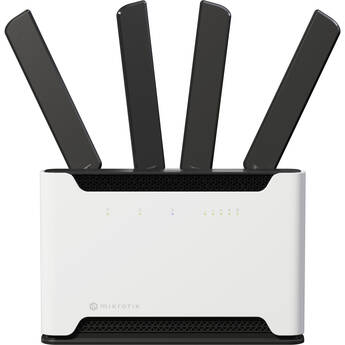
MikroTik 2.4/5GHz Chateau 5G Ax
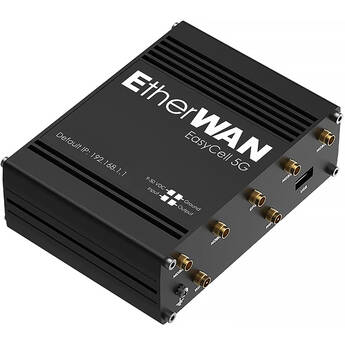
EtherWAN EasyCell Hardened 5G LTE Router
- 5G LTE Support
- Up to 3.4 Gb/s LTE Download Speeds
- Up to 550 Mb/s LTE Upload Speeds
- Wi-Fi 5 (802.11ac)
Choosing the Best Wireless Routers
The best wireless routers keep all your devices linked to a single secure network. Depending on your environment, you may need to look for models with advanced features that combat interference caused by neighboring apartments, homes with multiple levels, or cross-frequencies from other electronic devices. Varying in power and capacity, all models allow you to stream data and media from your phone, computers, gaming systems, Smart TVs, and accessories that pair with Bluetooth adapters. The options are as limitless as your tech-savvy hobbies and interests, but they all rely on one thing: a strong connection.
Benefits of Wi-Fi Routers
You face cumbersome Ethernet cords scattered throughout your home or office without routers or wireless range extenders to expand your broadband internet service. In addition, smart devices such as cell phones and tablets can't access hardwired connections. The best wireless routers on the market are 802.11ac models, each with its own unique set of features. Ultimately, you should look for routers with at least four 10/100/1000GB Ethernet ports, so you can add multiple devices that may require hard connections. High-quality brands such as Linksys routers offer additional features such as USB ports that make it easy plug in printers and other systems. Certain models also offer restrictive controls, which let parents and office personnel limit the websites that people on a shared connection have access to.
Extending Your Wireless Signal
If your home or office has multiple levels, it can be difficult to maintain signal strength the farther you venture away from the router. Avoid Wi-Fi dead zones by using a whole home Smart Wi-Fi system to extend your reach. These can include a single device with amplified signal strength, or dual-band routers with multiple extenders. The additional devices track your router's signal, and then amplify and rebroadcast it.
Depending on the placement of the extender, your signal may lose its strength. In this case, wireless bridges can connect the networks from two networks, forming a Wi-Fi bridge. Connections range from Wi-Fi to Ethernet, Wi-Fi to Wi-Fi, and Bluetooth to Wi-Fi bridges. Whichever source becomes the primary communicator transmits to whatever devices are synced with the bridge.
A third option to consider is wireless access points. These networking devices form wireless local area networks (WLANs) that serve as access points for Wi-Fi transmission. Many people use these hotspot connections in homes, but they present the power and flexibility to use in office settings or even on the go.
Your unique needs determine which router is best for you. Look for different models from trusted brands, such as Asus routers and Apple routers. Learn more about all the functions of powerful wireless routers by checking out the selection found at B&H Photo and Video.