Expansion Hard Drives

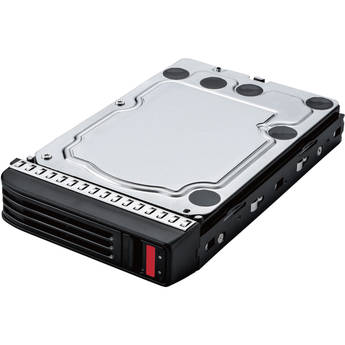
Buffalo 12TB SATA III 3.5" Internal Hard Drive for TeraStation Series NAS
- For Select TeraStation NAS Servers
- 12TB Capacity
- 3.5" Form Factor
- SATA III 6 Gb/s Interface
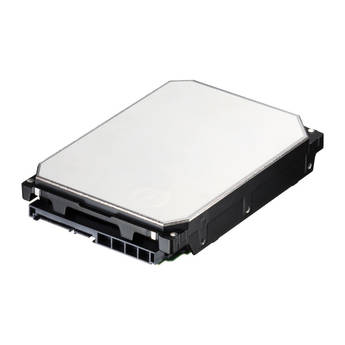
Buffalo Replacement 8TB Hard Drive for DriveStation Ultra
iodyne 2TB SSD Spare Module
Buffalo 16TB SATA III 3.5" Internal Hard Drive for TeraStation Series NAS
- For Select TeraStation NAS Servers
- 16TB Capacity
- 3.5" Form Factor
- SATA III 6 Gb/s Interface
Buffalo 8TB Replacement Enterprise Hard Disk Drive for TeraStation 5400rh
Promise Technology 18TB Pegasus J2i Internal Storage Enclosure for Mac Pro
- Designed for the Mac Pro (2019 and 2023)
- 1 x 18TB 7200 rpm SATA 3.5" HDD
- 2 x 3.5" SATA III Drive Bays
- Preformatted HFS+
Promise Technology 16TB SATA with Drive Carrier for PegasusPro R16
Promise Technology 18TB SATA HDD for PegasusPro R8/VTrak N1008
Buffalo 20TB SATA III 3.5" Internal Hard Drive for TeraStation Series NAS
- For Select TeraStation NAS Servers
- 20TB Capacity
- 3.5" Form Factor
- SATA III 6 Gb/s Interface
Promise Technology Hard Drive Module for VTrak J5960 (18TB)
Apple 4TB SSD Upgrade Kit for Mac Pro with M2 Ultra (2023)
iodyne 4TB SSD Spare Module
Promise Technology 32TB (4 x 8TB) Pegasus R4i RAID Storage MPX Module for Mac Pro
- Designed for the Mac Pro
- Full-Height MPX Form Factor
- 4 x 8TB 7200 rpm SATA III 3.5" HDDs
- 4 x 3.5" SATA III Drive Bays
Promise Technology 32TB (4x8TB) S Hard Drive for VESS R3600 (4-Pack)
iodyne 8TB SSD Spare Module
iodyne 16TB SSD Spare Module
iodyne 96TB Upgrade for 12TB, 24TB, or 48TB ProData SSD RAID
iodyne 192TB Upgrade for 12TB, 24TB, 48TB, or 96TB ProData SSD RAID
Learning About Expansion Hard Drives
Expansion hard drives increase the storage capacity of the hardware that you use every day. If you need to store a lot of data, photos, videos, and more, then investing in an expansion hard drive is a viable solution.
What's an Expansion Hard Drive?
An expansion hard drive is similar to the HDD on your computer. Find 3.5-inch expansion drives that fit your desktop, 2.5-inch drives for your laptop, and portable, plug-and-play drives that work with either. Internal expansion hard drives are a suitable choice for enhancing internal storage, while external drives are portable, and are often used as backup hard drives for your data and other important documents.
Expansion Drive Interface, Capacity, and Speed
How your expansion drive connects to your computer, how much data it can store, and the speed with which it accesses your files are all essential considerations.
Interface
Internal hard drives come with connectors that interface with your computer. Most personal computers have SATA connectors, while servers and corporate workstations connect through SAS. Portable external hard drives use USB cables and adapters that can plug into any computer with a USB interface.
Capacity
Expansion hard drives vary in storage capacity, from 32GB to 48TB. One terabyte is equal to 1,000 gigabytes, so the difference between the smallest and the largest available is vast. You'll need larger capacity drives if you intend to store many large files.
Speed
The drive's speed refers to how quickly it can find a file. HDDs display an RPM, a number from 5,400 to upward of 15,000. The larger the number, the faster the disk spins and finds your information.
Find a wide array of expansion hard drives and other computer hard drives and storage devices for your PCs or workstations, at B&H Photo Video.