Gaming Desktop Computers

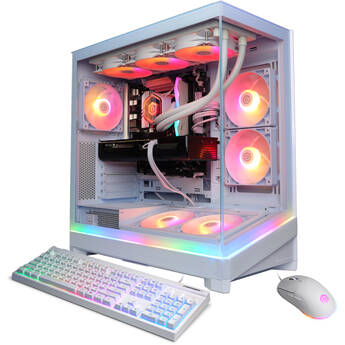
CyberPowerPC Gamer Supreme Desktop Computer
- Intel Core Ultra 7 270K Plus 24-Core
- 32GB DDR5 RAM
- 2TB M.2 PCIe 4.0 SSD
- NVIDIA GeForce RTX 5070 Ti (16GB GDDR7)
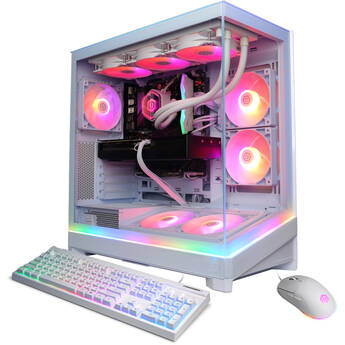
CyberPowerPC Gamer Supreme Desktop Computer
- 4.7 GHz AMD Ryzen 7 9850X3D 8-Core
- 32GB DDR5 RAM
- 2TB M.2 PCIe 4.0 NVMe SSD
- NVIDIA GeForce RTX 5070 Ti (16GB GDDR7)
CORSAIR VENGEANCE a7400 Gaming Desktop Computer
- 4.2 GHz AMD Ryzen 7 7800X3D 8-Core
- 32GB 6000 MT/s DDR5 RAM
- GeForce RTX 5070 Ti (16GB GDDR7)
- 1TB M.2 NVMe SSD
CyberPowerPC Gamer Supreme Liquid Cool Desktop Computer (Black)
- 4.7 GHz AMD Ryzen 7 9800X3D 8-Core
- 32GB 6000 MHz DDR5 RAM
- 2TB M.2 PCIe 4.0 SSD
- NVIDIA GeForce RTX 5080 Graphics
CyberPowerPC Gamer Supreme Desktop Computer
- Intel Core Ultra 7 270K Plus 24-Core
- 32GB DDR5 RAM
- 2TB M.2 PCIe 4.0 SSD
- NVIDIA GeForce RTX 5080 (16GB GDDR7)
Dell Alienware Aurora Gaming Desktop
- Intel Core Ultra 7 265KF 20-Core
- 32GB DDR5 RAM
- 1TB M.2 PCIe NVMe SSD
- NVIDIA GeForce RTX 5070 Graphics
CyberPowerPC Gamer Supreme Liquid Cool Desktop Computer (Black)
- 3.9 GHz Intel Core Ultra 7 265KF 20-Core
- 32GB 6400 MHz DDR5 RAM
- 2TB M.2 PCIe 4.0 SSD
- NVIDIA GeForce RTX 5080 Graphics
MSI Aegis ZS2 Gaming Desktop Computer (Pink)
- 4.4 GHz AMD Ryzen 9 9900X 12-Core
- 32GB DDR5 RAM
- 2TB M.2 NVMe PCIe 4.0 SSD
- NVIDIA GeForce RTX 5080 (16GB GDDR7)
CyberPowerPC Gamer Supreme RGB Desktop Computer
- 4.7 GHz AMD Ryzen 7 9850X3D 8-Core
- 32GB 6000 MHz DDR5 RAM
- 2TB M.2 PCIe 4.0 NVMe SSD
- NVIDIA GeForce RTX 5080 Graphics
Cooler Master COSMOS Pro Gaming Computer
- 4.7 GHz AMD Ryzen 7 9800X3D 8-Core
- 32GB 6000 MT/s DDR5 RAM
- 4TB M.2 NVMe PCIe 4.0 SSD
- NVIDIA GeForce RTX 5080 (16GB GDDR7)
CyberPowerPC Gamer Supreme Desktop Computer
- 4.3 GHz AMD Ryzen 9 9950X3D2 16-Core
- 64GB (2 x 32GB) of DDR5 RAM
- AMD Radeon RX 9070 XT (16GB GDDR6)
- 4TB M.2 PCIe 4.0 NVMe SSD
ASUS Republic of Gamers NUC 16 Edition 20 Mini Desktop Gaming Computer
- Intel Core Ultra 9 290HX Plus 24-Core
- 64GB 6400 MHz DDR5 RAM
- NVIDIA GeForce RTX 5090
- 2TB M.2 PCIe 5.0 NVMe SSD
Buying Guide for Prebuilt Gaming PC (Gaming Desktop Computers)
When it comes to gaming, many consider the PC to be the undisputed king. After all, a good gaming PC is more powerful than a console or gaming laptop. It’s easier to customize and upgrade, has access to a bigger library of games and, in general, is better suited for newer technologies like VR. But what makes a good gaming computer? Let’s look at three of the most important factors to consider when shopping for a gaming PC.
GPU
For gaming computers, the graphics card and GPU are your most important factors. After all, you can’t have a great gaming PC without a great graphics card. When choosing a GPU, it’s good to consider the types and settings of games you’ll be playing. More demanding games and settings mean you’ll most likely need a better graphics card. To understand what makes a graphics card good or not, check out our GPU primer.
CPU
A gaming PC’s processor is nearly as important as its graphics card, since it’s largely responsible for your computer’s overall performance. One of the key factors you’ll want to consider is how many cores the processor has. More cores mean faster speeds, which means better gaming performance.
Storage Size and Type
After the graphics card and CPU, your other big consideration should be storage. Not just the amount, but the type of storage the gaming PC uses. A good strategy is to look for a solid-state drive with a reasonable amount of storage that isn’t overkill. SSDs are faster than hard drives, which will directly affect how games play, and they’re increasingly more affordable, especially if you opt for a reasonable amount of memory—remember, there’s no point in paying for storage you never use.
Other Considerations
There are, of course, other specs and features to consider when purchasing or building a gaming PC. However, if you invest the bulk of your budget on getting a suitable graphics card, processor, and the right type of storage, you should be on the right track. If you have questions about those components, or anything else related to gaming and gaming PCs, be sure to contact us. Our chat lines remain open and are always ready to help.