Gaming Laptops

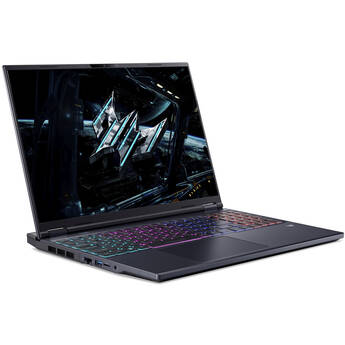
Acer 16" Predator Helios Neo 16 AI LED IPS Gaming Laptop
- 2.1 GHz Intel Core Ultra 9 24-Core
- 16GB DDR5 | 1 TB PCIe Gen 4 SSD
- 16" 2560 x 1600 240 Hz LED IPS
- NVIDIA GeForce RTX 5070 Ti (12GB GDDR7)
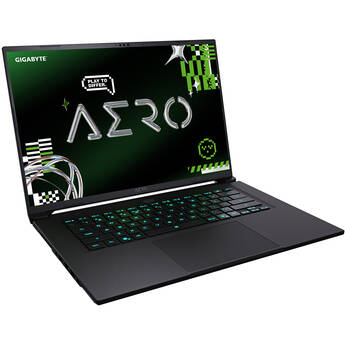
Gigabyte 16" AERO X16 Laptop Copilot+ PC (Space Gray)
- AMD Ryzen AI 7 350 8-Core
- 16GB DDR5 | 1TB M.2 NVMe PCIe SSD
- 16" 2560 x 1600 IPS Display
- NVIDIA GeForce RTX 5070 (GDDR7)
Gigabyte 16" AORUS ELITE 16 Laptop
- Intel Core Ultra 9 275HX 24-Core
- 32GB of DDR5 RAM | 1TB M.2 NVMe PCIe SSD
- 16" 2560 x 1600 IPS Display
- GeForce RTX 5070 Laptop GPU (8GB GDDR7)
Gigabyte 16" AERO X16 Laptop Copilot+ PC (Lunar White)
- AMD Ryzen AI 7 350 8-Core
- 32GB DDR5 | 1TB M.2 NVMe PCIe SSD
- 16" 2560 x 1600 IPS Display
- NVIDIA GeForce RTX 5070 (GDDR7)
Gigabyte 18" Gaming A18 GA83H Laptop
- 3.8 GHz AMD Ryzen 7 260 8-Core
- 32GB DDR5 | 1TB M.2 NVMe SSD
- 18" 2560 x 1600 165 Hz Display
- NVIDIA GeForce RTX 5070 (8GB GDDR7)
Gigabyte 16" GAMING A16 PRO Gaming Laptop
- 2.5 GHz Intel Core 7 240H 10-Core
- 32GB LPDDR5X RAM | 1TB M.2 NVMe PCIe SSD
- 16" 2560 x 1600 IPS 165 Hz Display
- NVIDIA GeForce RTX 5080 (12GB GDDR7)
Acer 16" Predator Helios Neo 16 AI Gaming Laptop
- 2.7 GHz Intel Core Ultra 9 24-Core
- 16GB DDR5 | 1TB M.2 PCIe 4.0 SSD
- 16" 2560 x 1600 IPS 240 Hz Display
- NVIDIA GeForce RTX 5070 Ti (12GB GDDR7)
Dell 16" Alienware 16 Aurora Gaming Laptop
- 2.5 GHz Intel Core 7 240H 10-Core
- 32GB DDR5 RAM | 1TB M.2 NVMe PCIe SSD
- 16" 2560 x 1600 120 Hz Display
- NVIDIA GeForce RTX 5060 (8GB GDDR7)
Gigabyte 16" AORUS MASTER 16 Gaming Laptop
- 5.4 GHz Intel Core Ultra 9 275HX 24-Core
- 32GB DDR5 RAM | 1TB M.2 NVMe SSD
- 16" 2560 x 1600 240 Hz OLED Display
- NVIDIA GeForce RTX 5080 (16GB GDDR7)
Gigabyte 16" AORUS MASTER 16 Gaming Laptop
- AMD Ryzen 9 9955HX3D 16-Core
- 16GB DDR5 | 1TB M.2 NVMe SSD
- 16" 2560 x 1600 OLED 240 Hz Display
- NVIDIA GeForce RTX 5080 (16GB GDDR7)
MSI 18" Raider 18 HX AI Gaming Laptop
- 2.8 GHz Intel Core Ultra 9 285HX 24-Core
- 64GB DDR5 RAM | 2TB M.2 NVMe SSD
- 18" 3840 x 2400 Mini LED 120 Hz Display
- NVIDIA GeForce RTX 5090 (24GB GDDR7)
Lenovo 18" Legion 9i Gaming Laptop
- Intel Core Ultra 9 290HX Plus 24-Core
- 64GB DDR5 | 2TB M.2 NVMe PCIe SSD
- 18" 3840 x 2400 IPS 240 Hz Display
- NVIDIA GeForce RTX 5080 (16GB GDDR7)
Lenovo 18" Legion 9i Gaming Laptop
- Intel Core Ultra 9 290HX Plus 24-Core
- 64GB DDR5 | 2TB M.2 NVMe PCIe SSD
- 18" 3840 x 2400 IPS 240 Hz Display
- NVIDIA GeForce RTX 5090 (24GB GDDR7)
MSI 18" Titan 18 HX A2W Gaming Laptop
- Intel Core Ultra 9 24-Core
- 64GB DDR5 | 2TB + 2TB M.2 NVMe SSD
- 18" 3840 x 2400 Mini-LED 240 Hz Display
- GeForce RTX 5090 Laptop GPU (24GB GDDR7)
Gaming Laptops
Unlike their PC brethren, gaming laptops are designed for gamers on the go. They're portable, powerful, and, with the right specs, offer a gaming experience similar to what you would find on a gaming PC. The key to selecting a great gaming laptop is knowing what specs to look for, how those specs align with your own needs, and which specs to prioritize in case you have to choose one over the other. With those points in mind, let's talk gaming laptops.
GPU
For gaming laptops, the graphics processing unit (GPU) is probably your most critical piece of hardware. In general, the GPU determines which games and game settings your laptop can adequately handle. For example, less powerful GPUs can support select titles played on lower game settings. Mid-tier GPUs can handle those same titles and more on higher game settings. The most powerful GPUs can handle almost any title on the highest game settings and fully support the most demanding applications, such as VR. One of the best and easiest ways to determine which GPU you need is to look at the system requirements of the titles you’re interested in playing. Most, if not all, will tell you the base GPU requirements.
Display
The display quality can be critical to your gaming experience, especially if you don’t plan on connecting your laptop to a monitor. Unlike the GPU, a lot of what determines a good gaming display is subjective. For example, the size of the display. Not everyone wants or needs an 18″ panel; some users prefer something smaller. Necessary screen resolution, too, can be subjective, though you should never get anything less than 1080p. On the flip side of that, if you’re looking at a gaming laptop with a high screen resolution, make sure it’s got a high enough refresh rate to avoid motion blur and ghosting. And if there’s one piece of advice that’s pretty universal when it comes to gaming laptops, it’s that you should probably avoid touchscreens. There aren’t a ton of gaming laptops with touchscreens out there, but the ones that exist tend to have a glossier display that can negatively affect visuals.
Battery Life
The irony of gaming laptops is that despite their portability, in general, you still need to plug them in. Obviously, they all come with built-in batteries, but the truth is, if you’re playing AAA games on high settings, odds are you’ll burn through your battery power pretty fast. And if a gaming laptop does come with any kind of battery-saver mode, it’s usually enabled by weakening other features, like dimming your display. The point is that battery life probably isn’t going to be a useful indicator for determining which gaming laptops are good, so don’t get too hung up on it.