Monitor Calibration

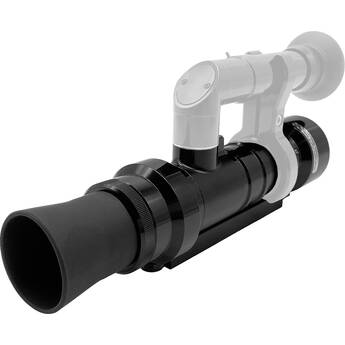
Colorimetry Research CR-250 Tristimulus Colorimeter/Photometer
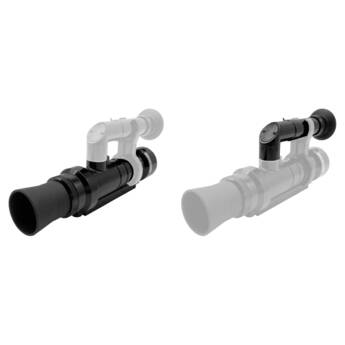
Colorimetry Research CR-250 Tristimulus Colorimeter/Photometer with Viewfinder Kit
- CR-250 Tristimulus Colorimeter
- Visible Spectrum (380 to 780nm)
- Wide Dynamic Range
- Compact and Rugged
Colorimetry Research CR-300 Spectroradiometer/Spectrophotometer
Learning About Monitor Color Calibration Tools
Monitor calibration ensures the brightness and color displayed on your monitor is correct. If monitors aren't calibrated, images will be dark, dull, or washed out when viewed on correctly calibrated monitors. In addition, when you print photos and documents, the colors will be different from what you see on your screen. Screen color calibration affects everyone who sells, publishes, or uses images in their work. This includes photographers who enter photographic competitions, attend photographic meetings, or use their pictures in social groups.
What Is Screen Color Calibration Tool?
Monitors use the light from red, green and blue pixels to create colors. Slight variations mean colors displayed on one monitor are different from those on another, unless each is calibrated to the same standard. Although there are ways to calibrate monitors manually, these rely on individual color interpretation, and it's difficult to achieve satisfactory results. Instead, professionals and serious amateurs use special colorimeters that measure monitor colors and automatically apply standard color
profiles. This ensures that monitors have the correct color balance and brightness.
Screen Calibration Systems
Monitor calibration systems use a small colorimeter placed in front of the screen. The device runs through a calibration routine where it measures screen settings and creates an ICC profile that sets the monitor to the correct color profile. Because ambient lighting affects what's seen on screens, some calibrators also measure and correct for ambient lighting. Some brands include reference charts so you can visually compare screen colors to ensure successful calibration.
Factors that may affect calibration include:
- Monitor type
- Monitor quality
- Computer operating system
- Monitor resolution
- Multiple monitors
- Ambient light
Accessories to Help Calibrate Monitors
Ambient conditions affect display calibration and what you see on your monitor, so it's important to protect your display from ambient light interference, especially if you have a monitor with a glossy, reflective screen. Use screen protectors and privacy filter hoods to reduce the effects of incidental light and reflection. If necessary, change the position of your monitor, considering the possible impact of color changes as you switch up the viewing angle. It's a good idea to have display and screen cleaning supplies at hand to remove dirt and dust from your screen.
Using Monitor Calibration Tools
While display calibration tools are easy to use, it's important to follow vendors' instructions carefully for consistent results. Always let your monitor warm up properly, even if it's an LCD unit. Ensure your workplace lighting is consistent. If it changes, redo the calibration. In any event, perform calibration regularly as colors gradually change over time. Although glasses and accessories, like blue light glasses, are useful for reducing eye strain, avoid wearing them when doing color editing as they may change color perception.
Monitor calibration is vital for ensuring true image colors. Find the right colorimeter for your application at B&H Photo and Video.