NAS Enclosures

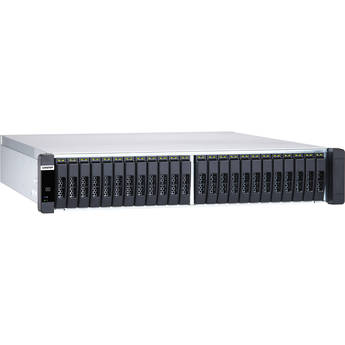
QNAP ES2486dc Enterprise ZFS NAS Array
- 24 x 2.5" SAS 12 Gb/s Drive Bays
- Intel Xeon D-2142IT 8-Core Processor
- Dual Controllers
- Optimized for ZFS & Data Integrity
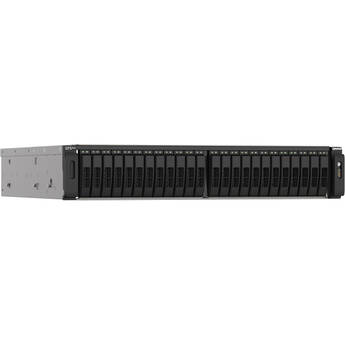
QNAP TS-h2490FU 24-Bay NAS Enclosure
- 24 x 2.5" U.2 NVMe Drive Bays
- 3.0 GHz AMD EPYC 7302P 16-Core
- 128GB of DDR4 ECC RAM
- 2 x 2.5GbE RJ45Ports
QNAP TS-h1090FU-7302P-256G 10-Bay NAS Enclosure
- 10 x 2.5" U.2 PCIe 4/SATA III Drive Bays
- 3 GHz AMD EPYC 7302P 16-Core CPU
- 256GB ECC DDR4 RAM
- 2 x 2.5G Ethernet | 2 x 25G SFP28
QNAP TDS-h2489FU R2 24-Bay NAS Enclosure
- 2x 2.4 GHz Intel Xeon Silver 4314 CPUs
- 16 x 2.5" U.2 PCIe 4.0 x4 Drive Bays
- 8 x 2.5" U.2 PCIe / SATA III Drive Bays
- 2 x M.2 2280 PCIe 3.0 / SATA III Slots
QNAP ES1686dc R2 16-Bay NAS Enclosure
- 16 x 2.5/3.5" SAS III 12 Gb/s Drive Bays
- 2 x 1.9 GHz Intel Xeon D-2142IT 8-Core
- 128GB of DDR4 ECC Registered RAM
- 8 x 10GbE SFP+ Ports | 6 x 1GbE Ports
QNAP ES2486dc 24-Bay NAS Enclosure
- 24 x 2.5" SAS-3/SATA III Drive Bays
- 1.9 GHz Intel Xeon D-2142IT 8-Core
- 128GB of DDR4 ECC Registered RAM
- 8 x 10GbE SFP+ | 6 x 1GbE RJ45
QNAP TS-h2490FU 24-Bay NAS Enclosure
- 24 x 2.5" U.2 NVMe Drive Bays
- 3.0 GHz AMD EPYC 7302P 16-Core
- 256GB of DDR4 ECC RAM
- 2 x 2.5GbE RJ45Ports
All You Need to Know About NAS Enclosures
If you’ve outgrown your desktop data storage, a NAS enclosure is a good alternative. Besides offering personal cloud storage, it gives you shared access to your files from multiple computers, tablets, or smartphones. It’s affordable and easy to set up, making it suitable for businesses, families, creative professionals, and other prosumers.
What's NAS Used For?
Network-attached storage allows you to share and collaborate data efficiently. It connects to a wireless router, so multiple users can access the same files from any device connected to the network. This is useful for work teams with several members, and homes with multiple computers. Additionally, NAS devices with server modes can help you with your emailing, printing, and database tasks. Consumer-level NAS units are easy to set up and allow you to back up and store your music, family photos, and videos in a central place. For business or work purposes, you’ll need a NAS enclosure with higher specifications in terms of memory, network capabilities, and processor.
NAS Enclosure Variations
NAS enclosures vary depending on the number of bays a unit has. A bay means the total number of hard drives or solid state drives (SSDs) your NAS can attach to. For instance, a 4-bay NAS enclosure can hold up to four hard drives or SSDs for storage. NAS drive enclosures come with built-in CPUs, memory, operating systems (or management software), as well as ports that allow for external storage connectivity. Choose a drive enclosure with reliable NAS warranty services for guaranteed durability. You can connect your NAS device to a network via Ethernet or wirelessly. To connect to the drives, use the USB ports and Serial ATA ports.
B&H Photo and Video stocks a wide range of NAS enclosures for all needs. Choose from a range of brands, including QNAP, Asustor, and Synology NAS enclosures.