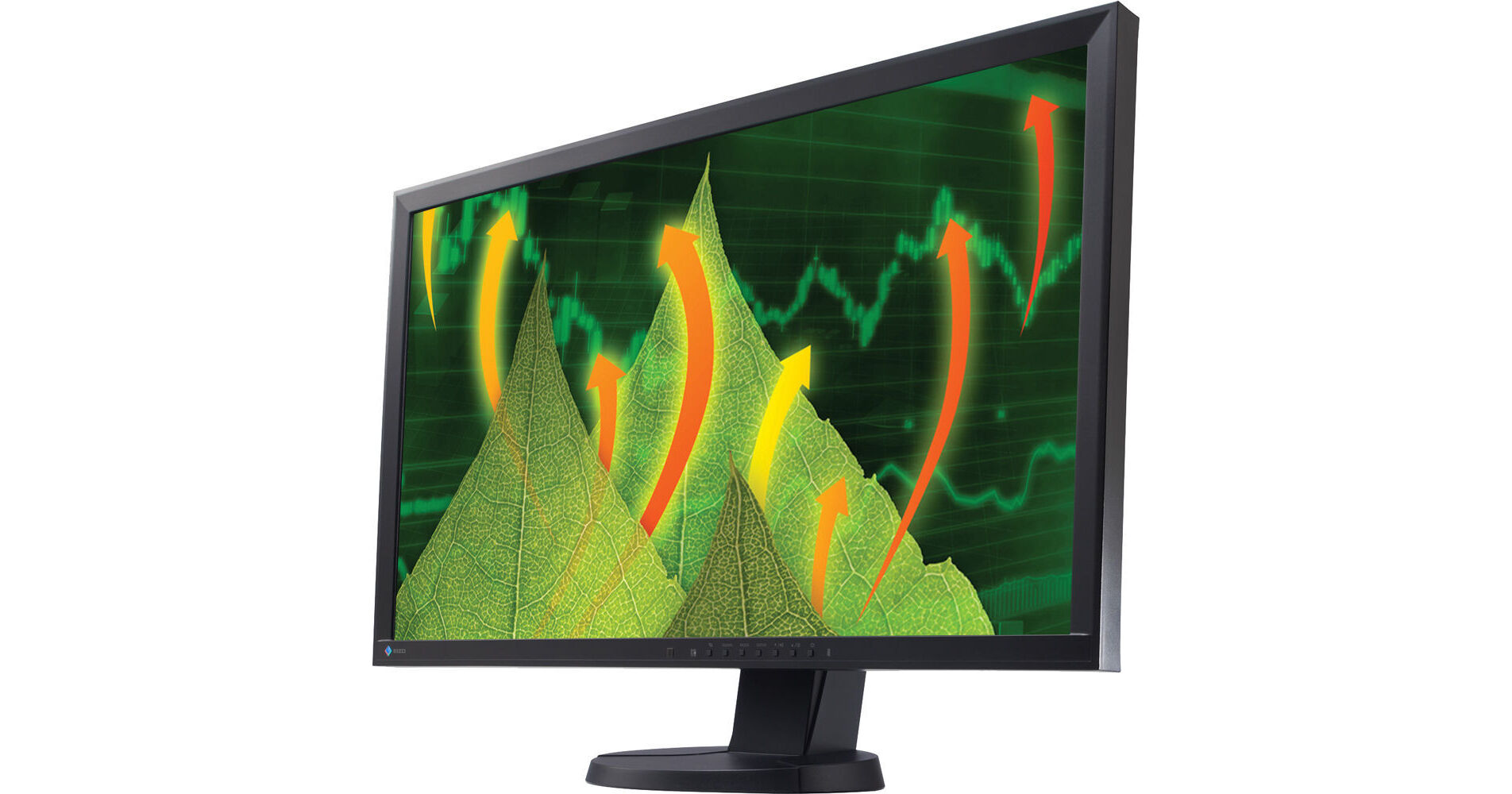
EIZO FlexScan EV2736WFS 27" Widescreen LED IPS Monitor (Black)

BH #EIEV2736WFSB • MFR #EV2736WFS-BK
Print
EIZO FlexScan EV2736WFS 27" Widescreen LED IPS Monitor (Black)
Key Features
  • In-Plane Switching (IPS) Technology
  • DisplayPort and DVI-D Inputs
  • 2560 × 1440 Resolution
  • 300 cd/m2 Brightness
The black FlexScan EV2736WFS 27" Widescreen LED IPS Monitor from Eizo is an LCD monitor with ergonomic and eco-friendly features that make your office and business work more comfortable while keeping power usage in check. The slim bezel design of the monitor saves space on your desktop. The LED monitor has an IPS (In-Plane Switching) panel that provides 178° viewing angles, so it exhibits minimal change in contrast and hue when viewed from off center.
More Details
No Longer Available
No Store Display
Ask an Expert
800-606-6969

EIZO EV2736WFS Overview

The black FlexScan EV2736WFS 27" Widescreen LED IPS Monitor from Eizo is an LCD monitor with ergonomic and eco-friendly features that make your office and business work more comfortable while keeping power usage in check. The slim bezel design of the monitor saves space on your desktop. The LED monitor has an IPS (In-Plane Switching) panel that provides 178° viewing angles, so it exhibits minimal change in contrast and hue when viewed from off center.

The versatile stand offers height, tilt, and swivel adjustments as well as portrait mode display. The monitor is equipped with two input terminals (DisplayPort and DVI-D) and two USB 2.0 ports to facilitate quick and easy connectivity to peripheral devices. The LED backlight monitor lasts longer and consumes less power compared to conventional CCFL backlights.


Simple Design for Convenience
Slim Bezels
The thin bezel design saves space on the desktop and minimizes eye movement between screens in a multi-monitor environment.
Adjustable Stand for Comfort
Adjust the screen to the most comfortable angle and reposition it to show your colleague or client. The monitor comes with a versatile stand that offers height, tilt, and swivel adjustments as well as portrait mode display.
Quick and Easy Connectivity
Three input terminals (DisplayPort, DVI-D and D-Sub) are included for connecting to PCs. In addition, a USB hub and headphone/audio jacks are conveniently located on the side of the monitor.
Ergonomics: Visual Comfort to Increase Your Productivity
Flicker-Free Images
Due to the way brightness is controlled on LED backlights, users may perceive flicker on their screen which causes eye fatigue. The FlexScan EV series utilizes a hybrid solution to regulate brightness and make flicker unperceivable without any drawbacks, like compromising color stability.
IPS Panel for a Clear View from All Angles
The IPS (In-Plane Switching) panel has 178° viewing angles, so it exhibits minimal change in contrast and hue when viewed from off center. This makes it ideal for trading rooms or other multi-monitor environments.
Auto EcoView Prevents Eye Fatigue
To prevent eye fatigue, a brightness sensor called Auto EcoView detects the changes in the ambient brightness that occurs throughout the day and automatically adjusts the screen to the ideal brightness level. Furthermore, Auto EcoView reduces power by almost 40% compared to operating the monitor at maximum brightness.
Adjustable to Just 0.2% of Maximum Brightness
In a dimly-lit work environment, a monitor with low brightness settings would be more comfortable to use. With typical CCFL backlights, the lowest you could adjust to would be a much brighter 20%. However, this monitor comes with an LED backlight that allows for adjusting the brightness to just 0.2% (about 0.6 cd/m2) of the maximum.
Preset Modes for Optimum Viewing
Five preset modes (including two with user-adjustable settings) ensure you always get the right setting for any application. You can switch modes at the touch of a button or automatically with the bundled ScreenManager Pro for LCD software.
Paper Mode and EyeCare Filter Reduce Eyestrain
The Paper mode simulates the look of printed paper and helps prevent eyestrain when reading documents. When used with EyeCare Filter (available with the bundled ScreenManager Pro software), any of the several filter patters that resemble different types of paper can be applied. You can adjust the density of the filter patterns for maximum viewing comfort.
Smooth Playback of Moving Images
An overdrive circuit reduces gray-to-gray (GTG) response time to just 6 ms to ensure that moving images look clear and sharp.
Environment: Energy-Saving Features to Reduce Your Eco Footprint
LED Backlights: Less Power, Longer Life
The LED backlights last longer and consume less power compared to conventional CCFL backlights. They are also mercury-free and have minimal impact on the environment when they are eventually disposed of.
EcoView Sense 2 for Energy Savings
A presence sensor called EcoView Sense 2 prompts the monitor to switch to power save mode when you are absent and then power on again when you return. It even works in a multi-monitor setup, so all monitors remain on when you're at your desk.
Compliance with International Labels
The FlexScan has passed TCO Certified Displays 6.0. It also complies with other stringent international labels for ergonomics and energy savings like EPA Energy Star and EcoSense.

EIZO EV2736WFS Specs

Panel/Display
Type
IPS LED panel
Size
27" (685 mm)
Active Display Size
23.5 x 13.2" (596.7 x 335.6 mm)
Viewable Image Size
26.9" (684 mm)
Aspect Ratio
16:9
Brightness
300
Contrast Ratio
1000:1
Viewing Angle
Horizontal: 178°
Vertical: 178°
Response Time
6 ms GTG
Pixel Pitch
0.0092 x 0.0092"
Color Support
16.7 7 million
Signal
Scanning Area (H x V)
Analog:
Digital: 31 - 89 kHz, 59 - 61 Hz (VGA Text: 69 - 71 Hz, WQHD SL: 29 - 31 Hz)
Input Terminals
1 x DVI-D (24-pin, with HDCP)
1 x DisplayPort (with HDCP)
USB Ports
1 x port for monitor control
2 x ports of USB hubs
Standard: USB 2.0
Native Resolution
2560 × 1440
Screen Manager OSD Adjustment Functions
Screen Adjustment
Full screen, Enlarge, Normal, Smoothing (5 stages), Border Intensity
Color Adjustment
Brightness, Contrast, Gamma, Temperature, Saturation, Hue, Gain, Overdrive, Reset
Power Save Settings
Digital : Power Save (VESA DPM, DisplayPort Rev. 1.1a and DVI DMPM), Off Timer
Other Settings
Signal Switching, Product Information (name, serial number, resolution, operating time, etc.), OSD Menu Settings, Adjustment Lock, DDC/CI Lock, Power Indicator, Reset
Other Features
Auto Adjustment
FineContrast (Paper, Movie, sRGB, User1, User2)
EcoView Settings
Auto EcoView/BrightRegulator, EcoView Sense
Power
Power Requirements
AC 100 - 120 V/200 - 240 V, 50/60 Hz
Power Consumption
24 W
Maximum: 67 W
Power Save Mode
Less than 0.5 W
General
Audio
1.0 W +1.0 W
Certifications
TCO Displays 6.0, EPEAT Gold (US), TUV/Ergonomics (including ISO9241-307), TUV/GS, c-Tick, CE, CB, cTUVus, FCC-B, Canadian ICES-003-B, TUV/S, VCCI-B, EPA Energy Star, RoHS, WEEE, CCC, GOST-R
Height Adjustment Range
5.7" (145 mm)
Maximum: 7.7" (195mm)
Tilt
Up: 30°
Down: 0°
Swivel
Right: 172°
Left: 172°
Pivot
90°
Dimensions (WxHxD)
With Stand: 21.2 x 15.7-21.4 x 9.7" (640 x 399.5-544.5 x 245.5 mm)
Without Stand: 25.2 x 15 x 2.6" (640 x 379 x 65 mm)
Weight
With Stand: 22 lb (10 kg)
Without Stand: 16.1 lb (7.3 kg)
Packaging Info
Package Weight
26.3 lb
Box Dimensions (LxWxH)
28.5 x 20.5 x 12.3"

EIZO EV2736WFS Reviews

See any errors on this page?
Whatever You Need, We've Got It