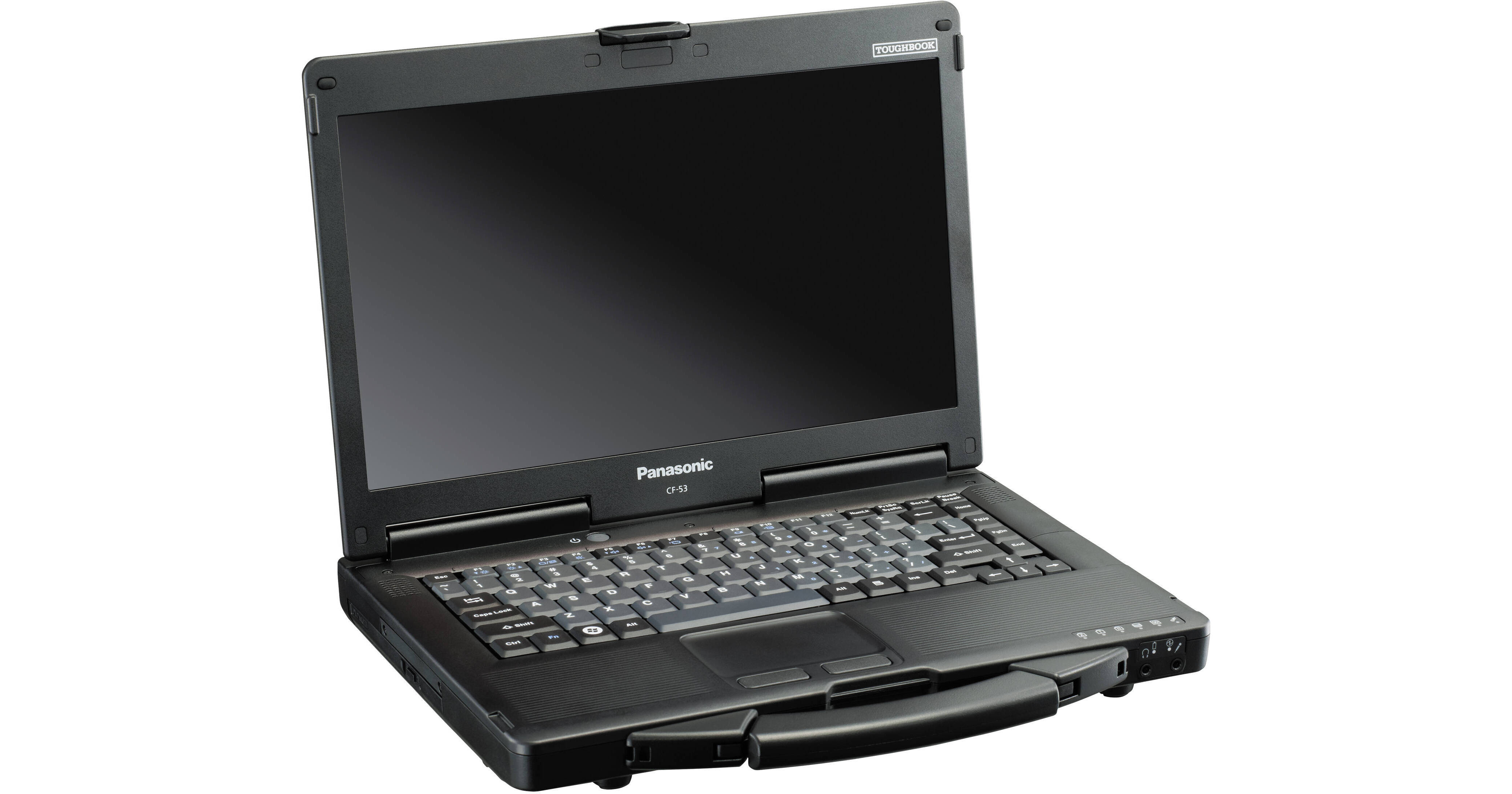
Panasonic Toughbook 53 CF-53SSLZYLM 14" Multi-Touch Laptop Computer

BH #PACF53SSLZYL • MFR #CF-53SSLZYLM
Print
Panasonic Toughbook 53 CF-53SSLZYLM 14" Multi-Touch Laptop Computer
Key Features
  • 2.7GHz Intel Core i5-3340M Dual-Core
  • 4GB of 1333MHz DDR3L RAM
  • 500GB Hard Drive
  • Integrated Intel HD Graphics 4000
The Toughbook 53 CF-53SSLZYLM 14" Multi-Touch Laptop Computer from Panasonic features a strong magnesium alloy case with a hand strap, a shock-mounted, flex-connect hard drive with a quick release option and a spill-resistant design to ensure all your important documents, files and data are safe and secure.
More Details
No Longer Available
No Store Display
Ask an Expert
800-606-6969

Panasonic CF-53 Overview

The Toughbook 53 CF-53SSLZYLM 14" Multi-Touch Laptop Computer from Panasonic features a strong magnesium alloy case with a hand strap, a shock-mounted, flex-connect hard drive with a quick release option and a spill-resistant design to ensure all your important documents, files and data are safe and secure.

The Toughbook 53 has a 14" widescreen display that is backlit with LED lamps, which brighten faster, use less power and provide better image quality than their CCFL counterparts. The display is also a touchscreen so you'll be able to tap and swipe your way through menus and folders. The screen has a 16:9 aspect ratio and a 1366 x 768 native resolution, powered by integrated Intel HD Graphics 4000.

The system is powered by a dual-core 2.7GHz Intel Core i5-3340M processor. It also has 4GB of 1333 MHz DDR3L RAM, a 500GB hard drive, a SuperMulti DVD burner, 802.11a/b/g/n Wi-Fi, Bluetooth 4.0+EDR, and integrated stereo speakers. Windows 7 Professional is the installed operating system.

Durable Mobility
This Panasonic Toughbook is engineered for mobility and durability. Its magnesium alloy casing is rugged enough to protect against electromagnetic waves and dissipate heat efficiently. Its reliable hand strap makes it easy to carry around and the entire Toughbook can survive up to a 6-foot drop, which makes it ideal for dangerous environments. The keyboard on this Panasonic Toughbook is spill-resistant to prevent accidental liquid damage. A unique drain-through design allows the liquids to pass through keyboard and exit out the bottom of the Toughbook. Also, a drain-away design is built into the optical drive enclosure to further protect it from liquid damage
14" Antiglare LED-Backlit Touchscreen
This Panasonic Toughbook has a 14" widescreen display that is backlit with LED lamps, which are more energy efficient than their CCFL counterparts. The display is also a touchscreen where you can utilize touch gestures. The screen has a 16:9 aspect ratio. The integrated Intel HD Graphics 4000 provide a 1366 x 768 native resolution, which allows you to playback 720p HD content without upscaling. You can also output video to an external display via the HDMI or VGA port
Dual-Core Ivy Bridge Intel Core i5 Performance
This Panasonic Toughbook houses a 3rd generation Ivy Bridge Intel Core i5-3340M processor. Its dual cores can reach a stock speed of 2.7 GHz. The processor can also be overclocked up to 3.4 GHz, thanks to Intel Turbo Boost 2.0 technology. The 4GB of 1333 MHz DDR3L RAM help speed things along to access the hard drive directly
Stay Connected
Staying connected to the Internet is a necessity when it comes to business notebooks. That's what this Panasonic Toughbook supports 802.11a/b/g/n Wi-Fi networks. This Panasonic Toughbook also has Bluetooth so you can connect all your favorite peripherals for added comfort and convenience
Shock-Mounted, Flex-Connect Hard Drive
This business-rugged Panasonic Toughbook has a shock-mounted, flex-connect 500GB hard drive. This hard drive protects your important documents, files and data from fall damage. It is also removable if you need to access the hard drive directly

Panasonic CF-53 Specs

Operating System
Windows 7 Professional
Display
Size
14"
Native Resolution
1366 x 768
Finish
Anti-Glare / Matte
Optical Drive
SuperMulti DVD Burner
Communications
Wi-Fi
Wi-Fi 4 (802.11n)
Webcam
No
General
Security
HDD User Password Protection, Power-On Password, Infineon TPM Software Professional Package, Kensington Lock Slot

Panasonic CF-53 Reviews

See any errors on this page?
Whatever You Need, We've Got It