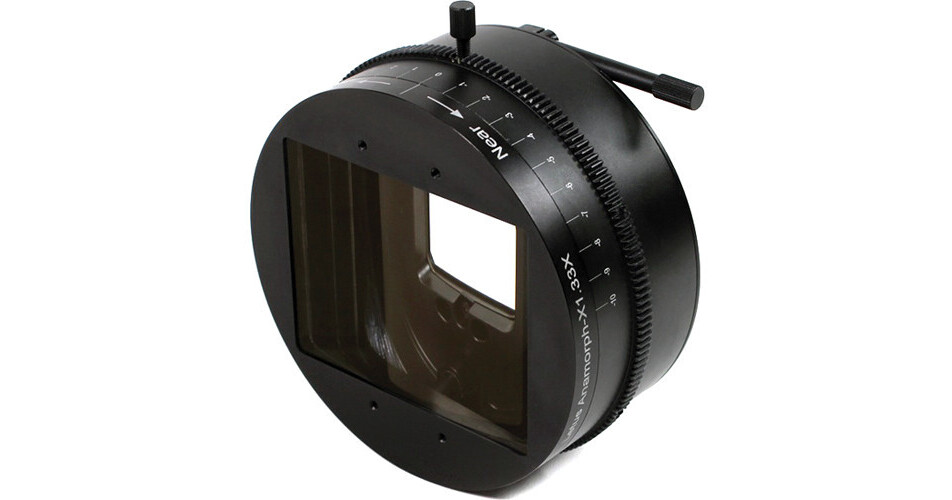
The medium flare Letus AnamorphX Adapter provides a 1.33 anamorphic squeeze to normal video/photography with a medium level of anamorphic flare. This adapter paired with your existing non-anamorphic lenses, produces an image with a 2.39 aspect ratio when used on a camera with a 16 x 9 sensor. The adapter works with prime lenses and zoom lenses, and its optics are suitable for productions shooting video at resolutions from HD up to 4K. This AnamorphX adapter provides a strong anamorphic flare effect in addition to expanding the aspect ratio by 1.33x.
The adapter features a clip-on design for lenses with a 114mm front barrel diameter, which allows you to use one adapter with many different lenses. The AnamorphX incorporates a focusing mechanism/focus ring that, in conjunction with your lens' focus ring, allows you to fine-tune your focus for a sharp image. The focus ring is indexed, which may help save you time resetting the adapter after switching between lenses. It features a front opening of 138mm, that allows you to mount available clip-on matte boxes.
- Full Frame Sensor - 30mm
- Super35/APS-C (Canon C100/C300) - 18mm
- Micro 4/3 (Blackmagic Cinema Camera, GH2/GH3) - 15mm
- 1. Point to distant object (infinity) and focus with camera's lens.
- 2. Attach the adapter onto your camera's lens. Dial the adapter toward the far focus setting (right, negative markings) to get the best focus on the object. At this point, you will not likely achieve the sharpest focus, which is okay, just get as close as you can.
- 3. Re-focus with camera's lens; you should now be able to achieve critical focus.
- To focus on a near object (around 5-6 feet). Focus as best as you can with your camera's lens, if you cannot get critical focus with just the camera's lens, dial the adapter toward the near focus slightly to get critical focus.
- Note this marking on the adapter, it is the setting for the Mid to Far setting for your adapter with this lens. You may want to repeat and record this process with all your lenses for quick reference and setup.
- Close-up focus. Once the object is closer than 5-6 feet, you will find that you need to adjust the adapter settings again. Adjust both the camera's lens and the AnamorphX focus.