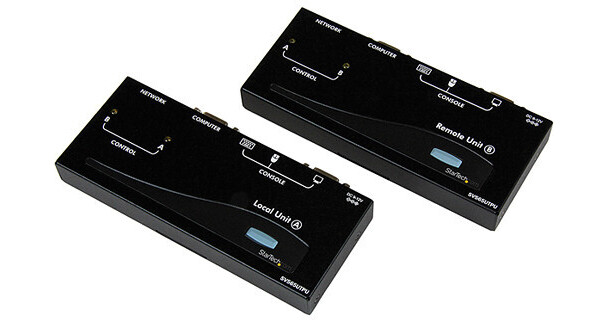
StarTech USB VGA KVM Console Extender over CAT5 UTP

BH #STSV565UTPU • MFR #SV565UTPU
Print
StarTech USB VGA KVM Console Extender over CAT5 UTP
Key Features
  • 2 x USB Type A PC Interface
  • RJ-45 Ethernet Interface
  • Supports Combo Keyboard & Mouse
  • Supports Auto-Switching
The USB VGA KVM Console Extender over CAT5 UTP from StarTech lets you control a server, a computer or multiple computers (connected through KVM switch) over a standard CAT5 or CAT6 UTP network cable connection, at distances of up to 492' away. You can use your existing keyboard, mouse, and monitor to access both the server rooms and your office computer, which allows you to switch between workstation view and KVM view at the remote location.
More Details
In Stock
No Store Display
Free 2-Day Shipping
Protect Your Gear
Add a protection plan from $36.99
Ask an Expert
800-606-6969

StarTech SV565UTPU Overview

The USB VGA KVM Console Extender over CAT5 UTP from StarTech lets you control a server, a computer or multiple computers (connected through KVM switch) over a standard CAT5 or CAT6 UTP network cable connection, at distances of up to 492' away. You can use your existing keyboard, mouse, and monitor to access both the server rooms and your office computer, which allows you to switch between workstation view and KVM view at the remote location.

Supports most combo keyboard and mouse sets (including wireless sets)
PS/2 and USB host PCs supported via the appropriate PS/2 or USB KVM cable
The unit can be used with a single computer or with an existing KVM switch
Easy installation using industry-standard UTP network cable
Intuitive hot-key commands
Supports auto-switching between host and remote user or dedicated control
Applications
Monitor computer-controlled equipment in a factory or warehouse
Use one or more servers in a server room from a remote location
Control remote machines and security monitoring systems
UPC: 065030832625

StarTech SV565UTPU Specs

Key Specs
Inputs/Outputs
VGA / RJ45 / USB-A
Maximum Transmission Distance
492' / 150 m
Supported Resolutions
1280 x 1024
Inputs/Outputs
Transmitter:
2x VGA (Video) Female
2x USB-A 2.0 Female
1x RJ45 (Ethernet) Female
Receiver:
2x VGA (Video) Female
2x USB-A 2.0 Female
1x RJ45 (Ethernet) Female
Maximum Transmission Distance
492' / 150 m
Supported Resolutions
1280 x 1024
Transmission Method
CAT5/CAT6 Cable
Input Power
100 to 240 VAC, 50 / 60 Hz
Power Consumption
18 W
Operating Conditions
32 to 104°F / 0 to 40°C up to 80% Humidity
Storage Conditions
-4 to 140°F / -20 to 60°C
Certifications
CE, FCC, RoHS
Material of Construction
Steel
Cable Length
6' / 1.8 m
Dimensions
6.1 x 3.0 x 0.8" / 154.9 x 76.2 x 20.3 mm
Weight
1.3 lb / 0.6 kg
Packaging Info
Package Weight
2.98 lb
Box Dimensions (LxWxH)
11.65 x 9.95 x 3.4"

StarTech SV565UTPU Reviews

Works well

By TrustFire
Rated 5 out of 5
Date: 2018-08-03

We just installed this and it works well. We had issues, but it was because our crimping tool bends a pin the wrong way. Keyboard, mouse, and screen. But it doesn't allow for a USB printer to work off the USB. I was able to add non-powered USB hub which bot hthe mouse and keyboard work off of, but no printer.

Peforms as described

By RBPAC TD
Rated 4 out of 5
Date: 2015-06-05

Worked out of the box, no problems. Instructions a little convoluted, but everything is there is you read through them all. Pay particular attention to the keyboard shortcuts, they are critical to correct set up. Have no complaints about this product whatsoever, so far, only time will tell about durability.

See any errors on this page?

Can i use USB hub with remote unit to connect USB ...

Can i use USB hub with remote unit to connect USB camera and USB mic other than keyboard and mouse?
Asked by: J Ashok
No, the USB ports on the SV565UTPU is designed to connect to a keyboard and mouse. Atha, StarTech.com Support
Answered by: StarTech.com Support
Date published: 2020-05-05
  • y_2026, m_6, d_3, h_11CST
  • bvseo_bulk, prod_bvqa, vn_bulk_3.0.46
  • cp_1, bvpage1
  • co_hasquestionsanswers, tq_1
  • loc_en_US, sid_1016851, prod, sort_[SortEntry(order=HAS_STAFF_ANSWERS, direction=DESCENDING)]
  • clientName_bhphotovideo
Whatever You Need, We've Got It