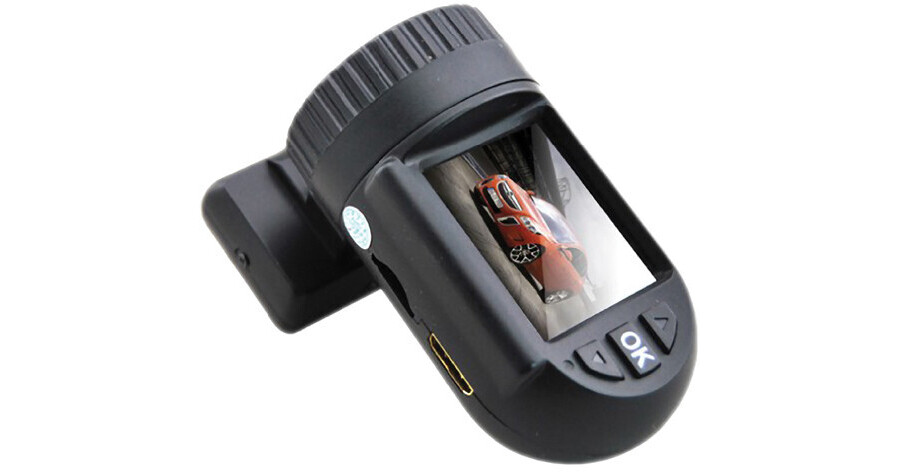
The RVS-800GS HD Dash Camera from Rear View Safety is a compact and simple-to-use dash camera that records with up to 1920 x 1080 HD resolution. There are lower resolution settings that will take up less memory storage, but image quality will not be as sharp. It has multiple recording options including motion-activated, automatic, manual, and event. In event mode, the built-in G-force sensor detects drastic movement, like from an accident, and automatically activates the camera. Although the camera doesn't have installed memory, it does accept MicroSD cards up to 32GB.
A 1.5" thin-film-transistor (TFT) color LCD screen lets you immediately playback captured images. There are also HDMI and composite video-out ports for viewing on larger displays. Customizable on-screen-display (OSD) stamps enables you to record and display the time, date, GPS coordinates, and license plate or driver ID numbers. There is a built-in GPS receiver that logs speed and location. Linking Google Maps with the included software enables you to precisely map and display vehicle information synched with the recorded images. The software will also enable you to view, save, and backup your files.
- Records video at up to 1920 x 1080 resolution
- 120° field of view
- Built-in microphone captures audio synched with video
- Microphone can be turned off to save room on memory card
- Video and audio, or video only. Video only mode takes up less space in memory
- Continuous: Captures everything, but fills memory fast
- Manual: Turn recording on and off when you want
- Motion detection: Starts recording when vehicle motion is detected
- Automatic: Recording starts when the vehicle is started, and stops when the vehicle is turned off
- Simple still-image capture while recording video or play back
- GPS unit logs vehicle location, routes, and speed
- Sync GPS information with Google Maps, with the included software, for precise mapping
- On-screen-display of speed
- Choose from any of: Time, Date, Date/Time, GPS data, license plate/driver number
- GPS data shows coordinates, not driving directions
- Choose to have no stamp at all
- Programmed stamps show during playback and archive
- Use the included USB cable to connect the camera to a computer for use as a web cam
- HDMI and composite Video/Audio out terminals to playback on larger screens
- Included software enables you to Save, capture, copy and archive video and audio from the SD card
View-i Software Requirements: