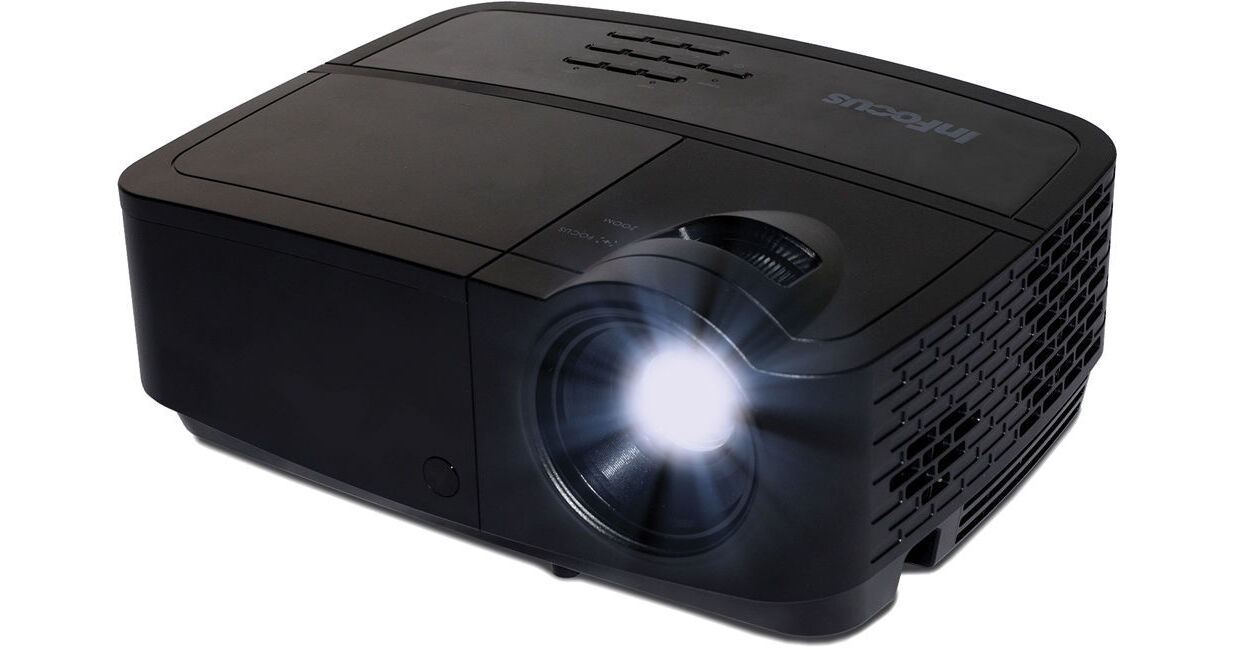
InFocus IN2124a XGA 3D DLP Projector

BH #IN2124A • MFR #IN2124A
Print
InFocus IN2124a XGA 3D DLP Projector
Key Features
  • XGA 1024 x 768 Native Resolution
  • Brightness of 3500 Lumens
  • High 15,000:1 Contrast Ratio
  • Long Lamp Life up to 6000 Hours
The InFocus IN2124a XGA 3D DLP Projector features a DLP-chip display system that supports immersive 3D Blu-ray projection and BrilliantColor multi-color processing technology. The IN2124a provides XGA 1024 x 768 native resolution and up to 1080p HDTV compatibility. Its powerful lamp provides up to 3500 lumens of brightness and will last for up to 6000 hours when using the projector's Eco Blanking Mode. A high 15,000:1 contrast ratio ensures deeper blacks and whiter whites.
More Details
No Longer Available
No Store Display
This product may contain mercury. Consult your local environment authorities for regulations regarding how to properly dispose of products containing mercury.
Ask an Expert
800-606-6969

InFocus IN2124a Overview

The InFocus IN2124a XGA 3D DLP Projector features a DLP-chip display system that supports immersive 3D Blu-ray projection and BrilliantColor multi-color processing technology. The IN2124a provides XGA 1024 x 768 native resolution and up to 1080p HDTV compatibility. Its powerful lamp provides up to 3500 lumens of brightness and will last for up to 6000 hours when using the projector's Eco Blanking Mode. A high 15,000:1 contrast ratio ensures deeper blacks and whiter whites.

The IN2124a offers multiple connectivity options including HDMI, dual VGA, and more. It also features a USB port and 2GB of on-board memory, which you can use for PC-less presenting of documents and media files. The projector supports LAN connectivity for remote control and management via Crestron RoomView Connected or AMX Device Discovery. It works with an optional wireless network adapter as well, which you can use to wirelessly present documents, video, audio, and photos from a computer using Wi-Fi. There's also a free EZ Display app available for your Android or iOS mobile device, which allows you to wirelessly send documents and media files from your smartphone or tablet directly to the projector via Wi-Fi (optional wireless adapter required).

Other connectivity options include dual 3.5mm audio inputs, a 3.5mm audio output, a composite video input, an S-video input, and a VGA monitor output. There's also an RS-232C control terminal and a mini-USB port for display over USB and internal memory file management. This model provides ±40° of vertical keystone correction and support for multiple menu languages as well. It also features multiple security options and it works with the optional interactive InFocus LiteBoard Adapter and LiteBoard Wand (both sold separately). For added flexibility, the IN2124a is compatible with NTSC, PAL, and SECAM video systems as well.

High Brightness & Contrast
The projector's 3500 lumens of brightness ensures clear, bright images even with the lights on, while its high 15,000:1 contrast ratio adds sharpness with darker blacks and whiter whites. Plus, available preset modes provide optimal image quality for a variety of surfaces including beige walls, whiteboards, blackboards, and more.
Eco Blanking Mode
The Eco Blanking feature on the remote control allows you to instantly dim the screen so you can divert your audience's attention onto you. You can also activate this feature when the projector isn't being used and lower the lamp's power usage down to 30%. This saves energy and extends the life of the lamp, which saves you money.
Works with Optional Interactive Projector LiteBoard Adapter & Wand
Plug in the optional LiteBoard Adapter (sold separately) to turn your wall into an engaging, collaborative interactive workspace. Once connected, you'll be able to control your favorite PC or Mac applications from around the room with the optional wireless LiteBoard Wand (sold separately) - just as you would with your mouse.
Display from a Variety of Devices
You can connect to a variety of devices using the projector's HDMI 1.4, dual VGA, composite, or S-video inputs. You can also use the projector's 2GB of onboard memory or a USB memory device for PC-less presenting. The USB (type-A) port also supports wireless Wi-Fi connectivity via an optional wireless USB adapter (sold separately). There are dual 3.5mm audio inputs, a 3.5mm audio output, and a VGA monitor output as well. Plus, there's a mini-USB port for display over USB and internal memory file management, a USB (type-B) port for control and firmware updates, and an RS-232 control terminal.
Optional Wi-Fi & Wireless Mobile Device Connectivity
Thanks to the optional wireless USB adapter (sold separately), this projector can support wireless connectivity. Not only can you wirelessly connect to your computer via Wi-Fi, you can also display Office docs, PDFs, video, audio, and photo files wirelessly from an iOS or Android mobile device. Besides the optional wireless USB adapter, the free InFocus EZ Display app is required for displaying files from your smartphone or tablet. The app is available for Android 4.0 mobile devices and higher. For iOS devices, the app is compatible with iPhone 3GS/4/4S/5 (optimized for iPhone 5), iPod touch (4th/5th generation), iPad 2 (Wi-Fi), iPad 2 (Wi-Fi + 3G), iPad 3rd gen (Wi-Fi), iPad 3rd gen (Wi-Fi + 4G), iPad 4th gen (Wi-Fi), iPad 4th gen (Wi-Fi + 4G), iPad mini (Wi-Fi), and iPad mini (Wi-Fi + 4G). All compatible iOS devices require iOS 5.1 or later.
Optional Wireless Software System Requirements
If you do use the optional wireless USB adapter for EZ Display Wi-Fi wireless presenting, you must be connecting to a PC with Windows XP (SP3), Vista (SP2), 7 (SP1), or 8 (Starter versions not supported). You can also connect to a Mac computer running Mac OS X 10.7 or above. If you're using a PC, it must have a dual-core Intel Core i 1.6 GHz or higher processor (ATOM not supported). If you're using a Mac, it must have a dual-core Intel Core i 1.4 GHz or higher processor (PowerPC not supported). For graphics, your PC or Mac must have an Intel, NVIDIA, or ATI graphics card with 64MB VRAM or above.
Supports Networking & Room Control
This model features Ethernet RJ-45 LAN connectivity, which allows you to connect the projector to your network and manage it remotely. You'll be able to send important announcements or emergency notifications for instant display, set up notifications for low lamp life, schedule when the projector gets powered down, and more. Plus, Crestron RoomView Connected and AMX Device Discovery technologies are built into the projector for easy connectivity, programming, and control with those room control systems.
Blu-ray 3D Capable via HDMI
This model supports 3D content from Blu-ray players via HDMI at 144 Hz. You can also project 3D content over HDMI from cable boxes, dish services, and other devices at 144 Hz. It supports PC-based 3D content as well, configured at 1080p and running at 120 Hz.

Note: DLP Link 3D glasses are required and sold separately.
Low Total Cost of Ownership
The projector's lamp can last as long as 6000 hours, which lowers the total cost of ownership. Plus, there are no filters to replace either.
Control Options
The projector's control options include the projector keypad, the IR remote control, the RS-232 terminal, LAN connection, and the USB (type-B) port for slide advance, firmware updates, and optional interactivity.
Supported Aspect Ratios
Besides the native 4:3 aspect ratio, the projector also supports 16:9, 16:10, and Auto aspect ratio settings.
Color Wheel
This model features a six-segment, 2x speed color wheel that supports 1.07 billion colors.
Supported Video File Formats
The projector supports XVID, MPEG4, H.264, H.263, M-JPEG, WMV3, and MPEG-1 video files at 1920 x 1080 Full HD resolution. It supports RV3 and RV4 video files at 1280 x 720 HD resolution.
Supported Audio File Formats
The projector supports MP1, MP2, MP3, WMA, OGG, ADPCM-WAV, and AAC audio file formats.
Supported Photo File Formats
The projector supports JPG, JPEG, and BMP photo file formats.
Supported Data File Formats via USB or 2GB Internal Memory
The projector supports PDFs and Microsoft Office docs from Office 95, 97, 2000, 2003, 2007, or 2010.
Supported Data File Formats via EZ Display for Android
With the optional wireless adapter and the EZ Display app for Android devices, the projector can support Adobe PDF 1.6 or later files and Microsoft Office docs from Office 2003, 2007, or 2010.
Supported Data File Formats via EZ Display for iOS
With the optional wireless adapter and the EZ Display app for iOS devices, the projector can support Adobe PDF 1.6 or later files, iWork '09 or later files, and Microsoft Office docs from Office 2003, 2007, or 2010.
Keystone Correction
This model features ±40° of vertical keystone correction.
Security Features
The projector's security features include a cable lock slot, a security bar, and a user PIN for password protection.
Supported Regulations
This model supports UL and c-UL (US/Canada), FCC (US/Canada), and CE (Europe) regulations.

InFocus IN2124a Specs

Key Specs
Display System
0.55" DLP
Maximum Brightness
3500 Lumens
3200 Lumens
Image Display
Display System
0.55" DLP
Supported Resolutions
1920 x 1200
Maximum Brightness
3500 Lumens
3200 Lumens
Offset
15% ± 0%
Aspect Ratio
Native:: 4:3
Supported:: 16:9
Supported:: 16:10
Scan
Horizontal: 15 to 91 kHz
Vertical: 24 to 120 Hz
Lens
Focus
Manual
Throw Ratio
1.9 to 2.2:1 (50" Screen Size @ / 2 m)
Features
Ceiling Mountable
Yes
General
Expected Lamp Life
Medium Brightness: 3500 Hours
Low Brightness: 5000 Hours
Low Brightness: 6000 Hours
Fan Noise
Medium Brightness: 32 dB
Low Brightness: 30 dB
Security
,
Dimensions (W x H x D)
11.5 x 4.3 x 8.7" / 292.1 x 109.2 x 221.0 mm
Packaging Info
Package Weight
7.5 lb
Box Dimensions (LxWxH)
14.4 x 12.2 x 7.9"

InFocus IN2124a Reviews

See any errors on this page?
Whatever You Need, We've Got It