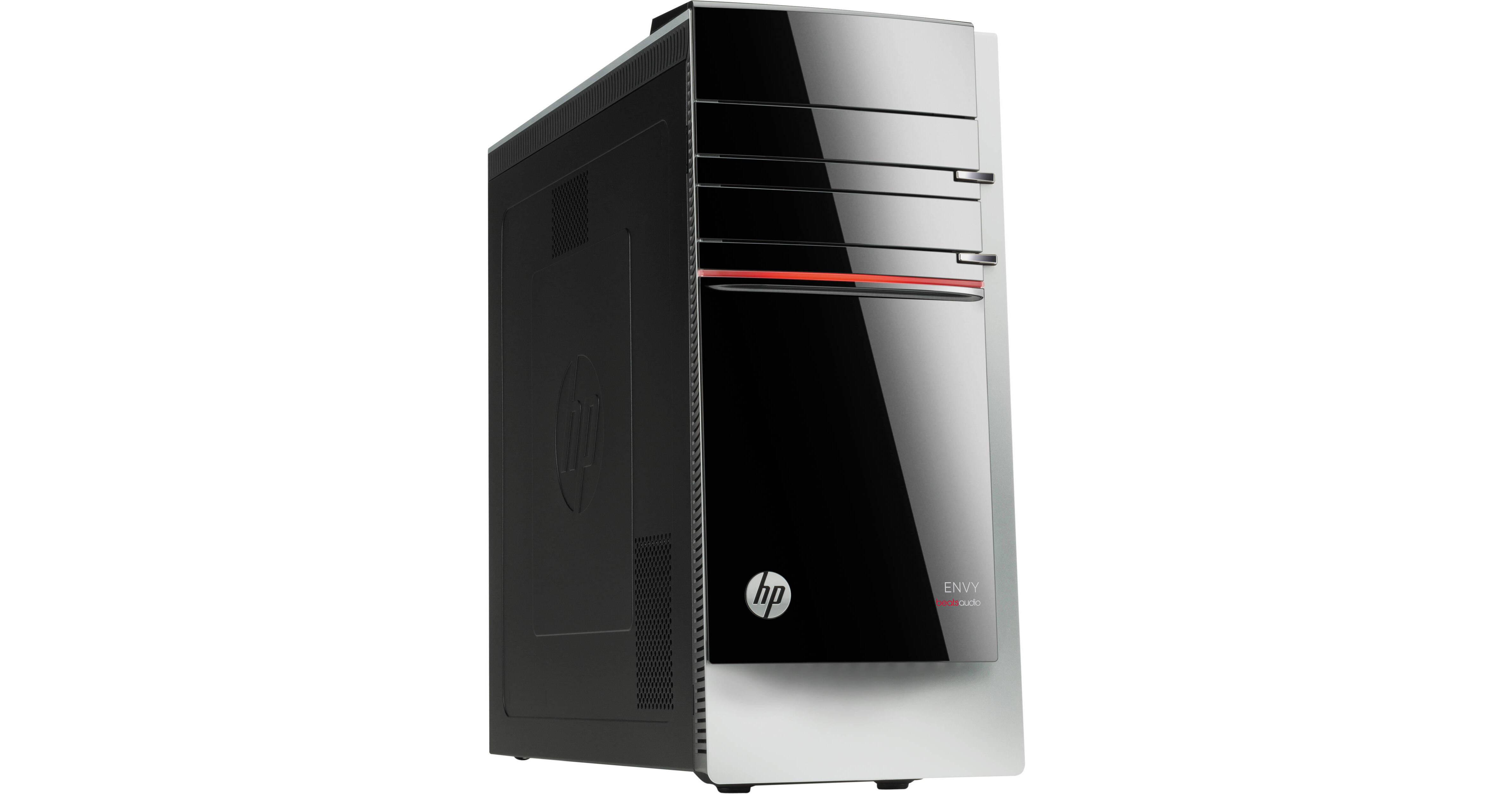
HP Envy 700-230 Desktop Computer

BH #HE700230 • MFR #F3D88AA#ABA
Print
HP Envy 700-230 Desktop Computer
Key Features
  • 3.1 GHz Intel Core i5-4440 (Haswell)
  • 8GB of 1600 MHz DDR3 RAM
  • 2TB Hard Drive
  • Integrated Intel HD Graphics 4600
The Envy 700-230 Desktop Computer from HP features a fourth generation Intel Core i5-4440 quad core processor complete with 8GB of 1600 MHz DDR3 RAM. By combining this processor with 8GB of RAM you can run multiple applications with ease. Along with the enhanced processing power, you benefit from a 2TB 7200 rpm SATA hard drive perfect for storing a large variety of files including HD video content, music, movies, documents and more.
More Details
No Longer Available
No Store Display
Microsoft 365 Subscription not included: add to your purchase
Ask an Expert
800-606-6969

HP 700-230 Overview

The Envy 700-230 Desktop Computer from HP features a fourth generation Intel Core i5-4440 quad core processor complete with 8GB of 1600 MHz DDR3 RAM. By combining this processor with 8GB of RAM you can run multiple applications with ease. Along with the enhanced processing power, you benefit from a 2TB 7200 rpm SATA hard drive perfect for storing a large variety of files including HD video content, music, movies, documents and more.

The HP ENVY 700-230 Desktop Computer also comes equipped with Intel HD Graphics 4600 supporting playback of your saved HD video content as well as the ability to play a variety of games. If the included 2 TB hard drive isn't sufficient for your storage needs, you can attach a variety of peripherals to any one of the four USB 3.0 or eight USB 2.0 ports.

In addition to the included USB ports, you can also insert a variety of memory cards to the 15-in-1 media card reader. Once configured, the integrated dual band Wi-Fi card allows you to connect to a variety of Wi-Fi networks as it supports IEEE 802.11a/b/g/n/ac network standards.

Windows 8.1 (64-bit) is the installed operating system. Windows 8.1 (64-bit) improves the user experience of Windows 8 with several additions and changes. The Start button returns, but has two limited core functions. A left click will simply takes you to the redesigned Start screen featuring tiles that update in real-time. A right click brings up an advanced menu where you can access the Device Manager, Control Panel and more. You will also be able to boot directly to the traditional desktop screen instead of the Windows 8 Start screen. Windows 8.1 (64-bit) provides a unique user experience that differs from previous versions of Windows.

Key Features
Windows 8.1
4th generation Intel Core i5-4440 processor
8GB PC3-12800 DDR3-1600 SDRAM memory 1x8GB (expandable to 16GB)
2TB 7200 rpm Serial ATA hard drive
Intel HD graphics 4600
Optical Mouse
SuperMulti DVD Burner
4 x USB 3.0 / 8 USB 2.0 ports
Wireless LAN 802.11a/b/g/n/ac featuring dual band 2.4 GHz & 5 GHz technology
Bluetooth 4.0
Beats Audio
Designed for enhanced rich sounding audio
Innovative Apps
With Airspace and the Leap Motion app store you can choose from a wide variety of innovative 3D apps
Leap Motion Special Edition Keyboard
Experience enhanced leap motion technology allowing you to interact with your keyboard in an entirely new way
Quick Customization with Tool-less Access
Take advantage of an enhanced 2TB storage capacity to store a variety of files from full HD video content to music, documents and more. You also benefit from tool-less access for easy maintenance
CyberLink
Your multimedia needs are covered with powerful photo and video editing tools
HP Connected Music
This unique music application integrates your collection with a variety of music and radio services
HP Connected Photo
Easily sync, edit, and share photos
HP SimplePass
Access your online accounts with a single password or PIN, and keep your identity to yourself
Box
Save your content in one place with free 50GB lifetime cloud storage from Box
Windows 8.1
The Return of the Start Button
After many requests from Windows users, the Start button makes its triumphant return in Windows 8.1. While it may not be exactly the same as its predecessor in Windows 7, the Start button has two core functions. A left click on the Start button will take you to the Windows 8.1 Start screen featuring live tiles. A right click on the Start button brings up an advanced menu where you can access the Device Manager, Control, Network options and more
Boot Directly to the Desktop
Windows 8.1 gives you the choice of booting to the Windows 8 Start screen with live tiles or booting to the familiar desktop screen of Windows 7. Users can also boot directly into an app or app view if they choose to
The Redesigned Start Screen
Windows 8.1 introduces a new Start screen, which has all the information you need in one place. The traditional Windows desktop screen has been replaced with a tablet style design featuring tiles. Tiles are customizable as well as update in real time. News, weather forecasts, sports, contacts, apps and more are available for you to use. It's all right there on the Start screen
Seamless Integration of Multi-Touch Gestures
Windows 8.1 supports multi-touch gestures. Now, you can use your keyboard, mouse or the touchpad using simple gestures. Whether you're browsing apps, reading a book or typing on the go with touch, you'll be able to seamlessly switch between all three interactive components. With the touchpad, Windows 8.1 allows you to use multi-touch gestures, such as swipe, drag, tap, slide, pinch-to-zoom and more
To the Cloud
With Windows 8.1, when signed in using your Microsoft account, you'll have instant access to your personal Start screen, themes, language preferences, browsing history and browser favorites. You can also connect to services such as Microsoft Outlook, Facebook, Linkedin, Twitter and more
Windows Store
In the Windows Store, you can search for or browse thousands of apps. Choose from the featured apps or grab one of the most frequently downloaded apps to see what all the hype is all about. You can also see how other people rate apps. For certain apps, you can try it out before you buy it so you can make sure you absolutely want an app before you spend your hard-earned money on it

HP 700-230 Specs

Operating System
Windows 8.1
PCI Expansion
3x PCIe x1
1x PCIe x16
1x PCIe Minicard x1
Optical Drive
SuperMulti DVD Burner
Communications
Wi-Fi
Wi-Fi 5 (802.11ac)
Packaging Info
Package Weight
23.55 lb
Box Dimensions (LxWxH)
20.8 x 19.4 x 11.2"

HP 700-230 Reviews

See any errors on this page?
Whatever You Need, We've Got It