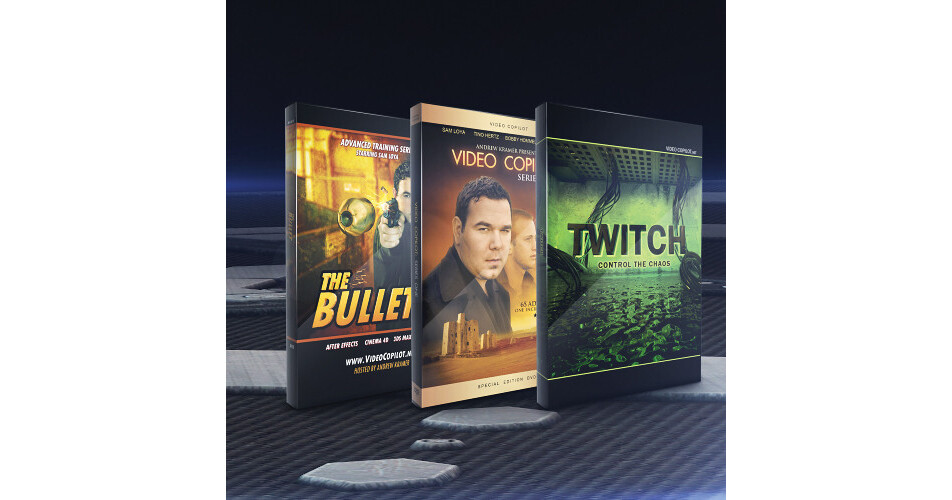


The Essentials Bundle from Video Copilot provides you with Twitch, an After Effects plug-in for adding stylized visual and motion effects to your footage, and a library of tutorials and training for creating large-scale visual effects and cinematic looking footage. The bundle features Twitch, The Bullet, and Series One.
Twitch is a plug-in designed for use within Adobe After Effects. It comes with 6 built-in operators (blur, color, light, scale, slide, and time) for adding 'twitch' to your video. You can toggle on/off individual effects, as well as adjust the quantity and speed of each effect. It also features 10 twitch sound effects, 25 effect presets, and advanced features such as distortion FX, film shifting, and twitching to the beat of music. 7 video tutorials are included.
The Bullet provides you with 21 video tutorials for over 5 hours of After Effects and 3D training. The tutorials show you ways to achieve professional-looking visual effects in an organized workflow. It features project files, help files, and source footage - all the elements needed to generate a visual effects shot of Video Copilot's Sam Loya firing a gun in slow motion. It also provides 3-in-1 compositing training for Cinema 4D, 3Ds Max, and Blender.
Series One is a compilation of Video Copilot's online tutorials 1 to 65 and basic training. It features presets and project files, including ways to mimic the look of Sin City or the film 300. The tutorials are also available in the iPod video format, letting you learn on-the-go. An interview with Video Copilot's Andrew Kramer and Sam Loya is also included, as well as out-takes from tutorials.
Please see the links below for more information on the various components of this bundle.
The Video Copilot Twitch Create Chaos is an After Effects plug-in that allows you to match random operators to make stylistic video effects for motion graphics and visual effects. You can use Twitches with multiple operators to generate unique custom effects. The Twitches can be adjusted to make them fast or slow.
The Twitch Create Chaos comes with 6 built-in operators such as blur, color, light, scale, slide, and time. The operators feature an on/off switch, and enable you to easily toggle on or off individual effects. Multiple operators can be quickly reframed with 1 parameter as the functions are controlled by a master amount and speed slider. In addition to advanced individual controls over amount and speed, the operators also offer an option to use a unique random seed value.
Featuring a Twitch Only function, the Twitch Create Chaos is an ideal tool for blending 2 separate shots with twitch, and only renders the frames that comprise twitching and keeps the rest transparent. The plug-in also comes with Freeze Twitch that allows you to hold the twitch values over a full piece of footage, using After Effects. The twitch values remain editable, and settings can be modified.
In addition to 10 twitch sound effects and 25 effects presets, the Twitch Create Chaos comes with 7 video tutorials (75 minutes) that offer training on advanced features such as distortion FX, film shifting, and twitching to the beat of music. The plug-in is suitable to be used with motion graphics, music videos, film flashbacks, transitions, and frightening effects.
- Blur Operator - contains advanced features such as a threshold slider, transfer modes, and aspect control
- Color Operator - allows you to colorize twitches and randomize color
- Light Operator - similar to an exposure function; allows you to select from adding brightness or darkness to Twitches or even both
- Scale Operator – built-in motion blur and random anchor
- Slide Operator - offers many controls over slide, motion blur, tendency, and the advanced RGB split
- Time Operator – allows you to randomly offset footage forward or backwards
The Video Copilot The Bullet Advanced AE & 3D Training comprises of 21 tutorials and over 5 hours of training, and shows you ways to achieve large-scale visual effects in an organized and powerful workflow. It features project files, help files, and source footage. You are provided with essential elements to generate a visual effects shot of Sam Loya firing a gun in slow motion.
Incorporating a 3-in-1 training for Cinema 4D, 3Ds Max, and Blender, The Bullet Advanced AE & 3D Training comes with built-in 3D camera movement, which eliminates the need for using match moving software with live-action footage. It introduces you to texturing and lighting with reflections and animation with null objects and groups using 3D software. You will also learn to model a realistic bullet and shell casing.
The Bullet Advanced AE & 3D Training covers multi-pass exporting and compositing and displacement effects and other creative uses for common plug-ins, and provides file management and workflow tips such as pre-comp proxies. You will learn to make elements from scratch, integrate the camera data when working between After Effects and 3D, and advanced color correction techniques.
The video tutorials of The Bullet Advanced AE & 3D Training show ways to build muzzle flash and smoke and animate slide actions. It also features ways to master the speed of After Effects, and comes with interactive content and a reference page with real images of a bullet. You are provided with built-in help that features common Q&As, and commonly used keyboard shortcuts and helpful tips.
The Video Copilot Series One DVD is a compilation of tutorials from 1-65 and Basic Training, and features presets and project files. In addition to full resolution video, the presets are also available in the iPod video format. Featuring never before seen footage (20 min), it also includes interviews with Video Copilot president and founder Andrew Kramer, and actor and editor Sam Loya.
The Series One DVD comes with a Sin City Look Tutorial and Epic Presets for cinematic looks similar to the film 300. It also features out-takes from many tutorials.