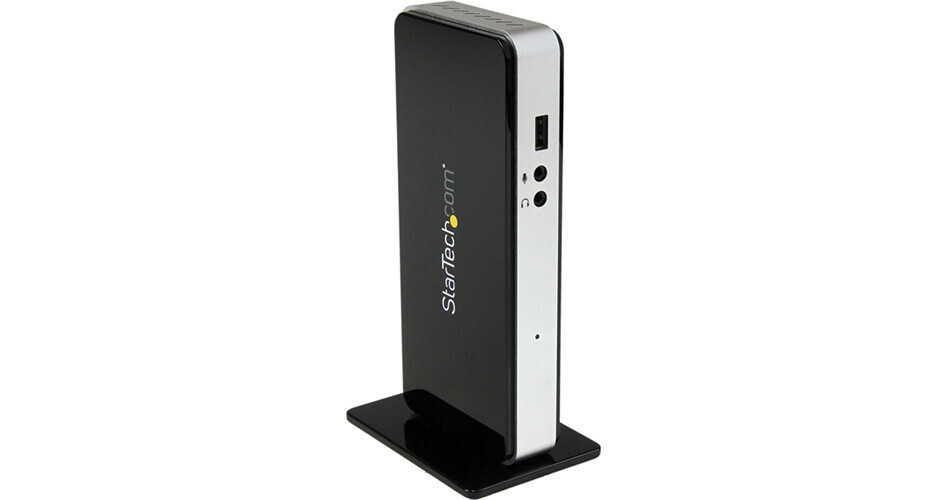
The Thunderbolt Docking Station from StarTech gives you a single connection point to your home or office workstation, for a flexible setup. The Docking Station adds Thunderbolt and HDMI video outputs, 10/100/1000 Mbps Gigabit Ethernet, a USB 3.0 hub, and 3.5 mm audio ports to your Thunderbolt-equipped laptop.
Single Connection
The Thunderbolt Docking Station reduces the hassle of connecting a typical laptop workstation by leaving your entire peripheral set connected with one cable. Through a single connection to your laptop, such as MacBook Pro, MacBook Air, or Ultrabook), you can easily connect and disconnect from the Thunderbolt Docking Station.
Flexible Setup
With a small footprint and included stand, the Thunderbolt Docking Station allows for a tidy and customizable work space. The included stand allows you to set the Thunderbolt Docking Station horizontally or vertically. Connect more of your USB peripherals through the integrated 3-port USB 3.0 controller. External USB 3.0 hard drives benefit from the smooth response and faster data transfer rates. Older USB peripherals are also supported with USB 2.0/1.1 backwards compatibility.
Formidable Speed
Increase your overall system performance with a dedicated controller for onboard I/O handling, which frees up system resources. With data transfer rates up to 10 Gbps, Thunderbolt technology simultaneously supports a high-resolution display and high-performance data devices through a single interface. You can even daisy-chain up to 6 devices (Thunderbolt 1 and 2 compatible) for maximum connectivity.
Multiple Monitors
Expand your screen real estate and increase productivity, using the integrated monitor outputs. With support for resolutions up to 1920 x 1080 (HDMI) and 2560 x 1440 (Thunderbolt / Mini DisplayPort), the dock provides several options to add external HD displays.
When using a single display, the dock lets you connect one HDMI, DisplayPort, or Thunderbolt monitor. The Thunderbolt interface on the dock is backwards compatible with Mini DisplayPort; when connected to a DisplayPort monitor, only a single display can be added, as HDMI will be disabled. For dual-display configurations, you can connect one HDMI monitor and one Thunderbolt monitor simultaneously.
When using a single display, the dock lets you connect one HDMI, DisplayPort, or Thunderbolt monitor. The Thunderbolt interface on the dock is backwards compatible with Mini DisplayPort; when connected to a DisplayPort monitor, only a single display can be added, as HDMI will be disabled. For dual-display configurations, you can connect one HDMI monitor and one Thunderbolt monitor simultaneously.