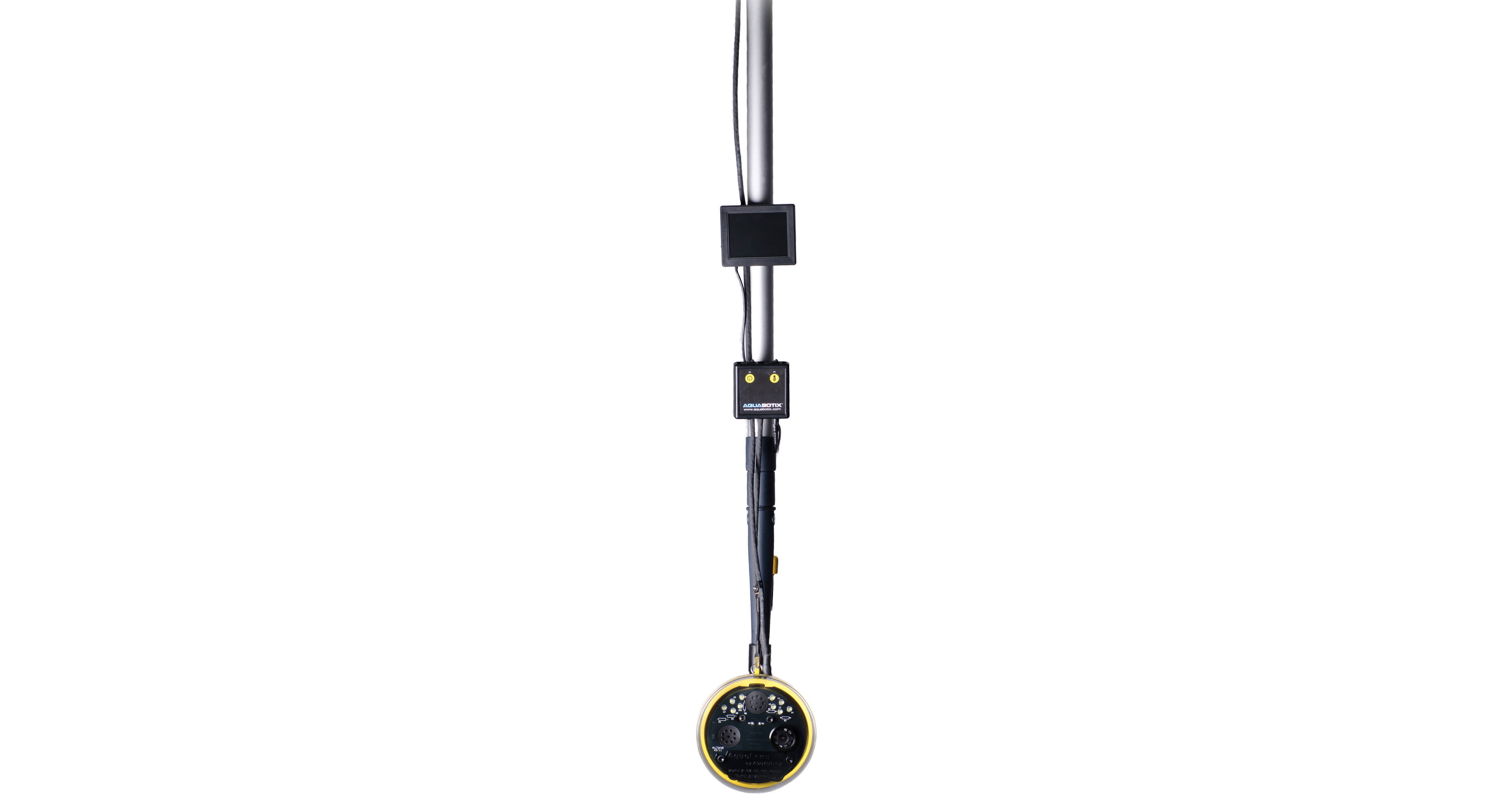
The yellow AquaLens from Aquabotix is a compact, portable, easy-to-use underwater viewing system with a color camera, live video feed, LED lights, and a 50' cable connecting it to the supplied topside box. It also includes a 3.5" topside color LCD monitor with 320 x 240 resolution, which connects to the topside box through a separate 6' cable that's also supplied. In under 30 sec, the spherical device, made of an ABS plastic body and an acrylic dome lens port, is ready for submersion to a maximum depth of 50'--and it does not require anyone to enter the water.
Simply use virtually any boat hook or another guide pole with the supplied adapter for pole attachment to position the device from a dry topside location. Then, watch the streaming video on the monitor, which can easily be worn and operated on your forearm using the arm band and swivel mount, or on your belt. Keep in mind that though the AquaLens is waterproof, the LCD screen and topside box are not.
Perform inspections of the underwater parts of your boat, including the anchor, rudder, hull, bottom, and propellers. You can also use the AquaLens to check water conditions and execute searches or to enjoy a closer look at undersea life and environments--all while staying dry and safe above the surface. The camera offers a 1/3" CMOS image sensor and 640 x 480 resolution, and its lens provides a wide angle of view of 92°. The dome port for the lens counteracts the decrease in coverage that occurs underwater by restoring a wider angle of view. The AquaLens also features anti-fogging technology for improved visibility.
Using the optional MyGica iGrabber or a similar accessory, you can record the live video feed from the AquaLens. The iGrabber connects to the topside box and offers simple push buttons that allow you to start and stop recording. At the other end is a USB plug for connection to your computer, where you can upload your captured videos. The AquaLens runs on 8 AA batteries, which are available separately, or on continuous topside power as an alternative, using the optional AC power adapter.