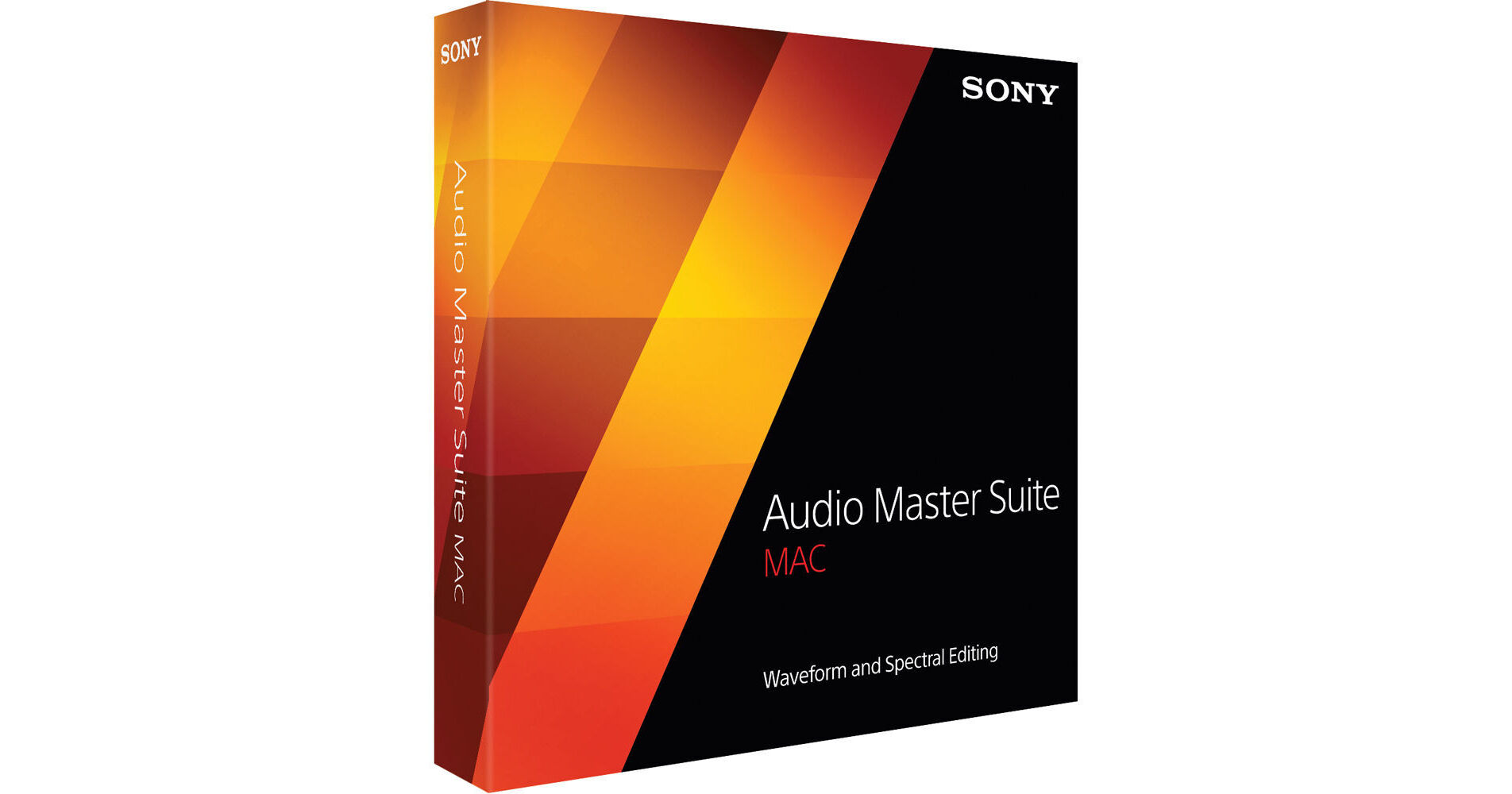


The Audio Master Suite Mac from Sony is a software collection of digital signal processing tools intended for waveform and spectral editing applications. The programs are designed for smooth round-trip communication in mixing, mastering, vocal processing, repair and restoration, sound design, forensics and analysis situations.
The collection consists of Sound Forge Pro Mac 2, SpectraLayers Pro 2, Convrt Batch Processing Automation Tool, iZotope Nectar Elements Vocal Plug-In, iZotope-powered Mastering and Repair Suite, and twenty-five tracks from the Sony Sound Series: Production Music catalog.
Sound Forge Pro Mac 2.5 from Sony is a digital audio editor that has been rebuilt for the Mac OS X environment and provides a contemporary application that's perfect for recording, editing, processing, and rendering broadcast-quality audio master files. The software features a streamlined user interface with configurable viewing panels that allow for toggling to any view of the project in seconds, from the entire workflow, or just a specific area, even on laptops.
Assigning hardware, metering input signals, arming tracks, and recording high-resolution, multi-channel audio is a simple and fluid process while bringing audio into a computer - up to thirty-two simultaneous channels at 24-bit/192 kHz resolution. In addition to native processes that include everything from EQ to dynamics, channel conversion and normalizing, the program includes specialized tools for carrying out repair and restoration tasks on audio files. Powered by iZotope, these plug-ins are configurable and easy to use.
New features in version 2.5 include full bidirectional file transfer with SpectraLayers Pro 2, several event-mode improvements and expanded metering, including CALM-targeted metering. FLAC file support is now available, along with a batch processing automation application. iZotope Nectar Elements provides extensive vocal treatment, and several other plug-in tools are also added.
Interoperability with SpectraLayers Pro 2
- Transfer audio data between Sound Forge Pro Mac and SpectraLayers Pro 2.1
- Open a large file in Sound Forge Pro Mac and transfer selections of any size to SpectraLayers Pro 2.1 for fast, precise editing, and then bring the result back to the source file in Sound Forge Pro Mac
Event Mode Improvements
- Convert regions to events
- Lock event markers, region markers, and envelope points to events
- Automatically ripple successive events forward in time while editing
CALM-Targeted Metering
- New metering options available for competing in the "Loudness Wars"
- CALM (Commercial Advertisement Loudness Mitigation Act) compliant metering features facilitate following the rules while maximizing the dynamic range potential of the audio
FLAC file Format Support
- Generate files in this popular lossless format that features space-saving compression and comprehensive metadata-handling capabilities
Convert Batch Processing Automation Tool
- Freestanding utility for mass file-format conversions, plug-in signal and effects-processing treatments, and file metadata attachments including art
- Simply import files and create a script
- Handles repetitive chores in the background while you continue recording and editing audio in the Sound Forge Pro Mac workspace
Auto Trim/Crop Tool
- Automatically remove unnecessary silence in a sound file while fading the edges of program segments in and out with user-controlled fade lengths
Volume Plug-In
- Modify the volume of a selection using this convenient process dialog.
Customizable Toolbar
- Cluster and access frequently used functions in a single convenient location
iZotope Nectar Elements
- Vocal treatment
- Whether recording or mixing, get great results quickly by loading one of the style presets in genres like rock, pop, folk, soul, and voiceover and dialogue
- Easily customize the sound by adjusting dedicated controls like Presence, Drive and Grit
- Fix pitch problems, perform de-essing, or reduce room noise in recording using simple and intelligent controls
Disc-at-Once CD Burning
- Create tracks and burn a disc from a single file, or burn all open files to disc
- Burn gapless live sets and Red Book-compliant master discs
Wave Hammer Compressor/Limiter
- Sound Forge original plug-in now available on the Mac
- Sophisticated compression and volume maximization deliver master recordings with classic Sound Forge clarity and punch
Focused Editing
- Configurable viewing panels allow for toggling to any project view in seconds
- Easily navigate the entire interface and work quickly, even on laptops
Editor Panels
- Two discrete audio-editor panels, each with its own overview bars, file tabs, and transport controls
- View the panels stacked or side-by-side, and drag tabbed files between them for editing
Regions
- Fast, sample-accurate access to numerous locations within audio files, and easy ways to define, label, edit, and export regions
- Drop and name markers, create regions from selections, subdivide regions, loop region playback, and fine-tune selections
- Access the Regions List tool for list-based auditioning and fine-tuning
Event-Based Editing
- Allows you to divide a sound file into any number of independent sections that can be arranged and rearranged on the timeline
- Manually or automatically create events, then move, split, copy and paste, fade, crossfade, and slip/trim event contents to achieve complex edits
- Engage legacy Sound Forge event-based editing for effortless sequencing of audio on the timeline
Pencil Mode
- Zoom in, enable Pencil Mode, and easily make microscopic waveform alterations
- Great for fixing digital glitches and other unwanted artifacts
Time Formats
- Perform sample-accurate audio file editing in a wide range of industry-standard time formats
Summary Information, File Properties, Statistics Tools
- Easily view, edit, and apply file metadata
- The Summary Information tool displays file metadata - select a field and enter the information of your choice
- The File Properties and Statistics tools display all the important attributes of your sound files and the selections within them
Normalize
- Accomplish standard peak-level normalization, or modify an audio file's dynamics directly using average RMS-level normalization - great for matching the apparent loudness of different recordings
Zplane élastique Timestretch
- Time-stretching engine that offers high quality, making stretching artifacts obsolete
- Based on state-of-the-art psychoacoustic models and signal-processing theory, the result is stable timing, inter-channel phase coherence, and sample-accurate stretching
- Achieve formant-preserving pitch shifting that avoids the pitfalls that can occur when pitching up or down
- Choose from various stretching methods that are tailored to your source audio, including Pro, Soloist, and Efficient modes
- Monitor and adjust settings while previewing
Synthesis
- Synthesis plug-in generates basic waveforms and noise
Channel Converter
- Change the number of channels in an audio file, reverse the channels of a stereo file or intermix the channels of a multi-channel file to create panning scenarios
iZotope 64-bit SRC (Sample Rate Conversion)
- Necessary process when converting material from one sampling rate (such as 192 kHz) to another rate (such as 44.1 kHz)
- Protects against the loss of data, aliasing, noise, and unwanted ringing artifacts, utilizing a hybrid low-pass filter along with ringing control
Fades
- Precise control over audio heads and tails with five different fade types
Other Processors
- Mute, reverse, volume, mix
- Mix clipboard contents into a sound file, applying custom crossfades and adjusting both source and destination volume levels along the way
iZotope MBIT+ Dither (Bit Depth Conversion)
- Dither 24-bit or higher audio tracks to 16-bit without losing quality or introducing undesirable quantization distortion
- Employs psychoacoustic methods to distribute the noise into less audible ranges, resulting in improved sound and smoother fades
- Specifically designed for musical program material - MBIT+ models use real music and not test tones, resulting in musical and sonically pleasing processing
Invert / Flip
- Reverse the phase of sound files
Declicker
- Identifies and removes clicks, pops and digital impulse noises.
- Set the fader to the sensitivity level you need, then count the number of clicks that are identified and repaired over time as your audio file plays
Denoiser
- Easily perform noiseprint-based noise reduction
- Click the Learn button while playing a random sample of unwanted noise contained in the target file and the processor does the rest, applying a customized noise-reduction process across the entire selection
Declipper
- Reconstructs peaks damaged by clipping at either the analog or digital stage
- Use the level histogram to pinpoint where the damage starts
- Set the Clipping Threshold to determine where peak re-synthesis will begin
Mastering EQ
- Six-band parametric equalizer featuring four bell filters, a high shelving filter, and a low shelving filter
- Incorporates digital precision and analog modeling, as well as real-time spectrum analysis for essential visual feedback while adjusting parameters
Multiband Compressor
- Adds warmth and fullness to mixes
- Allows independent control over the dynamics of four frequency bands, and adjustable crossover points let you fine-tune the range of each band
- Real-time spectrum analyzer shows each frequency band in its own color, in addition to the combined spectrum of all bands
Mastering Imager
- Precisely adjust the stereo width and focus of your master
- Work with up to four frequency bands for independent control over stereo width by frequency
- Visualize the stereo image with a phase/channel meter display that highlights imaging, phase and potential canceling problems
Mastering Reverb
- Reverb designed to add depth to dull mixes and smooth over acoustic imperfections
- Features two processing algorithms, plate and room, and a real-time spectrum analyzer
Mastering Limiter
- Create louder and fuller masters by limiting the dynamic range and boosting the perceived overall level of the mix
- IRC (Intelligent Release Control) lets you dial in both aggressive and transparent limiting, and a histogram meter helps you fine-tune the effect for the best results
Harmonic Exciter
- Add analog character to your masters
- With a selection of Harmonic Exciter modes, you can easily add tube or tape saturation, accentuate even harmonics, and add punch or sparkle to your project
- Multiband and mid/side modes give you a huge range of sonic possibilities
The SpectraLayers Pro 2- Audio Spectrum Editor from Sony is a software application for audio editing professionals. It features a significantly faster processing engine, seamless interoperability with Sound Forge Pro 11 and a host of advanced tools, methodologies and user interface improvements for added convenience, creative options and enhanced workflow. Extracting, layering and processing audio in the spectral realm is now even quicker and easier in SpectraLayers Pro 2. SpectraLayers Pro 2 is available for both Mac and PC.
Nectar Elements from iZotope is a software plug-in that allows for enhancing and fixing vocal recordings. Based on its more feature rich sibling Nectar 2, the software suite nonetheless provides a comprehensive variety of tools for making easy and substantive vocal treatments. Professionally-designed style presets in genres like rock, pop, folk, soul, and voice over and dialogue are provided as starting points for easily customizing your vocal sound.
The software allows you to choose between a variety of classic and creative vocal styles. Quickly get the '60s Motown sound, the early '90s grunge rock sound, a radio-ready podcasting sound, a subtle jazz vocal or a modern pop sound, everything from delicate improvements to highly-produced robotic pitch effects. Additionally, corrective tools can help salvage an otherwise perfect take. For home recording, the singer/songwriters, or the podcaster the software provides a clear workflow for achieving consistent results.
- Dozens of Styles that let you choose between a variety of classic and creative vocal styles
- Quickly get punchy vocals with the loudness you need for consistency across your track
- Help settle your vocals into your mix with delays and reverbs that add ambience and "smoothing"
- Liven up your vocal sound, from gentle warmth to aggressive grit, with Styles that add vintage tube and tape harmonics
- Thicken up your voice with doubling effects, adding up to four voices with varied pitch and panning
- Experiment with additional per-style controls, each designed to perfectly complement the genre and style of choice
- Bring out the best in any vocal performance with the included corrective tools
- Enhance and sculpt the tone of your voice, or adapt any style to suit your needs with the built-in EQ
- Easily remove unwanted "ess" sounds and sibilance using just one intelligent slider
- Remove room tone and other unwanted noise quickly with the gate to get vocals crisp and broadcast-ready
- Automatic pitch correction for fixing out-of-tune notes so you can keep those "almost perfect" takes
- Pick your genre and style from amongst dozens of built-in styles that set up the main view of the plug-in and the underlying vocal effects.
- Experience the power of ten vocal processors with just one click
- Each Style has unique producer-level controls that let you quickly adjust settings like presence, drive and grit directly in the main view
- Experiment to personalize your sound then move on to tackle the levels and space
- If needed clean up the vocal with the de-esser, breath control, gate, and pitch correction