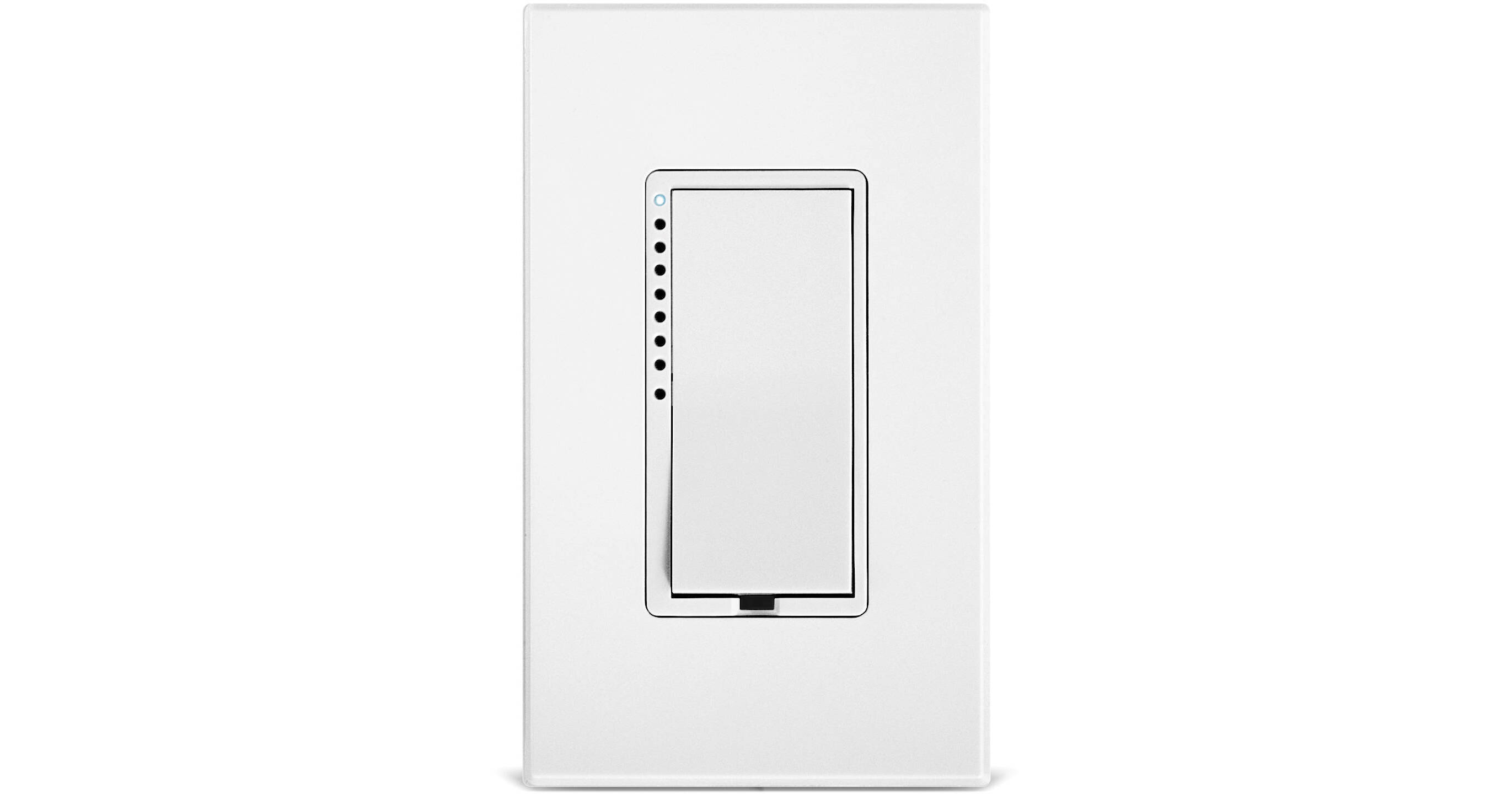
The INSTEON Dimmer Switch is designed to replace your existing wall switch and add wireless dimming capability. When paired with the INSTEON control devices such as the Hub, which is sold separately, you can download the free INSTEON control app for controlling the Dimmer Switch from devices likes smartphones and tablets. The app can be found in the Google Play, Apple, Amazon, and Windows app stores. Using the INSTEON user interface, you can control light output by selecting a specific brightness percentage. A paddle rocker is also located on the Dimmer Switch to directly control brightness and dimming levels. In addition to basic on and off control, you can even set lighting schedules and scenes.
Smartphone and Hub Control
Control Devices: Together with the INSTEON Hub, you can dim and brighten your room from anywhere in your home or across the globe. You can also add additional Dimmer Switches for whole house control.
Build Scenes: Scenes allow you to adjust multiple lights simultaneously from a single button when multiple Dimmer Switches are used in your INSTEON network. You can turn off every connected light in your home or create moods by dimming lighting for movie time, entertaining, and more. Every dimmable light in a scene can have its own ramp rate and brightness level, giving you enhanced control over the quality of light.
Create Schedules: With just a few taps, you can schedule your wall switches to turn on and off at sunrise, sunset, or anytime during the day.
Build Scenes: Scenes allow you to adjust multiple lights simultaneously from a single button when multiple Dimmer Switches are used in your INSTEON network. You can turn off every connected light in your home or create moods by dimming lighting for movie time, entertaining, and more. Every dimmable light in a scene can have its own ramp rate and brightness level, giving you enhanced control over the quality of light.
Create Schedules: With just a few taps, you can schedule your wall switches to turn on and off at sunrise, sunset, or anytime during the day.
Mini Remote-Ready
Thanks to the inclusion of Dual-Band technology, you can link any number of wireless Mini Remotes to your INSTEON Wall Switch. Mini Remotes allow you to directly control the Dimmer Switch without using the control app.
On Level
The customizable On Level in an INSTEON switch lets you pick how bright your lights are when you tap the switch. Set the brightness to be anywhere from 1 to 100% and every time you tap the switch, it will return to that brightness.
Ramp Rate
INSTEON switches feature a customizable Ramp Rate that lets you decide how quickly a light will turn on and off. Program hallways and utility areas to turn on instantly, but let the lights in your master bathroom, kitchen, and dining room slowly turn on over the course of 5 seconds. Ramp rates can be customized anywhere from instant to 9 minutes.
Dual-Band Technology
Utilizing both your home's existing power lines and RF technology, Dual-Band technology offers reliable system connectivity.
Universal Power
The INSTEON Dimmer Switch features a robust 100 - 277 VAC, 50/60 Hz auto-detecting universal power supply.
Dual-Color LED
The INSTEON Dimmer Switch includes a status LED that alternates red and green, depending on the operating state and programming modes.
Explore the Wall Switch
LED Indicator: See the current illumination level of your fixture. The unit ships with white LEDs, but optional color change kits are available to create red, green, blue, or yellow LEDs.
Paddle & Wall Plate: Optional color-changing paddle kits let you match your switch to your room's decor. Matching wall plates are available as an optional accessory.
Rocker Paddle: Tap the top to turn lights on, tap the bottom to turn lights off. Press and hold to brighten or dim.
Set Button: Press and hold for three seconds to link to any INSTEON device.
Paddle & Wall Plate: Optional color-changing paddle kits let you match your switch to your room's decor. Matching wall plates are available as an optional accessory.
Rocker Paddle: Tap the top to turn lights on, tap the bottom to turn lights off. Press and hold to brighten or dim.
Set Button: Press and hold for three seconds to link to any INSTEON device.
Additional Features
- Supports incandescent bulbs, dimmable CFLs and LEDs
- Can switch and dim up to 600W
- Requires a neutral wire in the junction box
Alexa and HomeKit Compatibility
Alexa and HomeKit are digital ecosystems that enable you to interact and control compatible devices with your voice. Additionally, app control lets you use your smartphone to access functions on the go. A hub is required to connect this product to your network and smartphone.