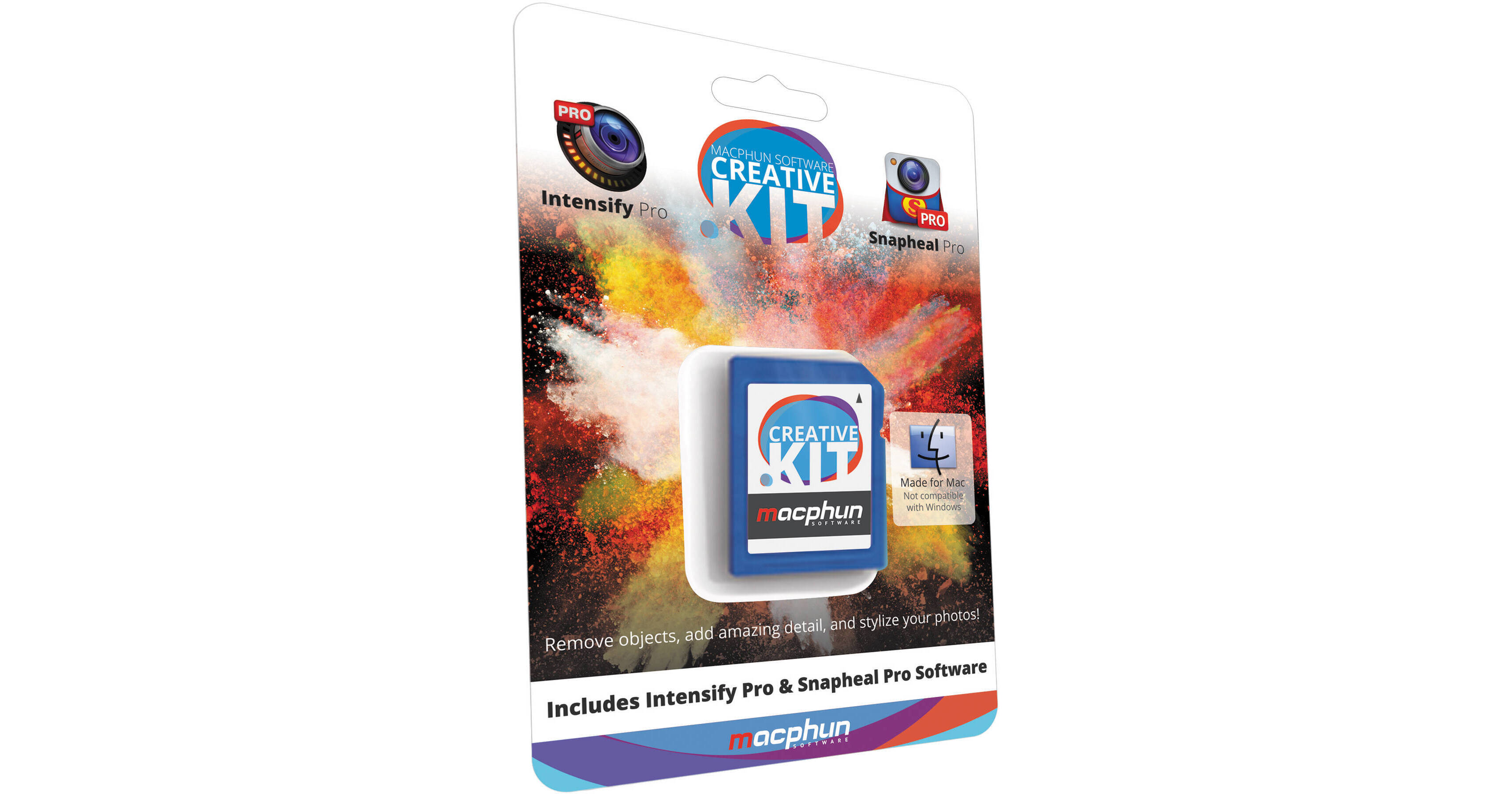
Macphun Creative Kit (SD Card)

BH #MACKSD • MFR #CK - SD
Print
Macphun Creative Kit (SD Card)
Key Features
  • Includes Snapheal Pro and Intensify Pro
  • Object Removal Tool
  • CleanPics Technology
  • Detail Enhancement Tool
The SD card version of Creative Kit from Macphun includes two powerful image editing tools designed to help efficiently remove unwanted objects from photos as well as enhance the details within imagery. When these two tools are combined, they both serve to round out an efficient overall editing workflow. Additionally, each program can be used as a standalone application or as a plug-in for Adobe or Apple image editing programs.
More Details
No Longer Available
No Store Display
Ask an Expert
800-952-1815

Macphun CK - SD Overview

The SD card version of Creative Kit from Macphun includes two powerful image editing tools designed to help efficiently remove unwanted objects from photos as well as enhance the details within imagery. When these two tools are combined, they both serve to round out an efficient overall editing workflow. Additionally, each program can be used as a standalone application or as a plug-in for Adobe or Apple image editing programs.

Snapheal Pro is an advanced object removal and retouching program designed to expedite the process of erasing unwanted portions from imagery for an overall cleaner, less distracting appearance. Utilizing the proprietary CleanPics technology, multiple erasing modes can be employed to effectively remove a wide range of image defects, including skin imperfections and undesirable items as well as restore old or damaged photographs. For more personalized control over retouching, a Clone & Stamp brush can be utilized for matching patterns and copying objects from a part of the image to another area.

Intensify Pro is a dedicated detail enhancement program designed to give you full control and ability over attaining the greatest amount of detail in a photograph. Utilizing four distinct methods-Structure, Details, Pro Contrast, and Micro Sharpness-Intensify Pro helps to reveal hidden details and accentuate regions of a photograph without increasing visual noise or creating unwanted artifacts. Numerous one-click presets can be employed for an efficient method of working or, alternatively, these presets can be customized, or even built from scratch, to suit a more personalized workflow. Up to five layers and selective masking techniques can be used to combine effects or selectively enhance portions of an image and a range of other tools can be utilized to add finishing touches or fine-tune other aspects of a photo.

Snapheal Pro
Object Removal Tool
Using the proprietary CleanPics technology, Snapheal Pro can effectively and easily remove unwanted objects from a photo, retouch skin imperfections, and restore old, damaged photographs. Multiple erasing modes, including Dynamic, Local, and Global, along with adjustable eraser sizes help to provide added precision for removing objects of any size. Furthermore, a Clone & Stamp brush is also available for matching textures and patterns within an image, as well as copying parts of a photo to another area.
Versatile Editing Tools
Beyond the advanced abilities of the object removal tool, a range of useful image enhancement features are also available, including crop, rotate, and transform functions as well as exposure, tone, saturation, clarity, color temperature, sharpness, and other general editing tools. Enhanced algorithms work to maintain overall image quality in regard to editing capabilities and color control and, additionally, a dedicated Blur brush is available and can be used with selective masking techniques.
Selective Enhancement
Dedicated Retouch and Adjustment brushes enable retouching of certain areas within an image as well as localized adjustment of highlights, shadows, saturation, clarity, exposure, and selective noise reduction. The brushes can be customized at will with the ability to vary their diameter, softness, and opacity for even greater control.
Seamless Workflow Integration
Snapheal Pro can function as both a standalone application or as a plug-in for Adobe Photoshop, Photoshop Lightroom, Photoshop Elements, and Apple Aperture. This Pro version also enhances working with RAW file types as well as offers support for working with PSD files. Furthermore, images can also be instantly shared to a variety of popular social media sites.
Intensify Pro
Structure
Structure helps to enhance the fine details within an image, particularly in regard to smooth or low contrast areas. This effect can be selectively applied across the highlights, mid-tones, or shadow regions of an image to achieve more realistic results. Additionally, a Softness feature is also available for softening aspects of the image for more pleasing results.
Details
Using an intuitive slider system, Details helps to reveal greater detail within imagery without the addition of unwanted artifacting or noise. The size of details can vary based on application and both shadows and highlights can be separately controlled. Additionally, this tool can be used to also de-emphasize certain details within an image.
Pro Contrast
Helping to achieve greater overall contrast and richness without sacrificing image detail, Pro Contrast allows to adjust contrast levels across the highlight, mid-tone, and shadow regions of a photo. Additionally, a proprietary Offset mode can also be applied for intelligent, automated results.
Micro Sharpness
Micro Sharpness improves the overall sharpness of a photograph without adding undesirable noise or sharpening artifacts common to other sharpening processes. This tool can further be personalized through the use of advanced parameters, including Radius and Dehalo, to fine-tune the amount and effect of sharpening needed.
Layers and Masking
Up to five layers can be utilized at a time to stack effects and control different masked areas within a single image. Layers can be used to selectively apply, or fine-tune, different adjustment types, such as exposure and saturation, through the use of different layer opacity settings and customizable brushes. Vignettes can also be applied to imagery with the added ability of being able to control the Luminosity and placement of the vignetting effect.
Presets
A broad range of one-click presets are available for use and can be utilized for greater efficiency or to help jump-start your own unique process. Custom presets can also created, saved, and shared.
16-Bit RAW Processor
Native RAW files from most cameras can be read and worked on at 16 bits of data per pixel in order to maintain the highest quality possible. Additionally, working with PSD files is also supported for greater continuity when working with multiple image editing programs.
Histograms
Enhanced histograms, used with different effects, extend their usefulness by displaying tonal range, clipping, and pixel saturation information, in addition to exposure and effect control.
Seamless Workflow Integration
Intensify Pro can function as both a standalone application or as a plug-in for Adobe Photoshop, Photoshop Lightroom, Photoshop Elements, and Apple Aperture. Within Intensify Pro, a dedicated Navigation Window can be used for navigating about the program, even in zoom mode, and a number of keyboard shortcuts can be used for faster switching between tools. Furthermore, images can also be instantly shared to a variety of popular social media sites.

Macphun CK - SD Specs

Delivery
8 GB SD memory card
Mac System Requirements
Mac OS X 10.7 and above
Intel Core 2 Duo, Core i3, Core i5, Core i7, or Xeon processor
4 GB RAM or more
Host Application
Adobe Photoshop CS5, CS6, or CC
Adobe Photoshop Lightroom 4, 5, or later
Adobe Photoshop Elements 10-12
Apple Aperture 3.2 or later
Image Format
RAW: 8-bit or 16-bit; including .NEF and .CRW2
PSD
TIFF (8-bit or 16-bit)
PNG
JPEG
Possibility to save progress in .MPI format
RGB (8-bit and 16-bit)
Language Support
Intensify Pro: English
Snapheal Pro: English, German, Italian, Spanish, French, Portuguese
Packaging Info
Package Weight
0.1 lb
Box Dimensions (LxWxH)
5.9 x 4.2 x 0.1"

Macphun CK - SD Reviews

See any errors on this page?
Whatever You Need, We've Got It