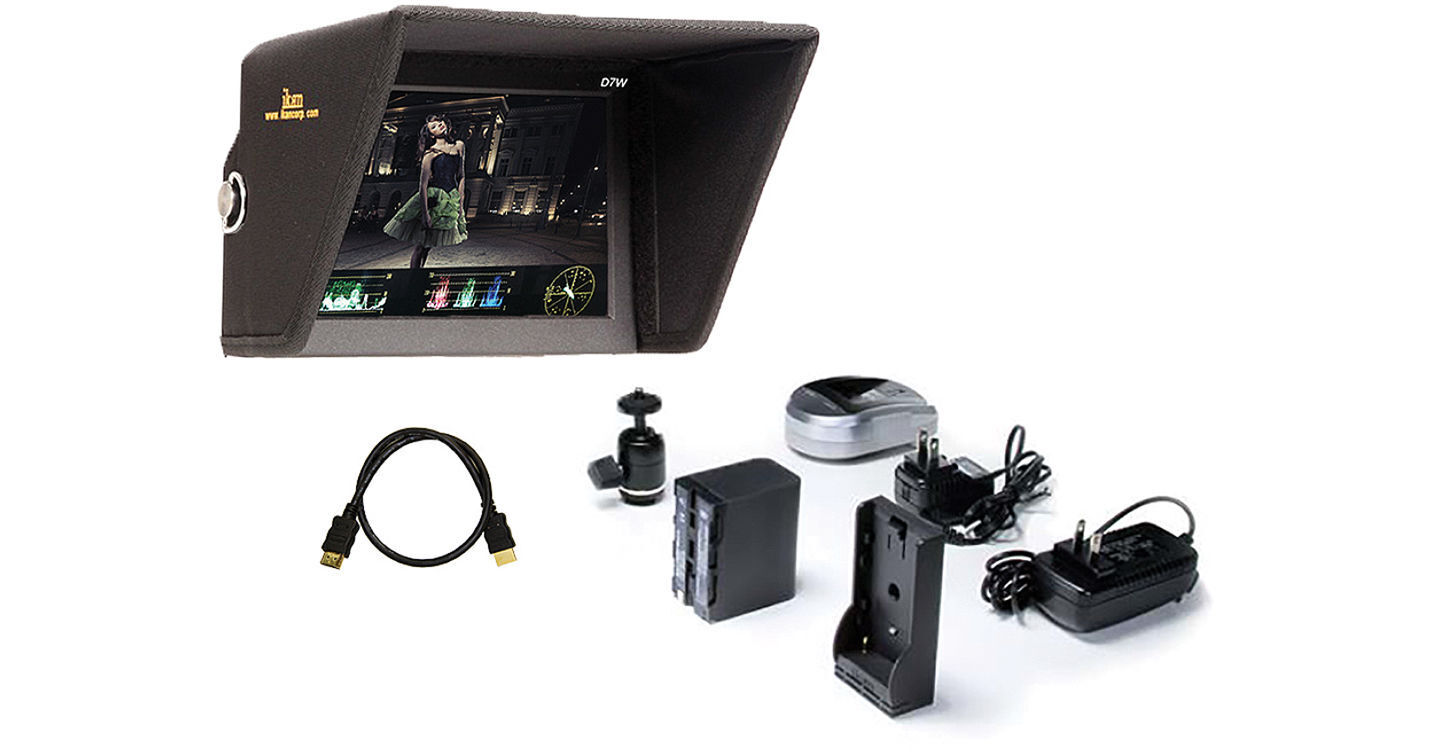
The ikan 7" 3G-SDI/HDMI LCD Field Monitor with Waveform Scopes, Canon LP-E6 Type Battery, Battery Plate & Sun Hood includes a 7" on-camera monitor, a Canon LP-E6 type battery, battery plate, an AC adapter, ball mount adapter, sun hood, and HDMI cable. It features a 7" HD IPS LCD screen with a resolution of 1280 x 800 pixels, 400 NIT brightness with a 800:1 contrast ratio that delivers a sharp, bright image with one HDMI input, one loop through HDMI output, one 3G-SDI in, and one loop-through 3G-SDI output. Built into an aluminum chassis for durability, it incorporates four 1/4"-20 threaded mounting holes (one on each side of the monitor) allowing you to mount it in almost any orientation you may need.
The D7W incorporates image analysis tools that consists of monochrome and color peaking, false color with adjustable under/over luminance warnings, clip guides with adjustable threshold, 1:1 movable pixel-to-pixel, and DSLR scaling, which lets you view DSLR signals in normal, 3:2, 16:9, and full screen aspect ratios. The monitor also features an Underscan mode, so you can shrink the image within the screen to make sure you are seeing the edges of the frame. The on-screen display simplifies navigating through the menu system. It also features both horizontal and vertical image flip, so you can properly orient the image, even if the monitor is upside, or you have to look at it through a mirror, and you can also flip the OSD if you need.
The unit features both an HDMI, and a 3G-SDI input. The HDMI input makes it easy to use this monitor when shooting with HDSLR cameras, and the 3G-SDI input allows you to use the monitor with cameras that output 3G-SDI. The HDMI and SDI outputs are both loop through, which means you can feed a clean signal to your downstream devices as any special displays on the monitor do not get output. The built-in headphone jack allows you to monitor audio directly from the D7. The control buttons are along the edges and back, including a menu scroll wheel and four assignable function keys to activate often-used functions. The included ball head features an accessory foot mount and 1/4"-20 screw. This allows you to attach the ball mount to the monitor and thus attach your monitor to your cameras hot/cold shoe.
- The waveform provides an objective evaluation of your video signal. It displays the brightness of your image on an IRE scale, allowing you to see if your image will clip, and where your black levels are.
- The vectorscope displays the signal on a graph so you can check the phase of your colors. The vectorscope function also verifies and checks the overall tint and hue of an image.
- The RGB parade displays the video signal as three separate colors channels; red, blue and green. This feature lets you objectively see how much of each color you have in your image.
- Crosshair - Off / On
- Guides Full - Off / 90% / 80% / 4:3
- Guides 16:9 - Off / 90% / 80% / 4:3
- Guides 4:3 - Off / 90% / 80%
- G. Background - Normal / Half / Black
- Check Field - The monitor's check field function allows you to select to view the image in either monochrome, or viewing only the blue, green, or red channel.
- Underscan
- H/V Delay
- Horizontal and Vertical Image Flip
- OSD - on-screen display, which can also be flipped if necessary
- Brightness
- Contrast
- Chroma
- Sharpness
- Tint
- Color Temp - 5600K/6500K/9300K/Manual