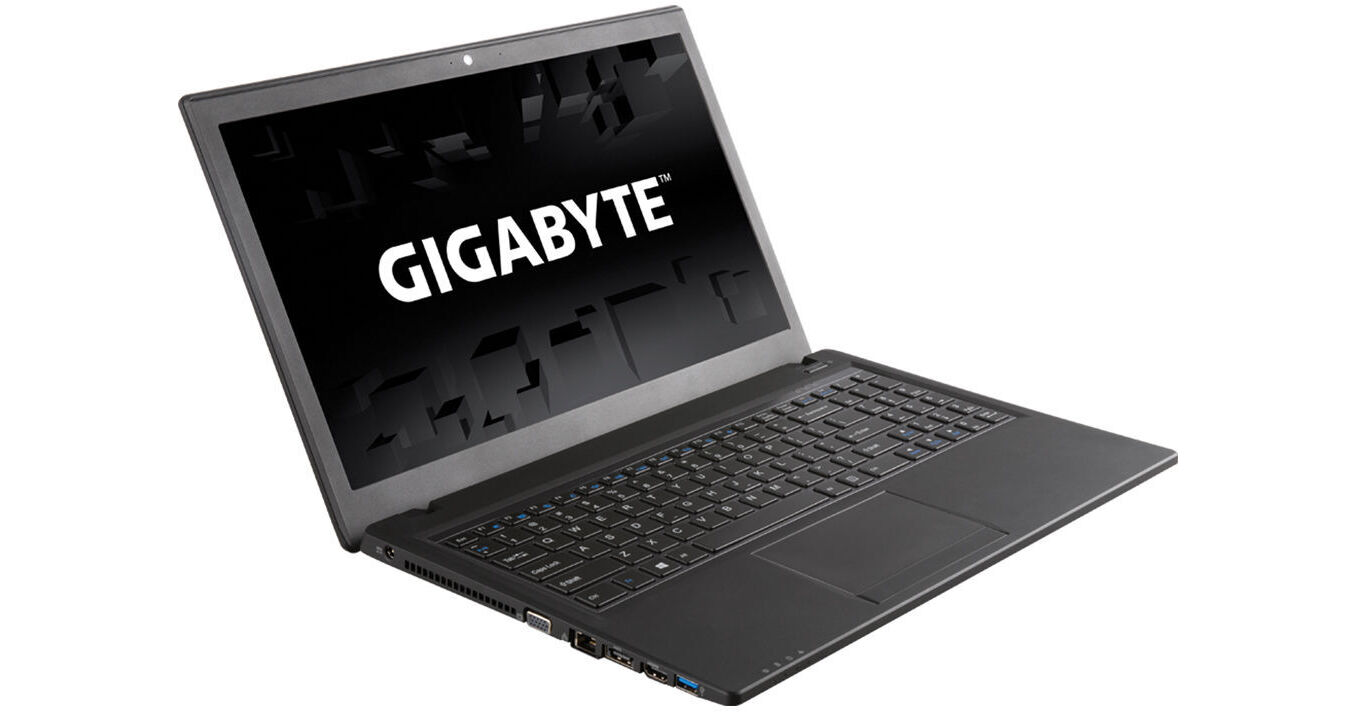
Gigabyte P15FV2-CF2 15.6" Gaming Laptop

BH #GIP15FV2CF2 • MFR #P15FV2-CF2
Print
Gigabyte P15FV2-CF2 15.6" Gaming Laptop
Key Features
  • 2.8 GHz Intel Core i7-4810MQ (Haswell)
  • 8GB of DDR3L RAM
  • 1TB 7200 rpm Hard Drive
  • NVIDIA GeForce GTX 850M GPU, 2GB
The P15FV2-CF2 15.6" Gaming Laptop from Gigabyte offers the hardware performance needed for both gaming as well as general use applications. This notebook has two graphics options so that you can switch between one for more graphics power or the other for longer battery life. Selecting the NVIDIA GeForce with 2GB of dedicated video memory gives you crisper graphics and smoother frame rates for running 3D games, 3D modeling programs and more. Selecting the Intel HD 4600 graphics offers you longer battery life and is suitable for browsing the web, typing reports, emails and watching movies. The notebook's 15.6" screen features a resolution of 1920 x 1080. If more screen space is needed, the notebook's built-in HDMI or VGA port can be used to connect a second display for more workspace or a projector for giving presentations.
More Details
No Longer Available
No Store Display
Ask an Expert
866-842-7675

Gigabyte P15F v2 Overview

The P15FV2-CF2 15.6" Gaming Laptop from Gigabyte offers the hardware performance needed for both gaming as well as general use applications. This notebook has two graphics options so that you can switch between one for more graphics power or the other for longer battery life. Selecting the NVIDIA GeForce with 2GB of dedicated video memory gives you crisper graphics and smoother frame rates for running 3D games, 3D modeling programs and more. Selecting the Intel HD 4600 graphics offers you longer battery life and is suitable for browsing the web, typing reports, emails and watching movies. The notebook's 15.6" screen features a resolution of 1920 x 1080. If more screen space is needed, the notebook's built-in HDMI or VGA port can be used to connect a second display for more workspace or a projector for giving presentations.

The P15FV2-CF2 gaming notebook is powered by a 4th generation Haswell Intel Core 2.8GHz i7-4810MQ processor. The notebook comes with 8GB of memory and you can add up to another 8GB RAM for running more programs at once. The 1TB 7200 rpm hard drive is ideal for storing photos, music, videos and more. You can video chat online using the integrated HD webcam, stereo speakers and microphone. Also included with the notebook are an AC power cord and a 6-cell lithium-ion battery.

Quad-Core Haswell Intel Core i7 Performance
This notebook features a quad-core 4th generation Haswell Intel Core 2.8GHz i7-4810MQ processor, with 6MB of L3 cache. The Haswell CPU uses less energy to give you a longer battery life when compared to previous Intel processors. With Intel Turbo Boost Technology, the maximum clock rate this processor can achieve is 3.8 GHz. Having four cores also allows the notebook to run multiple programs at the same time without slowing down the computer
Removable SuperMulti Drive
The internal SuperMulti DVD writer can be used to install software, back up files, watch movies and more. This drive can be swapped out with an optional hard drive for extra storage or left out for a lighter notebook
Connectivity
When you need to access the Internet or a network you can connect using 802.11b/g/n wireless or the Gigabit LAN RJ-45 jack. For connecting to other wireless devices, such as a mouse or speakers, the computer supports Bluetooth 4.0
Windows 8.1 64-bit
The Return of the Start Button
After many requests from Windows users, the Start button makes its return in Windows 8.1. While it may not be exactly the same as its predecessor in Windows 7, the Start button has two core functions. A left click on the Start button will take you to the Windows 8.1 Start screen featuring live tiles. A right click on the Start button brings up an advanced menu where you can access the Device Manager, Control Panel, Network options and more
Boot Directly to the Desktop
Windows 8.1 gives you the choice of booting to the Windows 8.1 Start screen with live tiles or booting to the familiar desktop screen of Windows 7. Users can also boot directly into an app or app view if they choose to
To the Cloud
With Windows 8.1, when signed in using your Microsoft account, you'll have instant access to your personal Start screen, themes, language preferences, browsing history, and browser favorites. You can also connect to services such as Microsoft Outlook, Facebook, Linkedin, Twitter, and more
Windows Store
In the Windows Store, you can search for or browse thousands of apps. Choose from the featured apps or grab one of the most frequently downloaded apps. You can also see how other people rate apps. For certain apps, you can try it out before you buy it, so you can make sure you absolutely want an app before you spend your hard-earned money on it

Gigabyte P15F v2 Specs

Operating System
Windows 8.1 (64-Bit)
Display
Size
15.6"
Native Resolution
1920 x 1080
Finish
Anti-Glare / Matte
Optical Drive
SuperMulti DVD Burner
Communications
Wi-Fi
Wi-Fi 4 (802.11n)
Webcam
User-Facing:
General
Security
Kensington Lock Slot

Gigabyte P15F v2 Reviews

See any errors on this page?
Whatever You Need, We've Got It