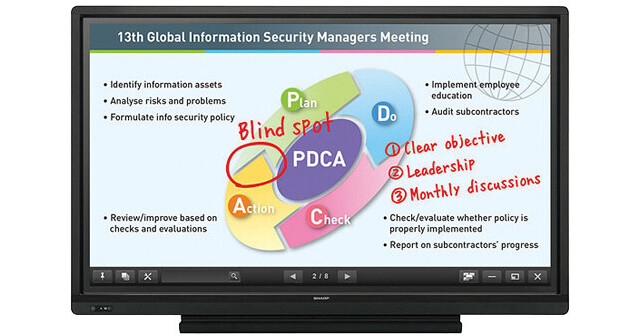
The Sharp AQUOS BOARD PN-L703A 70” Edge Lit LED Backlight Interactive Display System is designed for smooth and effortless communication in a wide range of contexts. The highly responsive touch pens allow several people to write on the same screen at the same time; the touch pen software is pre-installed in the LED. The Touch Display Link software enables multifaceted wireless communication.
Onscreen content including handwritten notes and drawings made in real time can be viewed simultaneously on the AQUOS BOARD display and mobile devices such as PCs, tablets, and smart phones. Touch Display Link facilitates interactive presentations, lively discussions, and paperless meetings in both business and educational settings.
Simultaneous Writing
10-point touch LCD panel allows up to 4 people to write on the screen at the same time using touch pens or fingers
Participants can take an active part in meetings, brainstorming sessions, classroom interactions, and more
Discussions and presentations become more interactive
User-Friendly Pen Software Interface
Using a touch pen, you can easily launch and display the Pen Software user interface, a menu comprising smartly arranged icons that provide easy access to pen settings and functions
Each touch pen has its own dedicated menu, which can be displayed even when up to 4 people are writing on the screen at the same time
Pen settings such as color and line thickness can be set for each touch pen (with function buttons)
Smooth and Responsive Touch Pen
A pressure sensor at the tip of this slim and lightweight pen lets you write with high precision and with an effortless and uninterrupted flow
Handwriting Recognition
The LCD monitor features a handwriting recognition function for converting selected onscreen handwriting into standard text
This function allows you to utilize onscreen content to make neat and legible minutes of your meetings
Note:
Supports 11 languages (English, German, Spanish, French, Italian, Dutch, Portuguese, Russian, simplified Chinese, traditional Chinese, and Japanese)
Quick Start-Up
The whiteboard function can start up quickly at a press of the power button, so that meetings get underway without delay
Note:
When booting the LCD monitor from power off status (power turned off using the power button on the monitor or remote control)
Touch-Operated Onscreen Display
Pressing the Touch Menu button displays an onscreen menu that lets you easily switch input sources, change volume level, or turn the touch-screen function on and off without using a remote controller
Front-Mounted Speakers
Two speakers (10W + 10W) are mounted low on the front of the LCD monitor to deliver clearer sound
Input/Output Terminals
The LED monitor comes standard-equipped with input/output terminals on the side and the bottom of the monitor to enable easy connection with a wide variety of equipment
Array of terminals includes three HDMI ports, two D-Sub ports, two DisplayPort terminals (one input, one output), and two touch-screen-supporting USB ports
One of the USB ports can be assigned to a regularly connected PC, such as a host PC used to operate the LCD; the other USB port facilitates temporary connection to another PC, such as the one used by a meeting participant. This allows easy PC connection without the need to switch the USB cable
Minimize Glare and Fingerprints
Protecting the screen is an anti-glare film that helps work to reduce glare and reflections and minimize fingerprint soiling on the glass
MFP Connectivity
Documents and images scanned from a color-scan-capable Sharp multi-function printer (MFP) can be imported directly to the Sharp Pen Software for display on the AQUOS BOARD system
The image data shown onscreen including notations can be saved to a PC or sent directly to an MFP for printout
Touch Display Link
It enables the following interactive functions on the AQUOS BOARD display and mobile devices connected via wireless LAN: Sharing of onscreen content, transfer of files, interactive onscreen writing and drawing, and remote control of the AQUOS BOARD display from mobile devices
Up to 50 mobile devices can be connected simultaneously
Files can be exchanged between mobile devices even if they are not connected to the AQUOS BOARD display
Users can capture onscreen images and save them on their mobile devices to make personally annotated memos (personal memo)
Touch Display Link also connects two AQUOS BOARD interactive display systems on the same network (intranet, VPN, etc.) to enable larger-scale interactive communications