Video Chat with a Pro Video Expert - Live

Marshall Electronics V-LCD17HR-2HDI-DT 17" LCD Desktop Monitor with Dual HDMI Input

BH #MA17HR2HDIDT • MFR #V-LCD17HR-2HDI-DT
Print
Marshall Electronics V-LCD17HR-2HDI-DT 17" LCD Desktop Monitor with Dual HDMI Input
No Longer Available
No Store Display
Ask an Expert
800-952-1815

Marshall Electronics V-LCD17HR-2HDI-DT Overview

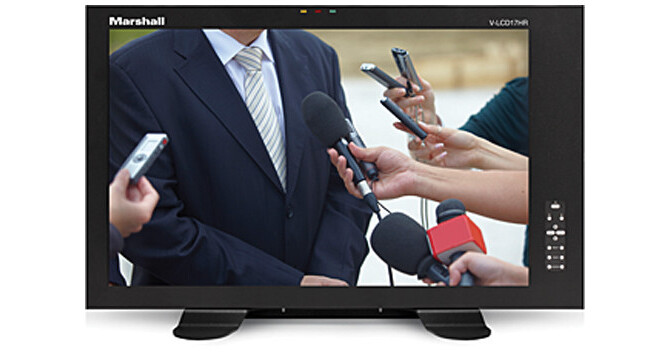
The V-LCD17HR-2HDI-DT 17" LCD Desktop Monitor with Dual HDMI Input from Marshall Electronics is designed for low-cost production or confidence monitoring. This desktop monitor provides two HDMI inputs and a 15-pin Sub-D tally connector. The V-LCD17HR includes features such as Status Display, False Color Filter, Markers, Freeze Function, Color Temperature Presets, RGB Gain/Bias Adjust, Pixel-to-Pixel, Blue Gun, Hard Tally, and user-definable function buttons.

The False Color filter is used to aid in the setting of camera exposure. As the camera Iris is adjusted, elements of the image will change color based on the luminance or brightness values. This enables proper exposure to be achieved without the use of external test equipment. The V-LCD17HR-2HDI-DT comes included with a desktop stand.

Top and front panel
Power Button
Use the power button to toggle between On and Standby modes. In both the Standby and the On states, the LED on the button will illuminate bright green. This indicates that Main power is applied to the unit.
User-Definable Function Buttons
Two user-definable function buttons can be used for direct access to various settings. Functions are assigned using the on-screen menu.
Menu Navigation Buttons
Use the Menu, Up/Down, and Select buttons to display and navigate the on-screen menu.
Image Adjustment Knobs
Use the image adjustment knobs to adjust color brightness, color-saturation, tint, and contrast of the image. The status of each image adjustment parameter is shown on the bottom left of the screen, with values ranging from 0 to 100. Default value is 50.
LED Tally
Three LED tally lights (yellow, red, green) are available above the screen.
Rear panel
Power Input
Connect 12 VDC to the 4-pin XLR power input connector. Power should only be supplied from the included power supply.
Tally Input Connector
The LED tally can be activated via the HD-15 connector by connecting the corresponding pin to ground. A variety of external devices can be used to perform the contact closure. No additional power should be supplied to the HD-15 port.
Desktop Mounting Holes
Desktop mounting holes are used when attaching the monitor to the desktop stand.
VESA 75mm Hole Pattern
VESA-standard 75 mm hole pattern is provided to accommodate a variety of custom mounting options.
Input Connection
The monitor comes pre-configured with two HDMI inputs.
PROG Port
The PROG port is a service/upgrade port only. Please contact Marshall Electronics for more information.

Marshall Electronics V-LCD17HR-2HDI-DT Specs

Panel
Size
17" diagonal
Resolution
1920 x 1080 RGB
Aspect Ratio
16:10
Active Area
14.5 x 9.0" (367.2 x 229.5 mm)
Type
LCD
Brightness
250 cd/m2
Contrast
600:1
Color Gamut
YUV, RGB
Viewing Angle (CR≥10)
140 x 130°
Backlight Type
LED, adjustable
Features
Video Formats
1080p, 1080i, 720p, 625i, and 525i
Color Temperature
D65, D55, and D93
HDMI
CSC Auto
Ratio
Auto
Connectors
Power Input
2-pin twist-lock
Tally
15-pin VGA, female
Inputs
2 x HDMI
Controls
Status Display
Input Status Display
Power
Voltage
12 VDC
Consumption
3.5 A @ 12 VDC (42 W)
General
Compliance
CE approved
VESA Mount
75 mm
Operating Temperature
32 to 104°F (0 to 40°C)
Storage Temperature
-4 to 120°F (-20 to 49°C)
Dimensions
18.9 x 10.4 x 1.1" (48.0 x 26.4 x 2.8 cm)
Weight
8.8 lb (4 kg), with rack ears
Packaging Info
Package Weight
12 lb
Box Dimensions (LxWxH)
25.7 x 13.3 x 7.5"

Marshall Electronics V-LCD17HR-2HDI-DT Reviews

See any errors on this page?
Whatever You Need, We've Got It