Video Chat with a Photography Expert - Live

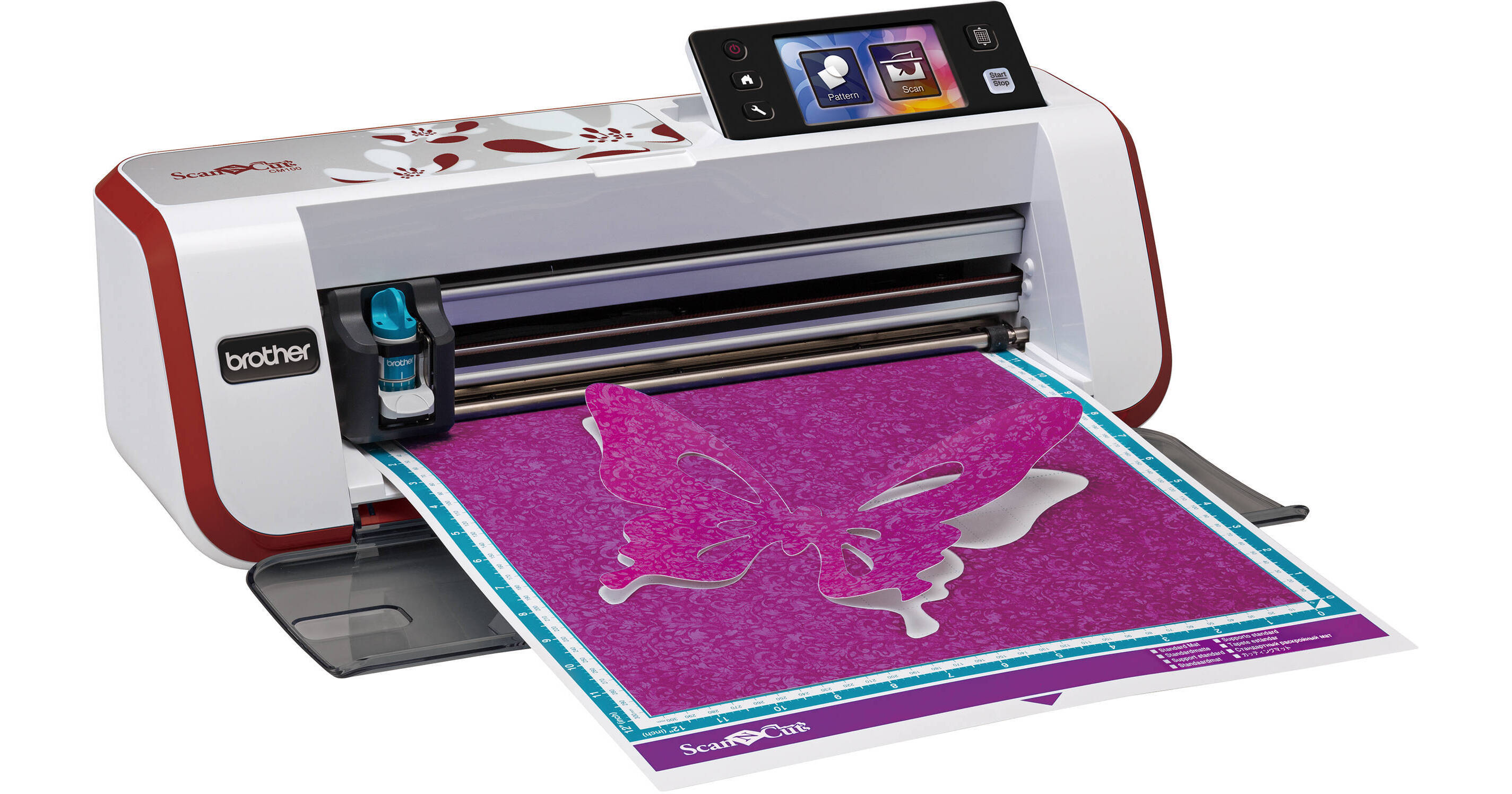
Brother CM100DM ScanNCut Home & Hobby Cutting Machine with Built-In Scanner (Red)

BH #BRCM100DM • MFR #CM100DM
Print
Brother CM100DM ScanNCut Home & Hobby Cutting Machine with Built-In Scanner (Red)
Key Features
  • Standalone Cutting Machine & Scanner
  • Optical Resolution: 300 dpi
  • Maximum Cutting Area: 11.75 x 11.75"
  • Maximum Scan Area: 11.75 x 11.75"
The red Brother CM100DM ScanNCut Home & Hobby Cutting Machine with Built-In Scanner allows you to scan drawings, images, or documents and then cut the shapes out of numerous materials, including fabric up to 1.5 mm thick. It does this by utilizing a 300 dpi scanner capable of creating cut data that can then be manipulated and adjusted via the LCD touchscreen display. The machine also has a stylus for more accurate manipulation of your cutting data.
More Details
No Longer Available
No Store Display
Ask an Expert
800-606-6969

Brother CM100DM Overview

The red Brother CM100DM ScanNCut Home & Hobby Cutting Machine with Built-In Scanner allows you to scan drawings, images, or documents and then cut the shapes out of numerous materials, including fabric up to 1.5 mm thick. It does this by utilizing a 300 dpi scanner capable of creating cut data that can then be manipulated and adjusted via the LCD touchscreen display. The machine also has a stylus for more accurate manipulation of your cutting data.

This is all done on a 12 x 12" cutting and scanning mat, giving you a large work surface. The machine is also compatible with drawing pens, meaning that you can draw right on the fabric or paper's surface in order to create unique designs. Additionally, as this is a standalone machine, scans are saved directly to a USB drive.

Included with this machine is a 12 x 12" mat, a 12 x 12" low-tack adhesive mat, 500 designs, 100 quilt patterns, a deep-cut blade, a standard blade, blade holders, spatula, stylus, adhesive support sheets, and iron-on contact sheets.

Background Scan
Using the stylus and LCD touchscreen you can adjust and move cut designs over the desired areas to produce a perfect cut
Welding
Automatically combines shapes, hand drawings, fonts, and more via the LCD touchscreen
Space Saving
Scans the paper or fabric and then automatically places your objects to get the maximum amount of use out of your designs
Scan to USB
The scanner can be used to scan virtually anything and documents can be saved to a USB device
On-Screen Editing
The LCD touchscreen allows you to customize and manipulate your designs without the use of a computer
Seam Allowance and Sewing Guidelines
Can automatically add seam allowances in 1/4" increments for cutting pieces and is compatible with erasable pens for more versatility
Large Scanning and Cutting Area
Comes with a 12 x 12" cutting mat; however, an optional 12 x 24" mat is available for creating and scanning large designs

Brother CM100DM Specs

Scanner
Optical Resolution
300 dpi
Output Resolutions
300 dpi
250 dpi
200 dpi
150 dpi
100 dpi
Scanning Area
11.75 x 11.75" (29.8 x 29.8 cm)
Scanning Speed
30 seconds/mat
Scan Modes
Outline detection
Region detection
Line detection
Scan to USB
Color
Yes
File Format
JPG
Media Thickness
Maximum: 59 mil (1.5 mm)
On-board Memory
1 MB (60 pockets)
Cutting Machine
Cutting Speed
5 levels
Holder Pressure
19 levels
Blade Depth
12 levels
Fonts
5
Work Surface
Max: 12.0 x 12.0" (30.5 x 30.5 cm)
Cutting/Drawing: 11.75 x 11.75" (29.8 x 29.8 cm)
Media Thickness
Paper: 3.9-11.8 mil (0.1-0.3 mm)
Fabric: 7.9-59.1 mil (0.2-1.5 mm)
Media Types
Paper: Printer paper, scrapbook paper, cardstock, vellum, tracing paper, poster board
Fabric: Cotton, flannel, felt
Other: Magnets, sticker or seal
Screen Type
3.67" (9.3 cm) TFT LCD touchscreen
Editing
Size
Duplication
Aspect ratio
Pattern rotation
Mirroring
Seam allowance
Unifying
Welding
Group deleting & selection
Seam Allowance
7 levels
General
Built-In Designs/Templates
500
Patterns
Quilt: 100 with 10 levels of spacing and intervals
Physical
Weight
8.25 lb (3.74 kg)
Packaging Info
Package Weight
13.65 lb
Box Dimensions (LxWxH)
22.7 x 10.4 x 10.1"

Brother CM100DM Reviews

See any errors on this page?
Whatever You Need, We've Got It