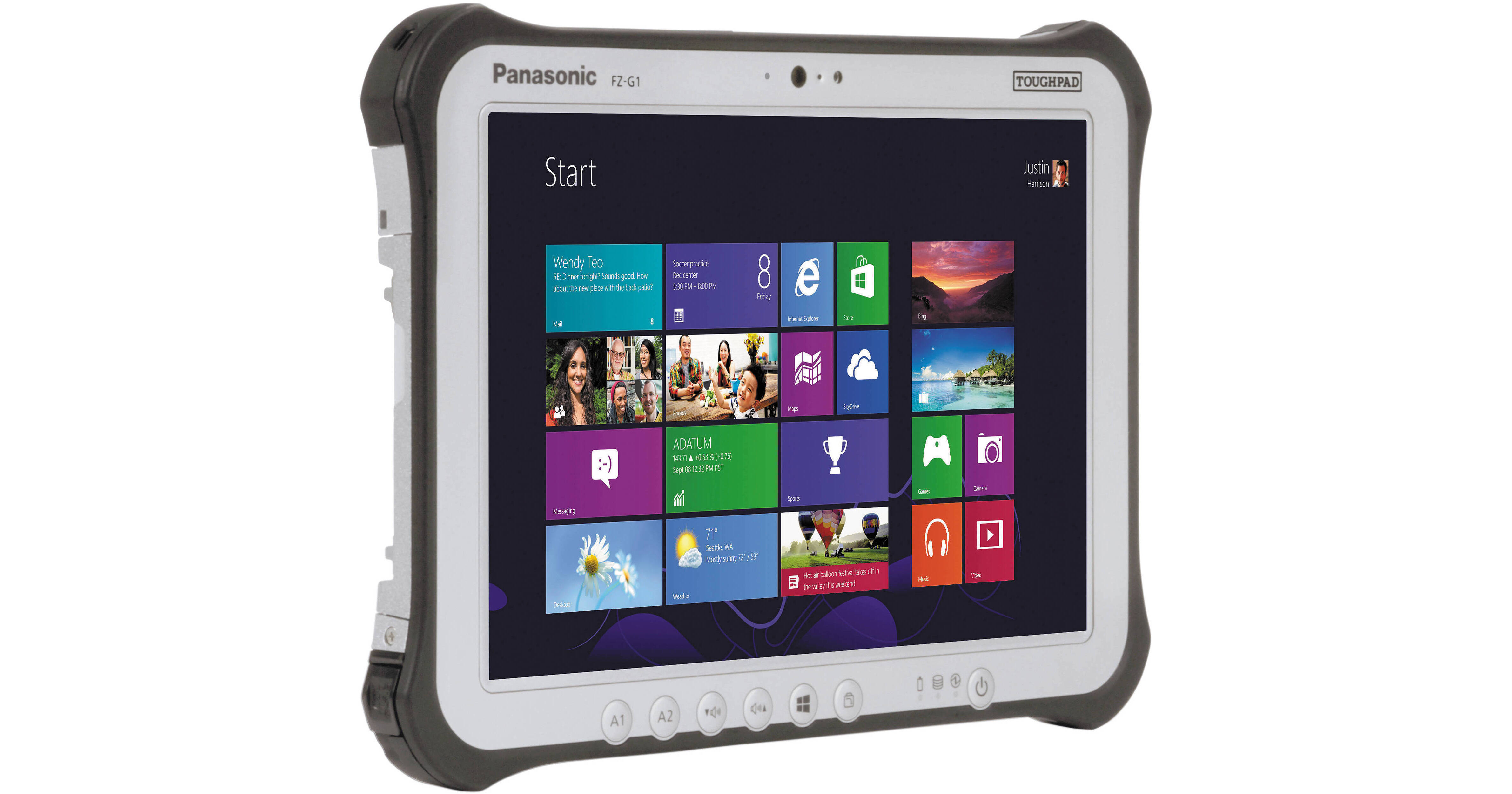
Designed with outdoor mobile workers in mind, the Panasonic Toughpad FZ-G1FA4GFCM is built to withstand shocks due to drops, inclement weather, and temperature changes in extreme environments. Encased in a magnesium alloy chassis surrounded with ABS and elastomer corner guards, the FZ-G1 has been tested and proven to withstand drops up to 4', shock, vibration, rain, dust, sand, altitude, freeze/thaw, high/low temperature, temperature shock, humidity, and explosive atmosphere.
The 10.1" multi-touch screen will respond to 10-point gestures made with both bare fingers and gloved hands, and even supports wet touch mode. The included digitizer stylus improves handwriting and signature capture by recognizing only the sharp point of the pen, and not the part of the hand resting on the screen.
The FZ-G1 is powered by a 2.0 GHz Intel Core i5-4310U dual-core processor that can be overclocked with Turbo Boost up to 3.0 GHz. The system comes with 8GB of installed RAM and a 256GB Solid State Drive. It is equipped with Wi-Fi and Bluetooth 4.0 connectivity, a USB 3.0 port for attaching peripherals, and an HDMI port for outputting video. A 10/100/1000 Mb/s Gigabit Ethernet port is built in as well. 4G LTE multi-carrier mobile broadband is integrated for connecting to your cellular network.
This system runs Windows 7 Professional by default, but includes an optional upgrade to Windows 8.1 Pro, 64-bit.
The 10.1" LED-backlit screen is daylight readable and capable of between 2 - 800 nits of brightness. The IPS screen displays consistent, accurate color from a range of viewing angles, and has been treated with both anti-reflective and anti-glare coatings. The FZ-G1 is equipped with a digital compass as well as ambient light, gyro, and acceleration sensors to automatically optimize your screen view.
- IP65 Rating - indicates that the toughpad is totally protected against dust, and is protected against low pressure jets of water from all directions
- MIL-STD-810G certified - a US Military Standard that ensures products withstand the environmental stresses they are likely to encounter. The toughpad has been tested to withstand 4' drops, shock, vibration, rain, dust, sand, altitude, freeze/thaw, high/low temperature, temperature shock, humidity, and explosive atmosphere
- Hard drive heater that warms up the hard drive in bitterly cold environments so that the machine can reach an acceptable operating temperature
- Magnesium alloy chassis encased with ABS and elastomer corner guards
- Port covers
- Raised bezel for LCD impact protection
- Pre-installed replaceable screen film for LCD protection
- ANSI / ISA 2.12.01-2013 Certified for use in hazardous locations
- 802.11a/b/g/n/ac Wi-Fi
- Bluetooth 4.0 + EDR
- Dual high-gain antenna pass-through
- 10/100/1000 Mb/s Gigabit Ethernet
- 4G LTE multi-carrier mobile broadband
- Password Security: Supervisor, User, Hard Disk Lock
- Kensington cable lock slot
- Trusted platform module (TPM) security chip v.1.2
- Computrace theft protection agent in BIOS9
- Intel Anti-Theft Technology
- Wireless Authentication: LEAP, WPA, 802.1x, EAP-TLS, EAP-FAST, PEAP
- Wireless Encryption: CKIP, TKIP, 128-bit and 64-bit WEP, Hardware AES
Windows 8.1 was designed to be navigated through the use of multi-touch gestures, though of course it can also be controlled by the traditional mouse and touchpad. The FZ-G1's multi-touch screen allows you to take advantage of these interactive gestures - using your fingers, perform functions such as swipe, drag, scroll, pinch-to-zoom, rotate, and more.
When signed into Windows 8.1 with your Microsoft account, you'll have instant access to your personal Start screen, themes, language preferences, browsing history, and browser favorites. You can also connect to services such as Microsoft Outlook, Facebook, LinkedIn, Twitter, and more. Browse thousands of apps in the Windows Store, and download your favorites to your own personalized Start screen.