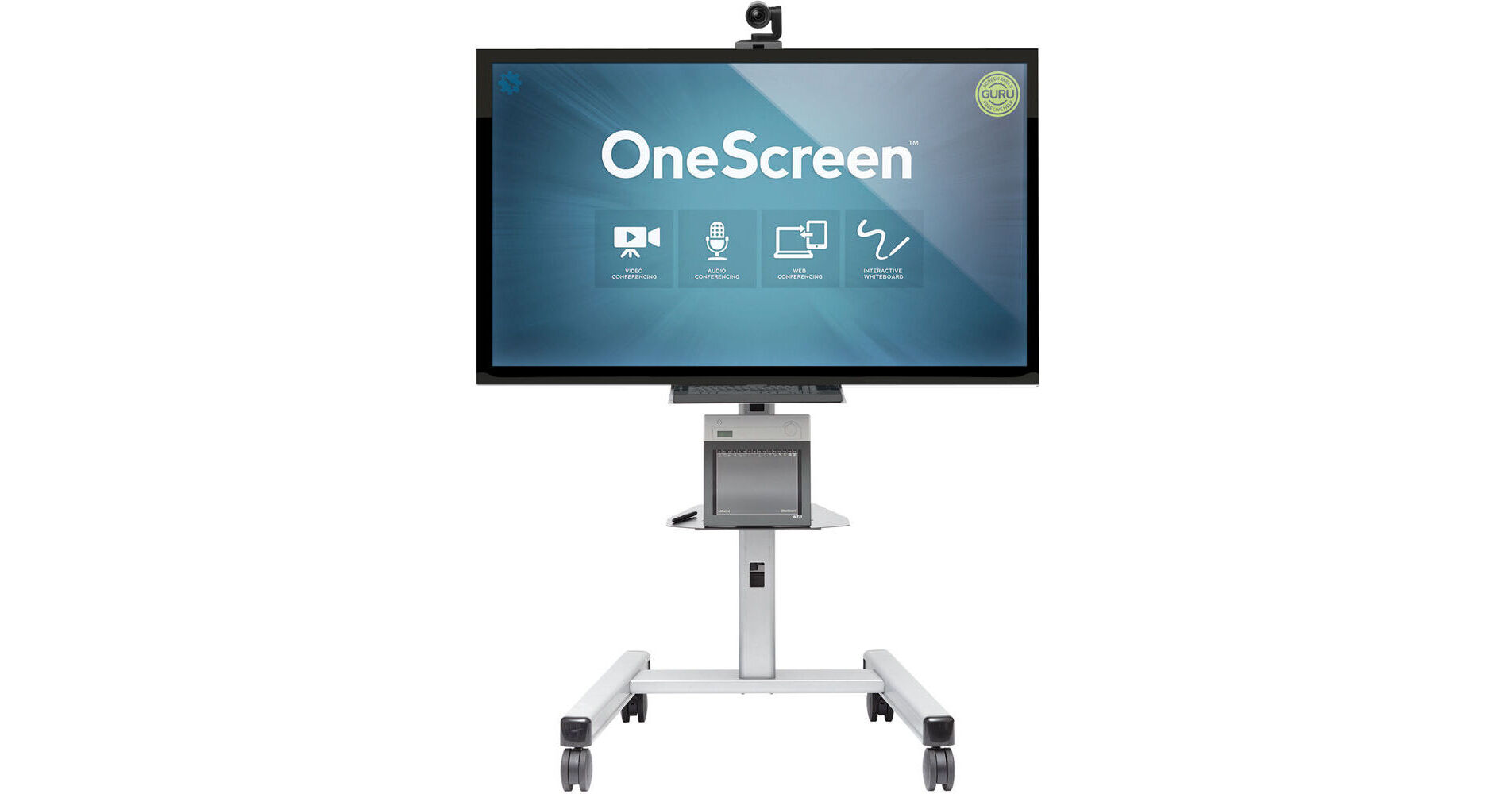
The ClaryIcon OneScreen h1 90" Multi-Touch Interactive Whiteboard enables intuitive collaboration in environments such as meeting rooms and classrooms. This hardware solution requires an annual OneScreen software subscription which allows you to control and customize your video conferencing experience. The system's expansive 90" display offers simplified navigation thanks to integrated 6-point multi-touch technology. It also features a detailed Full HD 1920 x 1080 native resolution and a notable 8,000,000:1 contrast ratio, allowing you to enjoy vivid onscreen content.
The ClaryIcon h1 series includes on-board computer with an integrated 2.9 GHz Intel Core i5 processor. This computer also has 4GB of RAM for your multi-tasking needs and includes a 128GB SSD. USB 2.0 and 3.0 ports are also available, along with Wi-Fi and Ethernet connectivity. The operating system that powers this device is the 64-bit version of Lenovo Thinkcentre M73 Genuine Windows 7 Professional.
The bundled Logitech ConferenceCam CC3000e features a glass lens with Zeiss optics and autofocus capability. It also offers a 90° field of view, allowing you to collaborate with larger audience. This camera records at 1080p video at 30 fps and has on-board speakerphone. The ClaryIcon h1 system also includes a Logitech k400 full size wireless touch keyboard that offers up to 33' of range. This range gives you the freedom to control the system without being next to it. Remote controls and are included for both the monitor and camera.
- Instant, centralized access to all of your preferred work tools for any type of meeting
- Supports all H.323/SIP video services and any standard web conferencing applications
- Includes built-in OneScreen video conferencing services
- Simple interoperability with laptop, tablet, and smartphone
- Work tools for every level user, from basic whiteboard to video collaboration
- Start a video call, web conference, or whiteboard session from a simple, central launch screen
- Customize OneScreen with tool choices your teams will use
- Share workspace and see video, exchange and annotate content, in real-time
- One touch access to networked and online content
- Set personalized user settings, triggered by login
- Live, on-demand help from Screen Skills Guru
- Business class video and audio quality
- Unlimited video conferencing use plans with OneScreen
- Open architecture easily adds applications
- Platform agnostic to open up options, no forced application use
- Available OneScreen Software deploys OneScreen to desktops and laptops
- Open architecture provides ease of compatibility
- Plug-and-play as a stand-alone solution or integrated into installed system
- Screen Skills Guru minimizes help desk calls
- Adjusts to bandwidth requirements
- Resides on the network like any other PC
- Load any Windows-based application or proprietary program
- Customizable Home Screen: Simple central launch screen provides unified access point for preferred collaboration tools
- Software and Bridging Service: OneScreen's comprehensive video and audio conferencing and collaboration services
- Multi Camera Support: Connect up to 4 cameras simultaneously
- Data Sharing: Each user can share application or desktop into a single meeting simultaneously, supports H.329 data share for legacy H.323 systems with that capability
- Network Ports: Primary and only port needed (UDP 46000), optional TCP 46000, 443, 80, ports also supported
- Protocols Used: Proprietary signaling and supports SIP, H.323, H.329, LDAP/AD, G.711, VP8, H.264, H.261, SSL, ICE/STUN/TURN, WebRTC, Speex Audio CODEC, VISCA, HTTP/HTTPS, RTSP
- Video: Multiple independent video windows, multiple monitor support, multiple video sources from a single endpoint, Not hardware end point dependent, converts incoming feed to protocol of end point, both video and content can be converted
- Video Resolution: Support for any resolution that is supplied by the source including but not limited to HD, VGA, Half-VGA, CIF, QCIF, any desktop resolution, applications resolution
- Audio Experience: Automatic Noise Suppression (AES) echo cancellation, Speex 8K and 16K codec, narrow and wideband, full duplex audio, push to talk, automatic meeting recovery, independent volume control for each site including mute
- Security: Full admin control to allow or limit user capabilities based on user, meeting, or event. All meetings encrypted by default with no option for send user to override. All meetings randomly generated as well as all key codes for encryption per meeting. All login, configuration management use HTTPS
- Select Features: Presence, instant video calling, instant messaging, instant recording, meeting scheduler, contact status indicator, contact communities, individual audio control and muting, instant and synchronous screen, content and app sharing, call answer preset
- Speakerphone: Logitech ConferenceCam CC3000e provides two omni-directional full duplex mics, 20' range, acoustic echo cancel, wide-band audio
- Android TV: Android 4.2 with a dual-core processor
- Collaboration Software: Hitachi StarBoard Software 9.6
- Smart TV with Wi-Fi capability (access to free and subscription based content)