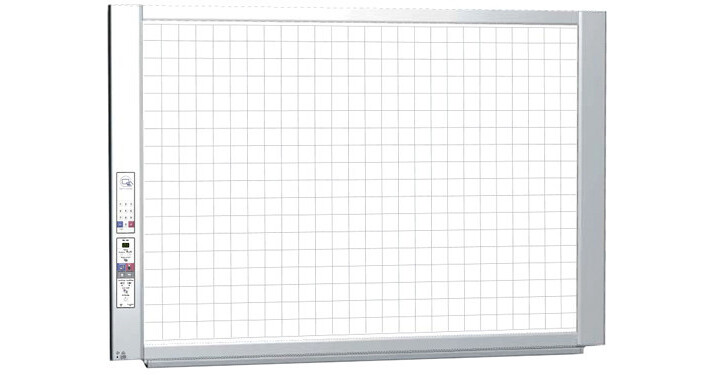
The N-314 Electronic Copyboard from Plus allows you to store and retrieve data from the board through either a Direct PC Connection, or by using a USB Memory Stick. The copy board has 4 panels of writing space. The sheets are stored in a loop formation allowing you to move the sheet forward or backward electronically or with a touch of your hand. Images on the Copyboard can be saved in color as a JPG, PNG, or PDF file. Once the image data has been downloaded to your computer via a USB cable (included), you can utilize it by easily distributing exact copies of your work via email. By using office applications, you can insert the writing on the board into business documents and other materials, and further edit and enhance your work with image editing software. The N-314 enables you to cut down on storage space and clutter with compact digital files.
The N-314 features network integration and smartphone compatibility. Connection to a network is via an Ethernet cable. There are two options for saving and sharing your information over the network. The first option is to save your Copyboard data to the board's internal memory. Approximately 100 pages can be stored. Using an assigned IP address, your team can access the images on the board from their computers using a web browser. The data on the board is accessible even in "Stand-by" mode. You can password protect the board for added security. The second option is to save to an FTP server so that everyone on your team has access to the saved information, when connected to the network.
To access the information via your SmartPhone you can install the Meeting Pocket App (MTG pocket) and gain access to useful and time-saving meeting tools. Both Apple iOS and Google Android mobile operating systems are supported, so you can use your iPhone, iPad, iPod or Android phone. The MTG pocket App lets you perform the "scan" function of the board from your SmartPhone. The resulting image file can then be previewed and saved to your phone's memory, as well as to the memory of phones belonging to anyone present in the meeting who has the MTG pocket App installed. Furthermore, the MTG pocket App lets you record audio and video during the meeting. The audio and video files are organized in the same folder as the board image files, so that all of the meeting data is in one location. With your SmartPhone, you can scan contents on from the Copyboard from your device and download the scanned data from your device.
The Copyboard features ideal environment for the series is where information is critically sensitive, including; government agencies and subcontractors, OEM auto manufacturers' and suppliers, architects, engineers, and clothing industry.