Video Chat with a Pro Audio Expert - Live

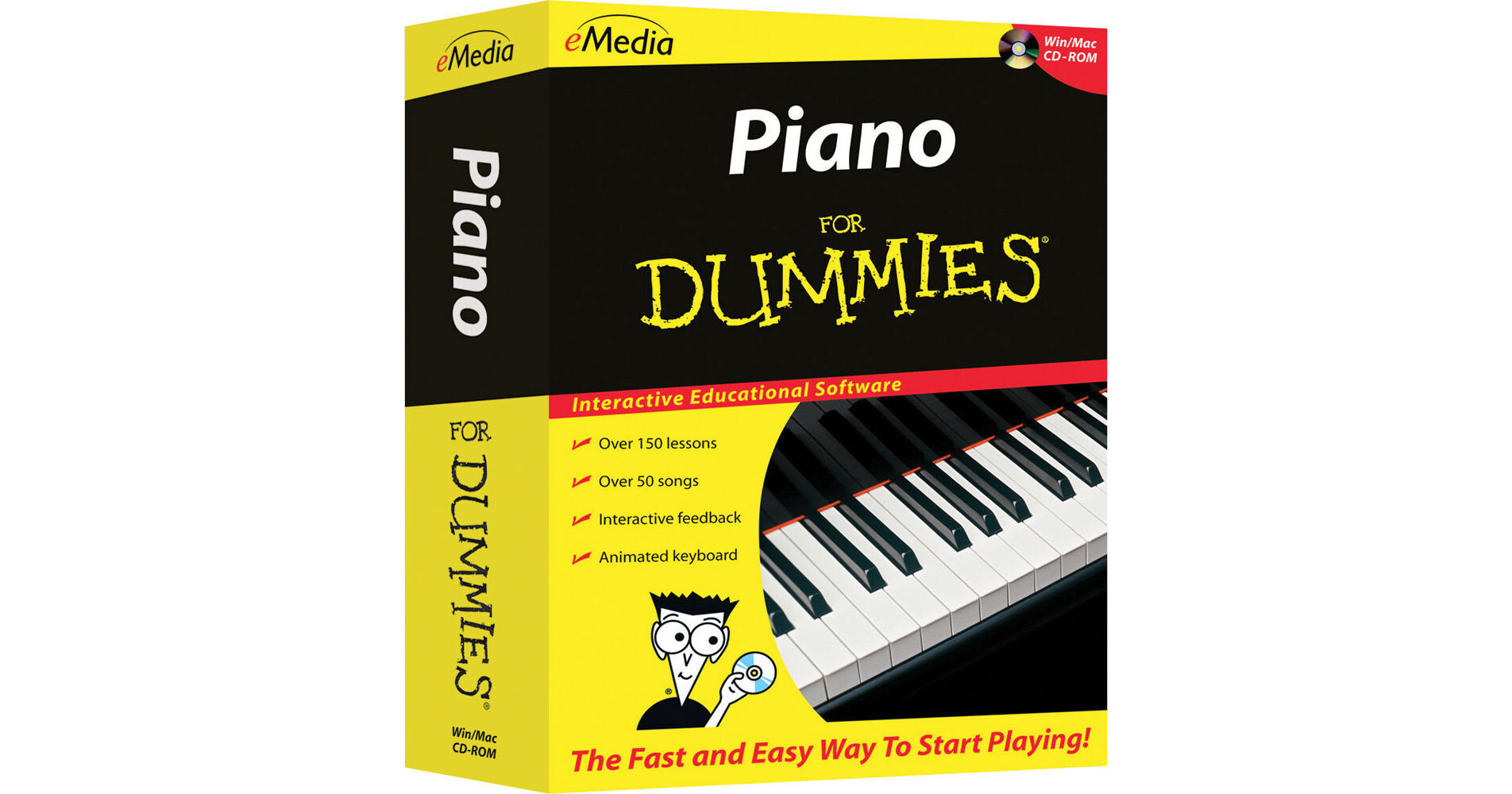
eMedia Music Piano for Dummies Level 1 Version 2 (Electronic Download, Windows)

BH #EMPDWDL • MFR #FD12093DLW
Print
eMedia Music Piano for Dummies Level 1 Version 2 (Electronic Download, Windows)
Key Features
  • 150+ Beginner Piano Lessons
  • Animated Keyboard
  • Note and Finger Tracker Tool
  • 30+ Video Piano Lessons
This electronic download for Windows of Piano for Dummies Level 1 Version 2 from eMedia Music features 150+ beginner piano lessons to allow users to learn piano at home at their own pace. It features an animated keyboard for viewing notes and fingers as well as interactive feedback with Note and Finger Tracker technology to listen to your melodies and show whether you are playing them correctly. There are numerous lessons to help learn basics like tempo, rhythm, and reading notation, as well as over 30 video lessons, some with split-screen views to show fingerings and hand positions.
More Details
Digital
Electronic Download
No Store Display
$24.95
This item cannot be returned.
Emailed within 24 Hours
Operating System
Ask an Expert
800-891-3971

eMedia Mu ic Piano for Dummie Level 1 v2 Overview

This electronic download for Windows of Piano for Dummies Level 1 Version 2 from eMedia Music features 150+ beginner piano lessons to allow users to learn piano at home at their own pace. It features an animated keyboard for viewing notes and fingers as well as interactive feedback with Note and Finger Tracker technology to listen to your melodies and show whether you are playing them correctly. There are numerous lessons to help learn basics like tempo, rhythm, and reading notation, as well as over 30 video lessons, some with split-screen views to show fingerings and hand positions.

Other features include interactive evaluations with a MIDI keyboard and songs that are available as audio tracks and MIDI files, for slowing down or speeding up the music. There are also over 50 popular songs to help get you starte, and also includes an integrated metronome and recorder.

Instant Feedback
Shows you when you play correct notes and progress through a melody. The computer listens as you play and highlights correct notes in green.
Note and Finger Tracker
Shows you the note you play as music notation and on the Animated Keyboard.
Over 150 Step-by-Step Piano Lessons
Arranged in six chapters, the lessons cover the basics such as hand positioning, rhythm, playing on black keys, then they move on to more advanced concepts such as music notation, sight reading, intervals, melodies, and harmonies. Onscreen teacher Irma Irene Justicia, M.A., provides clear and friendly instruction.
Animated Keyboard
Displays color-coded fingerings as the music plays. The animated keyboard allows you to see exactly how to play the song on a keyboard as you hear the music. Music tracking highlights the notes being played on the screen, making it simple to follow along.
Over 30 Piano Lesson Videos
Professional piano instructor Irma Irene Justicia, M.A., who has taught at the renowned Juilliard School of Music, guides you with demonstrations of techniques. The video is now larger with enhanced quality and it is viewable at full-screen size.
Interactive Evaluation Feedback
When using an electronic MIDI-compatible keyboard, you can get specific feedback on note and rhythm mistakes made while playing to help you get it right the next time. Clicking on an individual feedback balloon brings up a keyboard showing you exactly what mistake was made and what should have been played. Also, an overall percentage score summarizes how well you did on the song.
Reviews and Ear Training
Interactive review and ear training screens help reinforce new concepts and develop your ear.
Piano Fingering and Guitar Chords
The piano fingerings help teach you the correct fingering for each note. Guitar chords are included so a friend who is learning guitar can play along with you. Piano fingerings and guitar chords can be toggled on or off for any screen.
Live Recorded Audio
Live recorded audio is included for all songs and exercises. Audio playback options include piano only, voice only, and full audio featuring both piano and vocal performances.
Variable-Speed MIDI
Slows down the audio to any tempo, while the Animated Keyboard shows song fingerings as the music plays. MIDI playback options let you select left or right hand only, or a metronome click track to play along with. Colorful variable-speed MIDI accompaniments are also available and can be fun to play along with.
Progress Tracking
Personalized reports show your rate of progress including scores for specific songs (when using a MIDI keyboard).
Keyboard Tips
With the click of a button, you can get suggestions as to which voice to use on your MIDI keyboard to get the best sound for the song.
Digital Metronome
Allows you to set your own tempo and work on your speed, rhythm, and timing. Provides both visual cue and/or audio ticks at a full range of tempi, from largo to presto.
Digital Recorder
This feature allows you to compare your recordings with the instructor's version, fine tune your skills, and share your recordings with friends and family.

eMedia Mu ic Piano for Dummie Level 1 v2 Specs

Delivery Format
Download
Video
License Type
Standard: Perpetual License
User Support
1 User
System Compatibility/Requirements
Operating System: Windows  
Please Visit the Manufacturer's Website for Up-to-Date System Requirements

eMedia Mu ic Piano for Dummie Level 1 v2 Reviews

See any errors on this page?
Whatever You Need, We've Got It