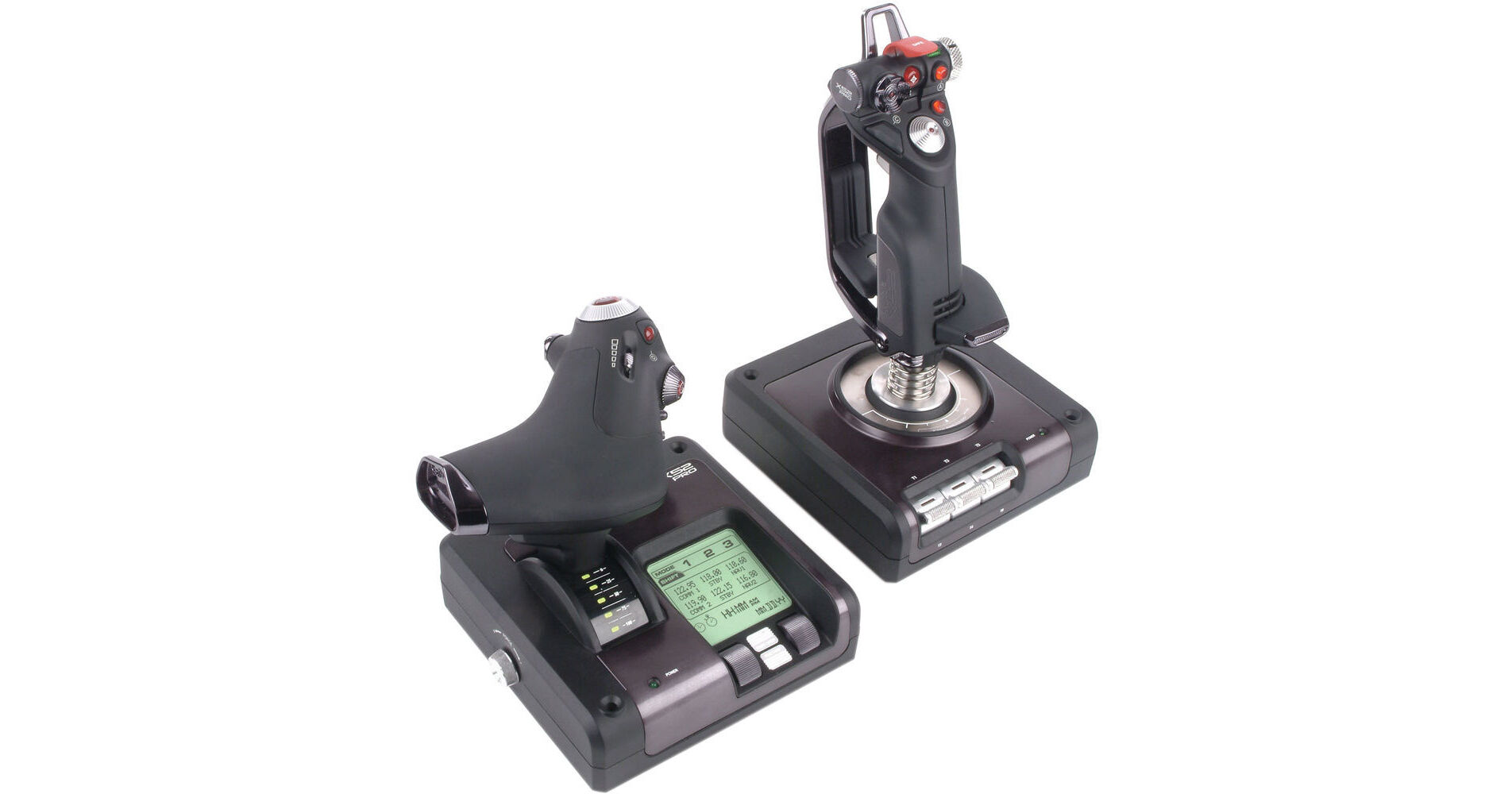
In a virtual world where your survival hangs on lightning-fast reflexes and life is but a game, the Windows compatible Saitek X52 PRO Flight Control System from Mad Catz will help take your piloting skills to a higher level. The system includes a flight controller, joystick, and connecting cables. The X52 Pro is compatible with many flight programs, and is designed to appeal to aspiring pilots as well as seasoned aces who have already won their wings.
Realism is heightened by a joystick that rotates 360° and has twist motions going left and right. To engage enemies in combat, simply lift the joystick's spring-loaded safety cover, select any of four firing buttons, and chalk-up a victory or go down in flames. The joystick has buttons and switches to select modes, execute commands, and control in-flight functions such as 3D rudder twist.
Speed, acceleration, idle, and after burner are controlled by the throttle controller. The clutch button initiates a 'safe mode' to allow on-the-fly profile selection, or to display button functionality without having to activate the button. The flight controller features a backlit MFD (multi-function display) screen for displaying user profile info, date and time zone, mode, stopwatch, and button names.
The free software download is a SDK, or software development kit. This software allows the user to customize the functions of buttons for the system from a menu. Many games offer the same feature. Users should use either the SDK or their game's button preferences, but not both as they may cancel each other out. Of course users may elect to simply use the default settings.
For increased durability, the X52 Pro contains numerous metal parts. One such part is the joystick's dual-spring mechanism, which provides increased resistance the further the stick is moved in any direction. The system features magnetic sensors for a more sensitive response, and realistic user experience.
To prepare the system for game play, connect the controller to the joystick with the PS/2 cable, and the joystick to your computer with the USB cable. The system is powered through the PC's USB port.
- Centering mechanism with non-contact technology on X and Y axes
- Constant spring force reduces free play to improve control and increase durability
- 2-stage metal trigger; 2 primary buttons in 1 convenient position
- 4 fire buttons including missile launcher with spring-loaded safety cover for instant access
- Conveniently positioned metal pinkie switch provides shift functionality to double up on programmable commands
- 2 x 8-way hat switches
- 3D rudder twist
- 3-position rotary mode selector switch with LED indicators
- 3 spring-loaded, base-mounted toggle switches for up to 6 programmable flight commands
- 5-position handle adjustment system to suit all hand sizes
- Progressive throttle with tension adjustment, detents for afterburner and idle
- 2 fire buttons
- Scroll wheel with built-in button
- Mouse controller / hat switch with left mouse button
- 8-way hat switch
- 2 x rotary controls
- Smooth-action slider control
- Clutch button initiates 'safe mode' to allow on-the-fly profile selection or to display button functionality without activating
- Backlit with brightness control
- User's profile name
- Date and time zones
- Stopwatch
- Button names
- Mode