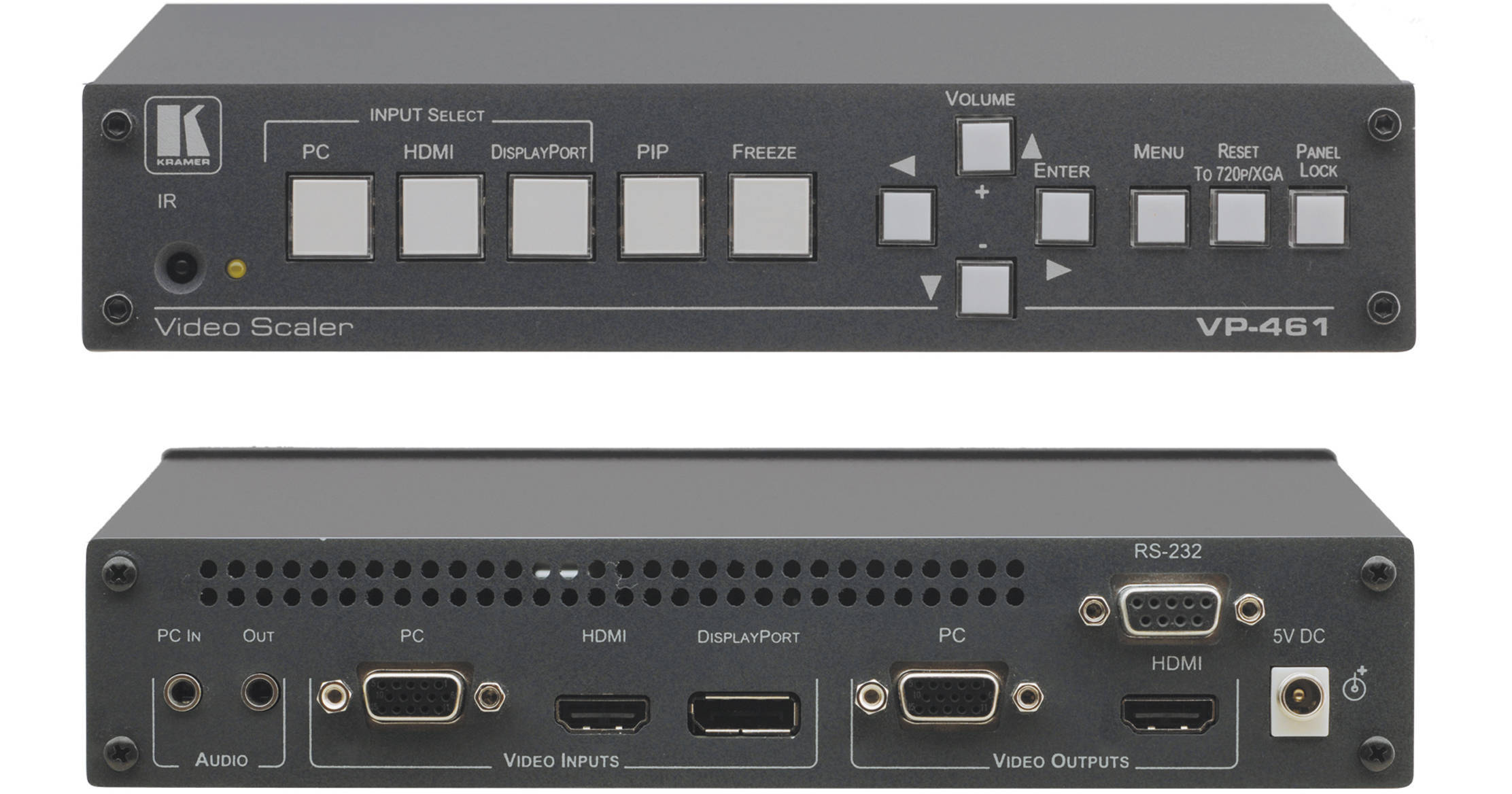
The Kramer VP-461 is a high-quality presentation switcher and scaler with PIP for HDMI, VGA, and DisplayPort input signals. It scales the video, embeds the audio, and outputs the signal to an HDMI output. It also outputs the signal to a VGA computer graphics video output together with an unbalanced audio output. Output resolutions up to WUXGA, 1080p, and 2K are supported. The VP-461 is housed in a 1U half-rack chassis and is suitable for any application where conversion and switching of multiple and different video signals to graphical data signals is required for projection purposes.
K-IIT XL Picture-in-Picture Image Insertion Technology
The VP-461 features picture−in−picture, picture−and−picture, and split screen capability. Any video source can be inserted into or positioned next to a DisplayPort video source or vice versa with window.
Kramer's PixPerfect Scaling Technology
Kramer's precision pixel mapping and scaling technology provides high−quality 3:2 and 2:2 pull down de−interlacing and full up- and down−scaling of all video input signals.
Ultra-Fast Fade-Thru-Black (FTB) Switching
Video switching transitions are clean and fast. The video fades to black and the new input fades from black for smooth, glitch−free switching. The output signal provides constant sync to prevent glitches.
Key Features
- HDTV compatible
- 40 output resolutions up to WUXGA, 1080p, and 2K
- HDMi Deep Color support
- Luma keying ‒ via PIP window
- Vertical keystoning
- Built-in ProcAmp ‒ individual color, sharpness, contrast, brightness, and gamma
- Powerful noise reduction filters ‒ Temporal, block, mosquito, and combing
- Picture zooming ‒ Both on main and PIP picture
- De-interlacing ‒ 3:2 and 2:2 pull-down, 24psf handling
- Multiple aspect ratio selections ‒ Follow input, follow output, best fit, letterbox, and overscan
- Dual window display ‒ Preset picture-in-picture, picture-and-picture, and split screens, as well as customized window layouts
- Advanced EDID management for each input and each output
- Non-volatile memory to save final settings
- Firmware upgrades via RS-232
- Flexible control options ‒ front panel buttons, OSD via front panel buttons or included IR remote, Control Application software for use via RS-232