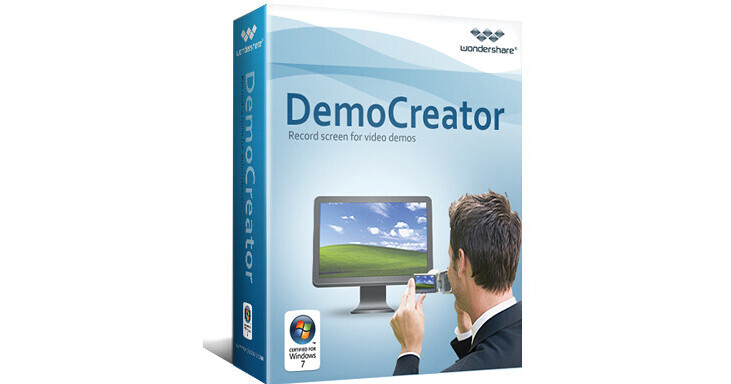
Wondershare DemoCreator v3.5 for Windows

BH #WODEMOCREATE • MFR #4242121201
Print
Wondershare DemoCreator v3.5 for Windows
Key Features
  • Record Desktop Screen Activity
  • Create Presentations, Tutorials, & Demos
  • Enhance Videos with Notes and Callouts
  • Enhance Videos with Effects
Capture desktop activities and create video tutorials, demonstrations, and presentations using DemoCreator v3.5 for Windows from Wondershare. This user-friendly program requires no previous knowledge of programming, and has been designed for technical support and marketing staffs, educators, and e-learning creators. After recording every mouse movement, click, and keystrokes, DemoCreator helps make it easy to enhance videos with notes, callouts, and effects, such as pan-zoon and animations. This content may then be published as video, flash-based demos, or LMS compatible packages.
More Details
Digital
No Longer Available
No Store Display
Ask an Expert
800-606-6969

Wondershare 4242121201 Overview

Capture desktop activities and create video tutorials, demonstrations, and presentations using DemoCreator v3.5 for Windows from Wondershare. This user-friendly program requires no previous knowledge of programming, and has been designed for technical support and marketing staffs, educators, and e-learning creators. After recording every mouse movement, click, and keystrokes, DemoCreator helps make it easy to enhance videos with notes, callouts, and effects, such as pan-zoon and animations. This content may then be published as video, flash-based demos, or LMS compatible packages.

This software is compatible with 32-bit editions of Windows 7, Vista, XP, and Server 2008. However, please note that the current version of this software is not fully compatible with Windows 7. Windows 7 users are encouraged to download the free trial before purchase.

Recording Settings
Record any area of desktop: Custom size, application, and full screen
Record your screen in your way: Take screen shot recordings, full motion recordings, additional recordings, and integrate multiple projects
Record with sound: Record what you say (microphone) or what you hear from your computer, and edit with the built-in editor
Recording Control Panel: Real time control of your recording process with control panel or hotkeys (Countdown, Pause, Redo, and Stop)
Highlight your operating actions: Record screen activities with audio and auto-text
Illustration Objects
Add callouts or notes with additional explanatory text to demos
Apply engaging animations to inserted objects and shapes
Build interactive demos with buttons, entries, or animations
Use zoom-and-pan effects for playing demos clearly in small players
Insert company logos or trademarks for branding
Provide instant previews to check your recorded or edited content
On-Demand Delivery Options
Create Flash-based presentations or video demos and with a wide range of publishing options
Publish as Flash-based demos for web sharing
Save as a video (up to 7 formats): AVI, MOV, MP4, WMV, MPEG-2, FLV, 3GP) to video host like YouTube
Export as auto-run EXE for distribution
Generate SCORM/AICC package for LMS
Publish and deliver as .Zip attachment via email
Hotkeys
User defined hotkeys help to enhance screen recording efficiency and the user-experience
Auto-Pan
Capture area will follow the cursor to wherever it moves during recording
Event Control
Based on a user's click actions, the demo will behave differently to add interactivity to the video
Highlight
Add a highlight area around the cursor during desktop screen recording
Zoom and Pan
Lets you focus on specific screen details like typing and cursor movements to help you more clearly make a point

Wondershare 4242121201 Specs

Delivery Format
Download

Wondershare 4242121201 Reviews

See any errors on this page?
Whatever You Need, We've Got It