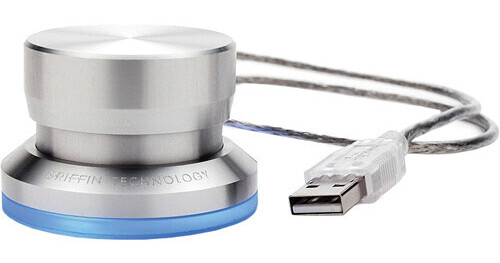
Spin and click your way through your favorite applications with the PowerMate USB Controller from Griffin. This sleek device plugs into your computer's USB port and allows you to use the spinning, clicking knob for anything from controlling your volume to scrolling through web pages to jogging and shuttling through audio and video files. The bottom of the PowerMate glows with a gentle blue light and its 22" cable can be extended by 40" with the included extension cable.
Programmable Driver
Use your PowerMate's programmable driver to easily program it to execute key command actions based on use of the PowerMate and the application you have open. For example, you could set your PowerMate to control your web browser by opening a new tab with a click and going back or forward on a webpage by rotating left or right. Each application can receive its own unique set of commands. Users can also change other settings, such as configuring the built-in light.
Multi-PowerMate Setups
Each PowerMate you connect to your computer can be programmed with its own individual actions for each application. Up to 127 PowerMates can be connected to a single computer.
iMovie and GarageBand
The PowerMate is preset to work with iMovie and GarageBand out of the box.
PowerMate Software
Users running Mac OS 10.6 and up can take advantage of the PowerMate software, which allows you to program your PowerMate by looking up pre-existing keyboard shortcuts.