Video Chat with a Pro Video Expert - Live

Panasonic TY-VUK10 Auto Display Adjustment Upgrade Kit

BH #PATYVUK10 • MFR #TY-VUK10
Print
Panasonic TY-VUK10 Auto Display Adjustment Upgrade Kit
No Longer Available
No Store Display
Ask an Expert
800-606-6969

Pana onic TY-VUK10 Overview

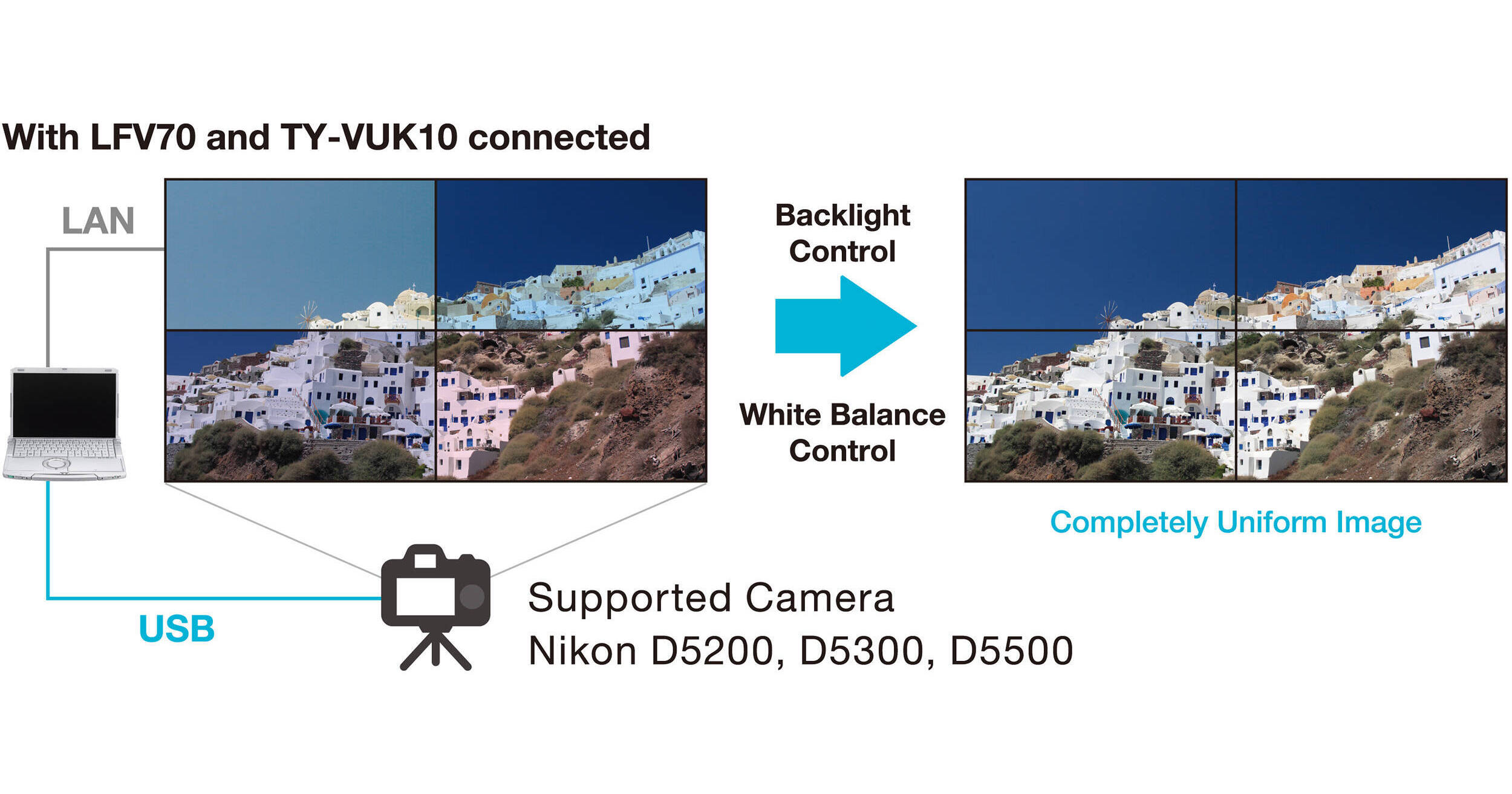
The TY-VUK10 Auto Display Adjustment Upgrade Kit from Panasonic provides you with automatic color adjustment function when using a Nikon D5200 or D5300 camera with the Normal Zoom Lens: AF-S DX NIKKOR 18-55 mm f/3.3-5.6G VR. You can use up to 25 display units simultaneously. The free Video Wall Manager software is required for this upgrade. An activation license key is required for each PC.

Picture adjustment
Calibration
Auto display adjustment

Pana onic TY-VUK10 Specs

Compatible Cameras
Nikon D5200, D5300 with Normal Zoom Lens: AF-S DX NIKKOR 18-55 mm f/3.5-5.6G VR
System Requirements
Operating System
Windows 7: Ultimate (32/64-bit), Professional (32/64-bit) Home Premium (32/64-bit)
Windows 8: Windows 8 (32/64-bit), Windows 8 Pro (32/64-bit)
Windows 8.1: Windows 8.1 (32/64-bit), Windows 8.1 Pro (32/64-bit)
Compatible with English, Japanese, or Chinese language versions of the above operating systems.
Compatible with Windows 7 up to SP1
For 64-bit OS, this application runs on WOW64
CPU
Clock speed of 1 GHz or higher
Memory
2 GB or more
Available Disk Space
16 GB or more (further available space is necessary to save display information)
Other Requirements
A display with a resolution of 1024 x 768 pixels or higher using High Color (16-bit) or higher LAN port for a wired LAN (10 Base-T/100Base-TX/1000 Base-T) or a serial port (RS232C compliant)
USB 2.0-compatible port or higher (when using the calibration and Auto Display Adjustment function)
General Specifications
Number of Displays
25 Sets (Horizontal: 5 sets / Vertical: 5 sets)
Requirements
Video Wall Manager software

Pana onic TY-VUK10 Reviews

See any errors on this page?
Whatever You Need, We've Got It