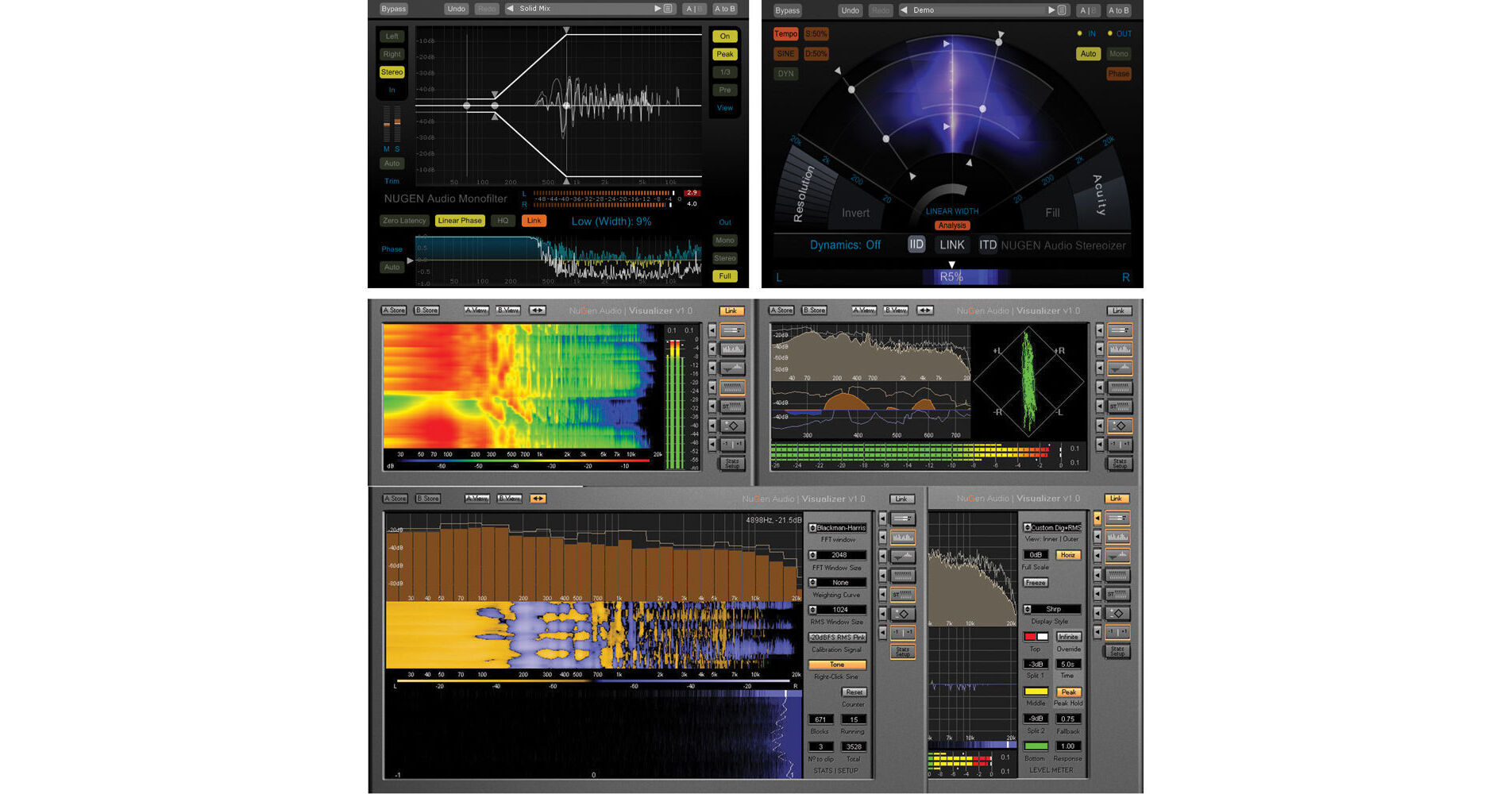


Mix Tools from NuGen Audio is a plug-in bundle that provides a set of essential tools for the mix engineer, including stereo image enhancement, bass management and comprehensive audio analysis. The software allows for greater control, sonic enhancement and diagnostic support at any stage of the production process, while each plug-in integrates advanced audio analysis feedback directly into the user interface.
The Stereoizer by NUGEN Audio is a stereo image manipulation plug-in that can be used in mastering, mixing, sound design and other applications. It is compatible with Mac and Windows and requires use of a host program that supports RTAS, VST or AU plug-ins.
The Stereoizer plug-in is intended to give you control over the stereo spread and depth existing within stereo tracks, and also to add width to mono tracks. It is designed to manipulate the stereo image yet maintain a natural sound without adding unwanted artifacts into your mix. The software does this by utilizing specialized algorithms that are designed to manipulate two naturally occurring localization cues that the ear uses to perceive location - IID (Inter-aural Intensity Difference) and the ITD (Inter-aural Time Difference).
The Stereoizer is intended for use in various ways over a wide spectrum of applications. Use the Stereoizer to distance clashing elements of a mix from one another within the stereo field. Use in mastering situations to add subtle width enhancements to the mix without sacrificing low end focus. Use in mixing or sound design to add width to synth pads, making them more noticeable in the mix without being overbearing.
Monofilter from NUGEN Audio is a bass mixing plug-in that can be used to enhance the bass in your mixes by helping to center them in the stereo field, to correct low frequency phase issues and more. The plug-in can be used on mono or stereo tracks for mixing, mastering, enhancing vinyl samples and more.
Phase issues in the low end of a mix can be caused by stereo mixing effects such as delays and choruses. Also, if samples with phase issues to begin with are used in the production, phasing can be present your mix as well. This can make the bass frequencies in your mix sound hollow or weak. To improve upon this, you can add Monofilter to your mix groups or effects returns and use the phase control parameter to align the phase of the low frequencies in the left versus right channels.
In addition, Monofilter has a crossover function that allows you to split an audio signal into two frequency bands for separate processing. This function, for instance, would allow you to separate the bass frequencies in a stereo file, mix them in mono, and process them by themselves. On the other hand, the frequencies above the threshold frequency could be mixed in stereo and processed separately. This can yield a more focused low end and ultimately a stronger, clearer mix.
The Visualizer from NUGEN Audio is a spectrum analyzer plug-in that is designed for use in a multitude of recording, mixing and mastering situations. It is compatible with Mac and Windows and requires use of a host program that supports VST or AU plug-ins.
The Visualizer is an audio analysis tool that can help you identify problematic frequencies, fundamentals, harmonics and much more. It has several visual displays including a traditional spectrum analysis display, a spectrogram display that shows level and frequency history with a zoom control, and primary and secondary meter displays which allow for multiple metering types to be viewed simultaneously. Some of the different metering types include standard peak and RMS metering, K-Scale meters and a stereo margin indicator that displays dB remaining until clip.
The Visualizer is designed to be helpful in a wide variety of use cases. The software features a -20 dBFS RMS pink noise signal generator that can be used for acoustical testing purposes. It can be used to aide in "room tuning" for analyzing the acoustical properties of acoustic spaces such as control rooms, live rooms, auditoriums and more. Use Visualizer in recording situations for helping to determine mic placements, for EQing and more. Use it in mixing and mastering for investigating hard-to-hear low frequency issues, honing in on problem areas, examining phase relationships, peak monitoring and more.