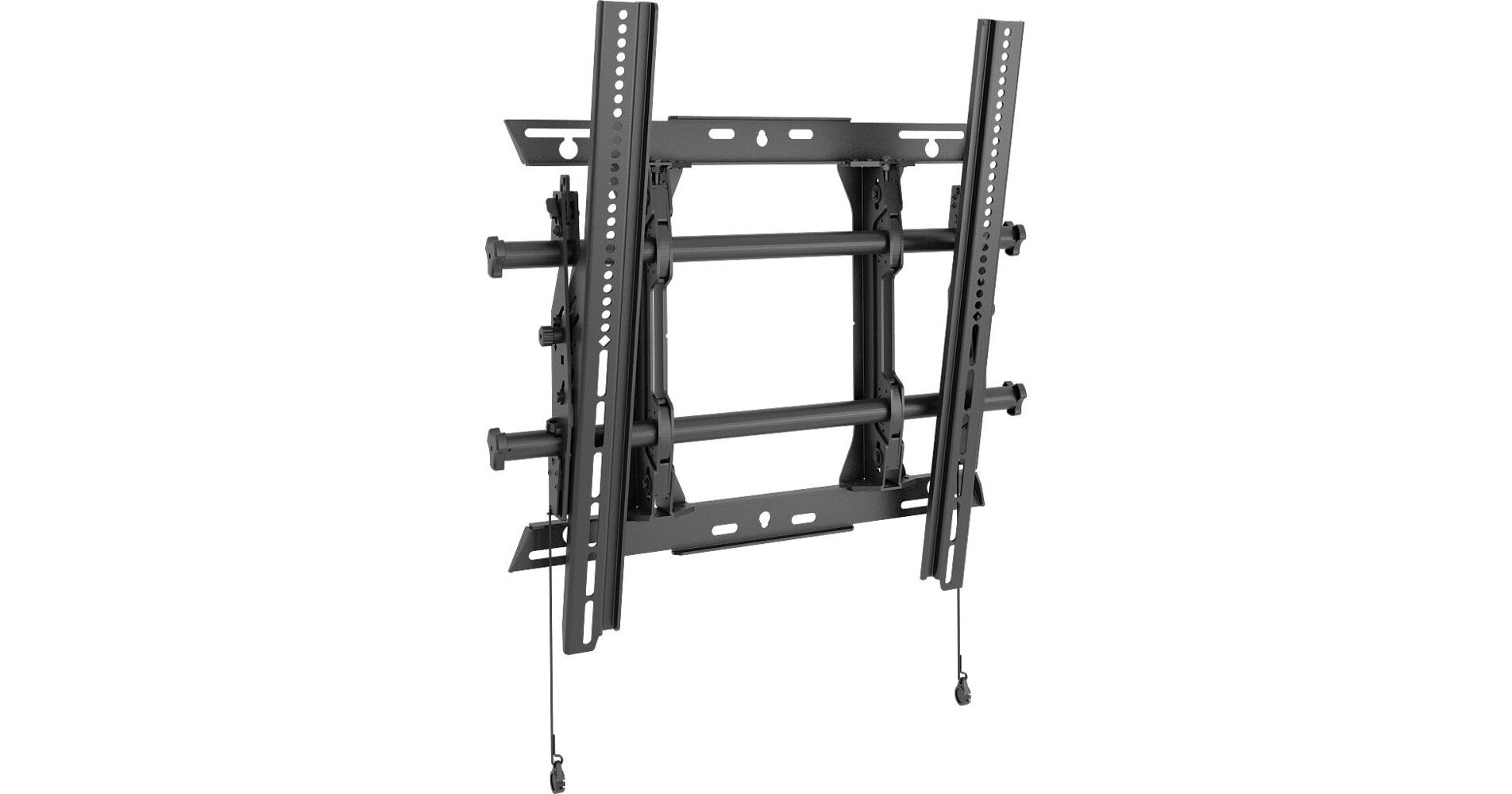
The Chief MTMP1U Fusion Series Tilting Portrait Wall Mount will support TV and monitor screens 32 to 47" and up to 200 lb in a dual-stud installation or 125 lb in a single-stud installation. It will allow you to tilt your screen -12 to 2°. The mount offers the option of post-installation lateral shift up to 10.4", 1" height, and level adjustment. It features a built-in cable stand for easy access under the screen. The MTMP1U has ClickConnect, which provides an audible click when the screen is safely engaged with the mount.
Ask Our Experts800-606-6969
Hello, Log InAccount & Orders
Key Features
- For 32 to 47" Displays Up to 200 lb
- -12 to 2° Tilt
- 10.4" Post-Installation Lateral Shift
- 1" Post-Installation Height Adjustment
The Chief MTMP1U Fusion Series Tilting Portrait Wall Mount will support TV and monitor screens 32 to 47" and up to 200 lb in a dual-stud installation or 125 lb in a single-stud installation. It will allow you to tilt your screen -12 to 2°. The mount offers the option of post-installation lateral shift up to 10.4", 1" height, and level adjustment. It features a built-in cable stand for easy access under the screen. The MTMP1U has ClickConnect, which provides an audible click when the screen is safely engaged with the mount.
More DetailsChief MTM Overview
Integrated teardrop design speeds up wall plate installation by allowing pre-installation of the bolts to the wall
ControlZone leveling for post-installation fine tuning of height and leveling
Centerless Shift provides up to 10.4" of post-installation lateral shift for near limitless centering
Centris low-profile tilt uses the center of gravity to balance the screen while maintaining a low profile
Set screws keep the mount rigid, stable, and secure throughout the life of the installation
A full line of accessories can be installed with the mount, and the entire unit can be adjusted together
Multiple installation options for various stud distances
Included nesting spacers can be stacked to achieve virtually any depth from display to wall
Quick-store cords use magnets to easily store and access pull cords
Integrated padlock shackle for adding a lock, up to 5/16" in diameter
Easy-to-open box with less waste to throw away
UPC: 841872163895
Chief MTM Specs
| Compatibility | |
| Load Capacity | |
| Attachment Method | |
| Surface/Stand Mounting | |
| Adjustments | |
| Orientation | |
| Shelves | |
| Dimensions |
Packaging Info
| Package Weight | |
| Box Dimensions (LxWxH) |
Chief MTM Reviews
Bulky and fairly wide for a vertical
By Aaron
Rated 3 out of 5
Date: 2025-08-27
This mount works, but is very bulky. The 43 inch display we have is 22 inches wide in vertical and the bars on the mount are 23 inches. The sits several inches away from the wall, which is convenient for cables, but it takes up too much room in a tight space.
Great display wall mount
By Anonymous
Rated 5 out of 5
Date: 2015-09-17
I really like the design of the Chief's wall mounts. They give you horizontal and vertical adjustments, and easy accessibility to service the display.
See any errors on this page?
question
Is there a template for mounting
NO! Completely unnecessary! Figure the center of where you want the tv, left,right and up,down and mark it with a pencil. Before removing uprights spread them out to max and that is the most they can be mounted apart from each other on the wall. I would subtract an inch to avoid problems. Ideally you want to mount them 22-26 inches apart at the same height. It is all dictated by where your studs are located. Just dont mount to close together, less than 16 inches apart you best keep it centered all the time. Remove the uprights from the crossbars. You can use the same upright to mark both sets of holes. Your template. Use hardware capable of bearing the load(250lbs). If they are mounted at different heights as long as not to much. Half inch or so. There are screws at the top of each to level the bars perfectly. This is probably the BEST TV stand for sale anywhere! GOOD LUCK!!!
Date published: 2018-08-26
