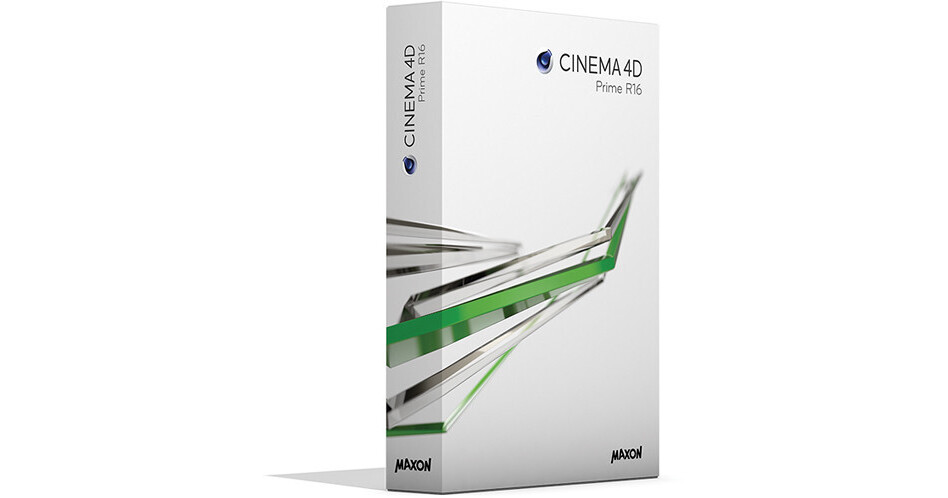
Featuring an intuitive, easy-to-learn interface, Maxon's CINEMA 4D Prime is geared toward graphic designers looking to add 3D to their toolsets. Turn your projects into something totally different by adding CINEMA 4D Prime to your existing 2D workflow. Turn 2D images into 3D elements using import options such as Illustrator or EPS, or combine images or movies with 3D objects. Create 3D logos, illustrations, buildings, space ships, and pretty much anything else for any industry.
CINEMA 4D Prime R16 (Release 16) is made up of select features of CINEMA 4D Studio R16. Whenever you're ready for more tools, such as motion graphics, you can upgrade to CINEMA 4D Broadcast, Visualize, or Studio.
All Features
Platform
- Cross-platform support for Mac and Windows
- 64-bit architecture
- OpenGL 3.0 support
- Extensive API: C++, Python, C.O.F.F.E.E.
Interface & Workflow
- Context-sensitive, fully-searchable HTML help
- Commander
- To Do List
- Multiple projects open at once
- Customizable toolbars, layouts, menus
- Light and dark interface schemes
- Unlimited view windows
- Heads-up display
- Custom pop-up menu
- Non-modal tools with real-time feedback
- Collapsible Managers & Palettes
- Selection / display filters
- Custom User Data per object
- Doodle viewport annotation tool
- Layer system for object and material management
- XRef external instancing / referencing system
- Tablet support for Wacom and other pen tablets
- 3dconnexion 3DMouse support
- Stereo display in Viewport
- OpenGL Viewport
- Object highlighting
- Available in 11 languages
- Arabic interface support
- OS X Lion full screen support
- Retina icons
- Solo button
- Annotations tag
- User Participation
- New Crashhandler
- Miscellaneous workflow enhancements
Camera
- Camera, Target Camera, Stereo Camera
- Camera Composition Helpers
- Camera Focus Picker
Data Exchange / Format Support
- QuickTime support
- AVI support (Win)
- Image formats - float with layers: PSD, TIFF, OpenEXR
- Image formats - float: HDR, DPX, RLA, RPF
- Image formats: BMP, IFF, JPG, PICT, PNG, TARGA
- QuickTime VR object, panorama
- CINEWARE compatible
- After Effects compositing exchange with 3D data
- NUKE exchange
- Photoshop exchange
- Apple Motion compositing exchange with 3D data
- Apple Final Cut Pro compositing exchange (Mac)
- Digital Fusion compositing exchange (Win)
- Shake compositing exchange
- Support for DXF, DWG, 3DS, DAE, FBX, DEM, LWS, STL, VRML2, OBJ, COLLADA, Alembic
- BodyPaint 3D exchange - 3ds Max, Maya, Softimage, Lightwave
- Support for most current FBX and Alembic formats (FBX 2014 & Alembic 1.5)
Modeling Tools
- Parametric object primitives
- Scene Objects: Floor, Sky, Environment, Stage, Foreground, Background
- Parametric spline primitives
- Extrude, Lathe, Loft, Sweep
- Polygonal modeling tools with N-gon support
- Subdivision surfaces
- Generators: Metaball, Boolean, Symmetry, Array, Atom Array, Instance, Connect, Spline Mask, Python
- PolyPen Tool
- Bevel Deformer
- Enhanced Cogwheel
- Improved Symmetry Object
- Deformer Falloff
- Mesh Check
UV Editing
- UV Editor
- Interactive UV mapping by projection types
- Optimal UV mapping to automatically remove seams
- LSCM unwrapping and relaxing
- ABF unwrapping and relaxing
- UV Peeler
- UVs for Caps
- UV Enhancements
Materials & Texturing
- Transparency with absorption, total internal reflections, exit reflections
- Blurry reflections and transparencies
- Normal Maps: tangent, object, or world
- Displacement: intensity (centered), red/green, and RGB
- Choose Photoshop PSD layers per usage
- Animated textures (MOV, AVI, sequence) with Viewport preview
- Selectable viewport resolution and channel display per material
- Shading Models: Lambertian, Oren-Nayar
- Fresnel Shader including physically correct IOR
- Noise Procedural shader with 32 different noise algorithms
- Layer shader
- Proximity-based Proximal shader
- Procedural surface shaders
- Texture Baking: surface color, illumination, Ambient Occlusion, Normals, displacement, and more
- Brick, Wood, Weathering, Pavement and Normalizer Shaders
- 3D Painting with layers, all blend modes, and Photoshop file compatibility
- Multi-brush painting of multiple material channels in single stroke
- Raybrush painting directly onto rendered result
- Projection painting
- Exchange projections with Photoshop
- Camera Mapping
- ProjectionMan camera mapping workflow tool
- Texture Manager
- Brick Shader Enhancements
- Reflectance Channel
- 12 Material Channels: Color, Diffusion, Luminance, Transparency, Reflection, Environment, Fog, Bump, Normal, Alpha, Glow, Displacement
Lighting
- Light Types: Omni, Spot, Infinite, Area, Square Spot, Parallel Spot, Square Parallel Spot
- Hard, Soft, Area shadows
- Visible, Volumetric, and Inverse Volumetric lighting
- Noise within light illumination and/or visibility
- Include/exclude light diffusion, specular, shadow per object
- Custom lens flares
- Color temperature in Kelvin
- Photometric brightness setting in Candela and Lumen
Rendering
- Render up to 128,000 pixels square / 32 bits per pixel
- Bucket rendering
- Render instances
- Color profile support
- Camera white balance
- Linear workflow
- Adaptive anti-aliasing
- Multi-Pass output
- Object buffers - specify unique alpha channels per object
- Ambient Occlusion
- Global Illumination (IR 2.0, QMC, mixed)
- Stereo rendering
- Position Pass
- 3D Sound Rendering
- Picture Viewer: RAM player, color correction, image merge, anaglyph preview, and more
- Watermark post effect
- Render Queue batch rendering system
- Universal Sampler (GI-QMC)
- Radiosity maps
- Light Mapping
- Normal Pass
Animation
- Easy one-click keyframe Position, Scale, Rotation, Point Level animation, and user-defined parameters
- Record dot animation of all animatable parameters
- Automatic keyframing
- PowerSlider animation toolbar for playback and keyframe manipulation
- Timeline - up to 4 timeline windows with customizable track display and dopesheet or F-Curve view modes
- F-Curve Snapshot and Reduced Modification curves
- Constant Velocity option per track
- Keyframe reduction
- Keyframe baking
- ASCII animation import
- Non-linear animation / motion mixing system
- Constraints: PSR, Up-Vector, Clamp, Mirror, Parent, Aim, Spring
- XPresso - node-based Expression Editor
- Interaction Tag
- Animation Dots
Dynamic Animation
- Basic particle system
Character Animation Tools
- Joints with full dynamic IK
- Skin Deformer supports linear, spherical, and blended deformation based on joints
- Weight Manager and tools
- Auto weighting
- Mirror, Naming, and Paint Tools
- Weight effector
- Point Cache tag
Content
- Essential presets and demo scenes
- Completely reworked Content Library
Natively Supported Formats
*The following are all natively supported in CINEMA 4D Studio, which is the complete version of CINEMA 4D. Most or all of these are supported in CINEMA 4D Prime but the manufacturer has not clarified which exactly.
3D Formats
3D Formats
- 3D Studio .3ds (R/W)
- Alembic (R/W)
- Biovision .bvh (R)
- Collada .dae (R/W)
- DEM (R)
- DXF (R/W)
- DWG (R)
- Direct 3D .x (W)
- FBX (R/W)
- IGES (R) (does not support all possible variations)
- LightWave 3D .lws .lwo (R)
- RIB (W)
- STL (R/W)
- VRML2 .wrl (R/W)
- Wavefront .obj (R/W)
- After Effects (3D)
- Final Cut (2D, Mac only)
- Shake (2D)
- Motion (3D, Mac only)
- NUKE (2D)
- Fusion (2D, Windows only)
- TIFF
- BodyPaint 3D
- Photoshop PSD
- Targa TGA
- HDRI
- DPX
- Open EXR
- BMP
- PICT
- IFF
- JPEG
- RLA
- RPF
- PNG
- QuickTime (if available)
- AVI (Windows only)
- Illustrator (R/W)
- EPS (R)