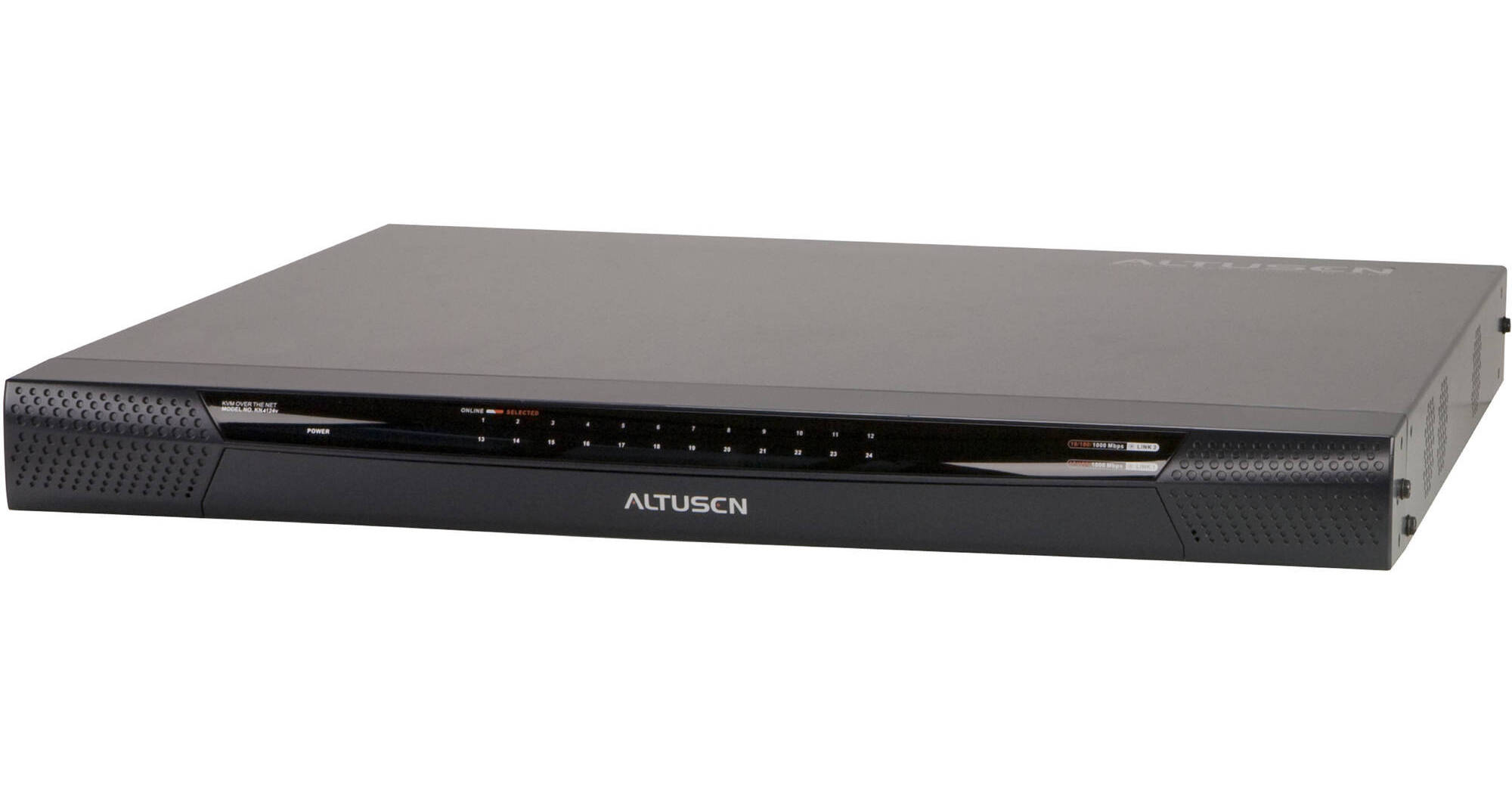
The ATEN KN4124V 24-Port KVM over IP Switch allows one local and four remote users operators to monitor and access their entire data center over the network using a web-based browser. In addition, it offers out-of-band access with external modem support for BIOS-level troubleshooting when the network is down.
To help you manage and control an entire data center, KVM over IP switches support blade servers and chassis. KVM ports can be associated with ATEN PDU power outlets for power management of servers from the KVM over IP switches user interface. KVM over IP switches now support the new Control Center Video Session Recorder (CCVSR) software. The CCVSR records all operations made on servers accessed through KVM over IP switches. Every operation and change from the BIOS level to logging in, from running software applications to configuring the operating system, is recorded and saved to a secure video file, without exception. The enhanced capabilities of KVM over IP switches also include a message board, Panel Array Mode, Mouse DynaSync, and Adapter ID. With dual on-board NICs, the KVM over IP switches are built for reliability, to ensure 24/7 availability of remote access to all server room computers. Should one IP become unavailable, another will take over in order to keep the system functioning normally. With Aten KVM over IP switches, IT administrators can manage their server rooms and data centers from practically anywhere - minimizing travel costs and MTTR (Mean Time to Repair) - ensuring data center services availability.Hardware
- High port density RJ-45 connectors and Cat 5e/6 cable for up to 24 ports in a 1U housing
- Two separate busses for remote KVM over IP access
- Two 10/100/1000 Mbps NICs for redundant LAN or two IP operation
- Blade server support
- Supports PS/2, USB, Sun Legacy (13W3) and serial (RS-232) connectivity
- Local console provides PS/2 and USB keyboard and mouse support
- Supports multiplatform server environments: Windows, Mac, Sun, Linux and VT100 based serial devices
- Audio enabled
- Support - Virtual Media support lets you map DVD-CD-ROMs and other storage media to a remote server
- Dual Power Supply
- High video resolution - up to 1600 x 1200 @ 60Hz - 32 bit color depth for the local console; up to 1600 x 1200 @ 60Hz with 24 bit color depth for remote sessions, at up to 50 m
- Monitor and control up to 24 computers on a single level, or control up to 384 computers in a two-level cascade
Note:
Cascade-compatible KVM switches include the following: CS9134, CS9138, CS88A, KH1508, KH1516, KH1508A, and KH1516A. Some KVM Over the NET™ features may not be supported, depending on the functionality of the cascaded KVM switch
Management
- Up to 64 user accounts - up to 32 users simultaneously share control
- Green IT-Fan speed varies according to temperature
- End session feature - administrators can terminate running sessions
- Event logging and Windows-based Log Server support
- Critical system event notification via SMTP email; SNMP trap and Syslog support
- Customizable events notification
- Firmware upgradeable
- Out-of-Band Access-Modem dial-in/dial out/dial back support
- Adapter ID Function: Stores port information allowing administrators to relocate the servers to different ports, without having to re-configure the adapters and switches
- Port Share Mode allows multiple users to gain access to a server simultaneously
- Integration with ALTUSEN CC2000 Management software
- Power Association enables the switch's KVM ports to be associated with an ATEN/ALTUSEN'S PDUs power outlets for remote power management of the servers from the switch's interface
- Manage browser access methods (browser, http, https)
- IPv6 capable
- PadClient provides instant, convenient, and secure remote access to control servers through your iPad. Free available on Apple Store
Note:
PadClient works on iOS 7(and above) with ATEN KN2 and KN4 series KVM switches running on firmware 1.7.162 (and above)
Ease-to-Use Interface
- Local console, browser-based, and AP GUIs offer a unified multi-language
- interface to minimize user training time and increase productivity
- Multiplatform client support (Windows, Mac OS X, Linux, Sun)
- Multi-browser support: Internet Explorer, Chrome, Firefox, Safari, Opera, Mozilla, Netscape
- Browser-based UI in pure Web technology allows administrators to perform administrative tasks without pre-installed Java software package required
- User can launch multiple Virtual Remote Desktop to control multiple connected servers from the same login session
- Magic Panel
- Full-screen or sizable and scalable Virtual Remote Desktop
- Panel Array Mode available to both local console operators and remote access users
- Keyboard/Mouse Broadcast - keyboard and mouse inputs can be duplicated on all the attached servers
- Video syncing with the local console - local console monitor's EDID information stored on the KVM Adapter Cables for display resolution optimization
Advanced Security
- Remote authentication support: RADIUS, LDAP, LDAPS, and MS Active Directory
- Supports SSL 128-bit data encryption and RSA 1024-bit certificates to secure users log in from browser
- Flexible encryption design allows users to choose any combination of 56-bit DES, 168-bit 3DES, 256-bit AES, 128-bit RC4, or Random for independent KB/Mouse, video, and virtual media data encryption
- Support for IP/MAC Filter
- Configurable user and group permissions for server access and control
- Automated CSR creation utility and third-party CA certificate authentication
Virtual Media
- Virtual media enables file applications, OS patching, software installation and diagnostic testing
- Works with USB enabled servers in operating system and BIOS level
- Supports DVD/CD drives, USB mass storage devices, PC hard drives and ISO images
Virtual Remote Desktop
- Video quality and video tolerance can be adjusted to optimize data transfer speed; monochrome color depth setting, threshold and noise settings for compression of the data bandwidth in low bandwidth situations
- Full screen video display or scalable video display
- Message Board for communication among remote usersc
- Mouse DynaSync automatically synchronizes the local and remote mouse movements
- Exit Macros support
- On-screen keyboard with multi-language support
- BIOS-level access