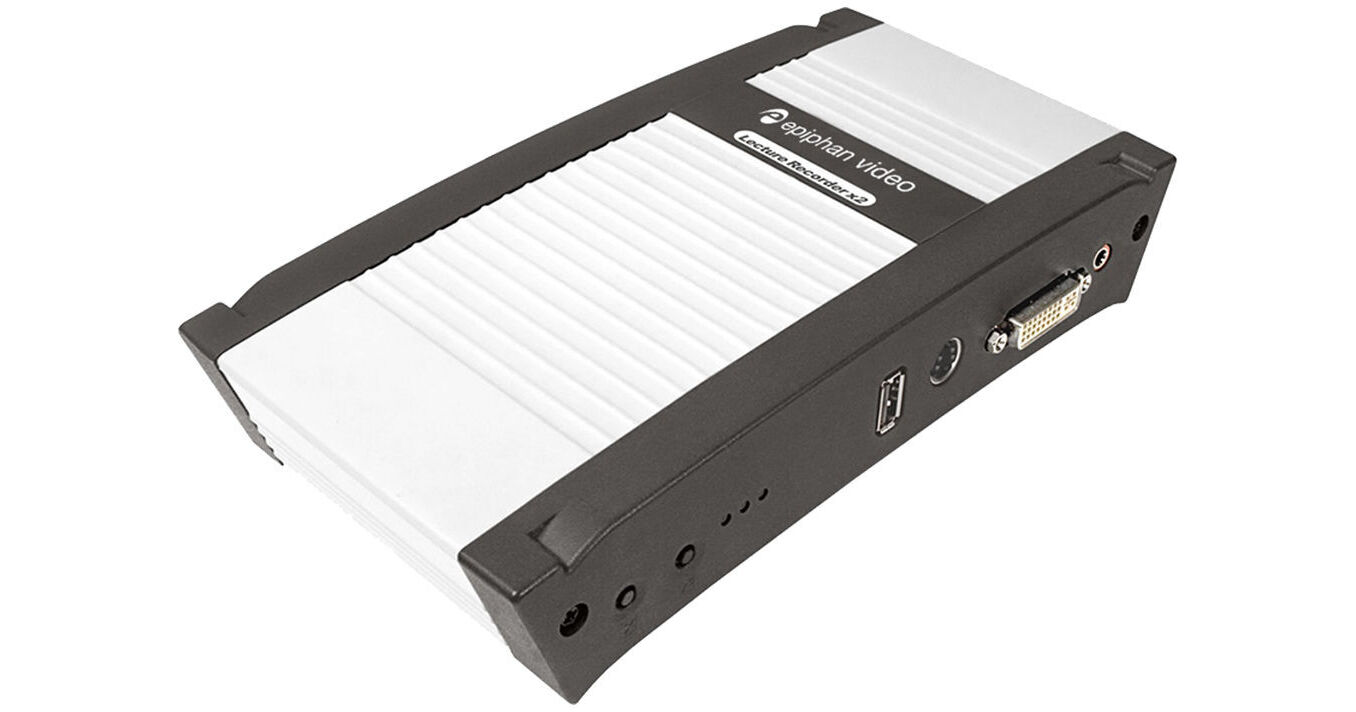
Designed for classrooms and lecture halls, the Epiphan Lecture Recorder x2 captures, combines, and records full HD and SD video and audio from multiple sources such as document cameras, lecture cameras, tablets, or any device with a VGA, DVI, or HDMI output.
Using the Lecture Recorder x2 you can create a library of on-demand videos for presentation. Allowing you to get a little more elaborate, the Lecture Recorder x2 also lets you place two streams in a picture-in-picture layout customized with your logo so remote and offline viewers feel like they are present for the lecture. Recording control can be done locally by the lecturer or scheduled through Epiphan's HTTP or RS-232 APIs.
Lecture Recorder x2 captures an HD video signal from sources such as computer with slides, and then streams the content to standard Internet browsers and media players. The streaming content can also be recorded to internal storage and network storage. Lecture Recorder x2 is easy to setup and use -- it does not require the use of a computer or any additional equipment and works straight out of the box. Simply power it on, plug in your sources, and press the on-device button to start recording. A straightforward web interface is available for custom configuration.
- Capture from screens or cameras at Full HD resolution
- Capture presentation camera, slides, and voice simultaneously
- Use it everywhere -- it's portable with no software to be installed
- DVI and S-Video inputs (VGA, HDMI, and Composite supported via included adapters; RGB Component supported via optional VGA adapter)
- Managed and controlled either locally or over a network
- Can be easily integrated with content management systems (CMS) and learning management systems (LMS) such as Blackboard, Kaltura, Mediasite, and Moodle
- Choose to display the video from one or both video sources, side-by-side or picture-in-picture
- Lecture Recorder x2 automatically scales inputs to match your configured layout settings
- Add your academic institution color as a background, your institution logo, and add meta data such as the date, time, and faculty name
- Overlay video with time stamp information and other text
- Upload a custom image to display when the channel does not have a signal or if your input signal is interrupted for any reason
- Lecture Recorder x2 has a DVI-I video output, 3.5mm stereo audio output, RJ-45 PoE port, and USB 2.0 port
- Built-in signal converters and output connectors provide pass-through for both DVI-I and audio input sources
- The video and audio pass-through ports provide a practical way to simultaneously display the lecture to a large lecture hall while it is recorded (this is done by simply connecting a speaker to the audio output port and connecting an HDMI, DVI, or VGA projector or monitor to the DVI output port)
- Lecture Recorder x2 captures two video sources from room cameras, document cameras, smart boards, iPads, or any other source with HDMI, DVI, VGA, S-Video, and Composite output
- Audio input is provided through a 3.5mm analog stereo audio input
- DVI-I port is built to capture signals from DVI, HDMI, and VGA sources, while the S-Video port captures signals from S-Video and composite sources
- Lecture Recorder x2 supports a wide range of streaming formats and protocols enabling it to stream video to media players, Content Delivery Networks, and multicast networks using industry standard streaming formats including FLV, ASF, MJPEG, and via TCP/UDP using RTSP
- Supports Multicast Streaming via UDP using RTP, MPEG-TS RTP, and MPEG-TS and publishes to streaming servers (CDNs) via RTMP and RTSP
- Media players, smart TVs, and set-top boxes can play live streams and saved recordings from the Lecture Recorder x2 via UPnP or SAP
- Streaming via UPnP and/or SAP is perfect for situations when the space in a lecture theatre is limited (the lecture can be streamed to other classroom locations on campus to handle student overflow)
- Lecture Recorder x2 supports widely used video codecs to ensure maximum compatibility with commercial viewing software media players such as VLC and Adobe Media Player
- Multi-encoding provides an optimal combination of settings to ensure your stream reaches your audience
- Use the default settings, or fine tune the operation to your application
- Video frame rate, encoding bit rate, and key frame interval are among several parameters available to tailor the encoding to your specific requirements
- Lecture Recorder x2 supports widely used audio codecs to ensure maximum compatibility with commercial viewing and post production software
- Use the default settings, or fine tune to meet your requirements
- Lecture Recorder x2 can simultaneously stream and record your content
- Admin interface indicates the amount of free storage space
- Stores the video files to an internal 16GB drive in .AVI and .MOV formats
- Automatically deletes the oldest recorded file when disk space runs low and replaces the file with a current file to ensure the latest recordings are available
- Manage the size of your recorded video files by configuring the Lecture Recorder x2 to start a new file based on a time or file-size limit (when the limit is reached, the current recorded file is closed and available for download while a new file is opened for continued recording -- all without missing a frame )
- Store the files on the device itself, useful when you don't have access to a network or an external device (you can always download the files later)
- Transfer the recorded files to an external USB storage device or local network storage via FTP, RSYNC, or CIFS to ensure you don't run out of disk space on your device and facilitate 24/7 recording
- Configure automatic file transfer when a USB device is inserted
- Integrate easily with commercial content management systems
- Supports 1080p HD video capture at 30 fps and resolutions up to 1920 x 1200
- Capture computer displays and live camera signals
- Convenient pick lists of standard resolutions in 4:3, 16:9, and 16:10 ratios make configuration and switching between various video input sources quick and easy (custom resolutions are also supported)
- The Lecture Recorder x2 analyzes your source stream and automatically uses the best possible frame size, bit rate, and aspect ratio for the output stream
- Changes to the input signal resolution and aspect ratio are automatically reflected in the output stream
- Automatic configuration is an option that can be enabled or disabled depending on your requirements
- Your Lecture Recorder x2 is configured and ready to record and stream your lecture as soon as it has power an Internet connection and an input signal
- Simply connect your camera, presentation content (on a laptop, iPad, etc.), and a microphone
- Lecture Recorder x2 encodes video and audio as they're captured and makes them stream-ready
- Use the on-device button or provided "Big Red Button" start/stop controller to start and stop recording
- Rugged yet lightweight and portable -- ideal for travel
- Slim profile allows it to inconspicuously be setup on the podium within reach of the lecturer and packed away into a laptop bag later
- Lecture Recorder x2 integrates video capturing, scaling, encoding, recording, and streaming into one simple device
- Power over Ethernet (PoE) eliminates the need for AC power connection; the device is powered directly over the Ethernet cable from a PoE capable network switch (a PoE injector is included with the product if you need it)
- Roughly the size of a paperback novel
- With no internal fans, or other moving parts, it is silent and reliable
- A web-based control interface provides local or remote configuration and operation of the recorder
- Once configured, recording may be stopped and started using a mouse or the "Big Red Button" start stop controller
- Integration with other systems is available via Epiphan HTTP and RS-232 APIs
- Connect your laptop directly to the recorder to enable local operation or place the recorder on a network to manage your operation from any web browser or tablet using a custom interface designed for touchscreen devices
- Perform basic operations like starting and stopping recordings, checking video signals, audio levels, and disk space from the mobile interface
- The Big Red Button controller provides simple start/stop control for recording and visual confirmation of whether recording is in progress
- The EpiphanConnect mobile application is available for both Android and iOS devices (this alternative to the desktop based discovery utility makes connecting to the touch screen friendly interface even easier by finding all Epiphan devices on the network)