Video Chat with a Pro Video Expert - Live

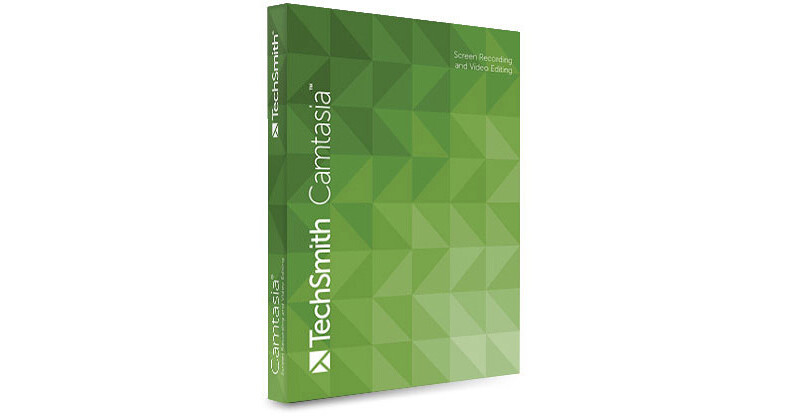
TechSmith Camtasia Studio 8 for Windows (Download)

BH #TECAMS018ESD • MFR #CAMS01-8-ESD
Print
TechSmith Camtasia Studio 8 for Windows (Download)
Key Features
  • Capture Anything on Your Computer Screen
  • Deliver Video Tutorials & Presentations
  • Superimpose Webcam Video, Images, Audio
  • Edit In Effects, Animations, Text, Etc.
Capture whatever's on your computer screen for video tutorials, marketing presentations, interactive classroom lessons, internal training, delivering client reports, and similar uses with TechSmith's Camtasia Studio. Import and superimpose voiceover, images, webcam video, or saved video files into your screen captures to add live narration. Moreover, use the integrated editing application to spruce up your presentations with effects, preset themes, animated backgrounds, graphics, callouts, and more. And furthermore, make your presentations interactive with clickable links, table of contents, and search, and then share directly to YouTube, Screencast, Google Drive, and similar sites. Camtasia Studio provides an easy way of communicating to an audience via video, in a manner allowing for increased retention.
More Details
Digital
No Longer Available
No Store Display
Ask an Expert
800-606-6969

TechSmith CAMS01-8-ESD Overview

Capture whatever's on your computer screen for video tutorials, marketing presentations, interactive classroom lessons, internal training, delivering client reports, and similar uses with TechSmith's Camtasia Studio. Import and superimpose voiceover, images, webcam video, or saved video files into your screen captures to add live narration. Moreover, use the integrated editing application to spruce up your presentations with effects, preset themes, animated backgrounds, graphics, callouts, and more. And furthermore, make your presentations interactive with clickable links, table of contents, and search, and then share directly to YouTube, Screencast, Google Drive, and similar sites. Camtasia Studio provides an easy way of communicating to an audience via video, in a manner allowing for increased retention.

You can capture a single computer window, a region, or an entire screen with just a click. The editing application offers multiple video and audio tracks to make your projects more engaging, a Green Screen effect that lets you put yourself right in the middle of all the action in your videos, a blur tool for covering up sensitive information, screen drawing, overlay capability, and more. Set callouts to fly across your screen, an image to bounce up and down, and text to scroll, to more and more engage your audience. To get you started there are many online guides and tutorials, and TechSmith also provides free tech support.

All Features

Recording
Full Screen
Region
Web Camera
Microphone Audio
System Audio
Voice Narration
Pause Recording
Restore Cursor Location After Pause
ScreenDraw
Add Markers
Capture Keyboard Input
PowerPoint Add-In
Presets
Recently Recorded Areas
Lock to Application

Editing
Share Projects and Files Across Computers (Export Project as Zip)
SmartFocus
Captions
Callouts, Annotations, and Shapes
Video Effects
Audio Effects
Cursor Effects
Animations
Transitions
Direct Manipulation of Media on Preview Area (Canvas)
Quizzing and Surveys
Add Markers
Blur
Highlight
Multiple Video and Audio Tracks
Hotspots
Clip Speed
Remove a Color

Sharing
Share Project and Files Across Computers
Presets
Add or Edit Presets
Production Preview
Batch Production
Produce a Selection
Upload Video to YouTube, Screencast.com, and other sites
Upload Video by FTP
Embed in HTML Webpage
Flash Options
Table of Contents
Customize the Flash Controls
Customize the Flash About Box
Include a Watermark

TechSmith CAMS01-8-ESD Specs

System Requirements
Microsoft Windows 10, 8, 7
Microsoft DirectX 9 or later version
Microsoft .NET 4.0 (included)
Dual-core processor minimum (Quad-core processor or better recommended)
2 GB RAM minimum (4 GB or more recommended)
2 GB of hard-disk space for program installation
Display dimensions of 1024 x 768 or greater
Dedicated Windows-compatible sound card, microphone, and speakers (recommended)

Camtasia Studio Add-In for PowerPoint requires PowerPoint 2007 (32-bit) or PowerPoint 2010 or 2013 (32-bit or 64-bit)
Import of .mov and production to .mov and .m4v requires Apple QuickTime 7.2 or later
Playback using the Smart Player is supported on Internet Explorer 8+, Chrome, Firefox, Safari 5.1+, iOS 6+, Android 4+ (Chrome for Android recommended)
Camera video recording requires a USB Web Camera (recording live from a DV camera is not supported)
Integration with optional TechSmith Relay requires TechSmith Relay Client Recorder
GPU acceleration requires DirectX 9 compatible video adapter with 128 MB of video memory or greater and Pixel Shader 2.0 or later

TechSmith CAMS01-8-ESD Reviews

See any errors on this page?
Whatever You Need, We've Got It