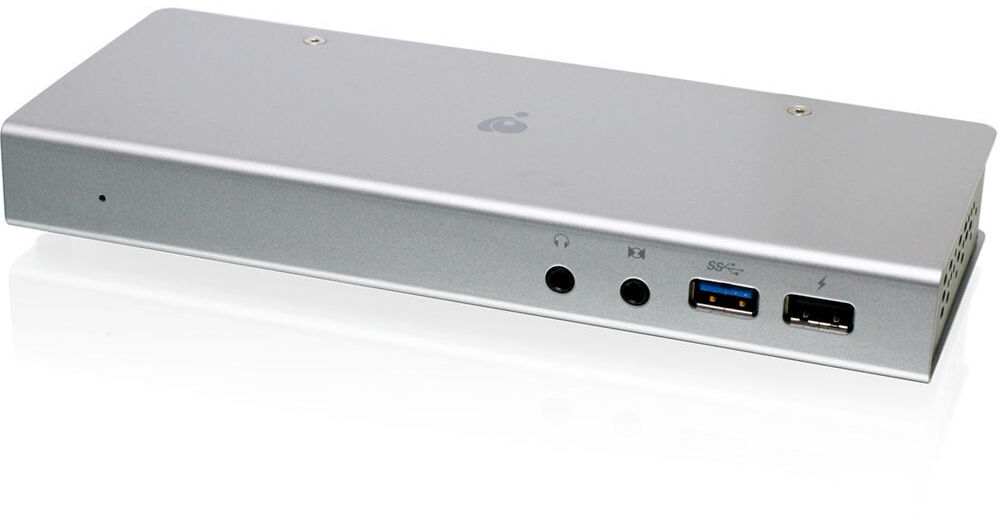
Connect a variety of devices to your computer with the 10-Port Thunderbolt 2 Docking Station from IOGEAR. It is designed to give you access to all of the connectivity that many compact and super-portable computers lack. Connecting to the host computer via a single Thunderbolt-2 cable, the docking station provides 2 x Thunderbolt-2 ports, 4 x USB 3.0 Type-A ports, 1 x optical audio line-in jack, 1 x optical audio line-out jack, 1 x Gigabit Ethernet jack, and 1 x HDMI port.
The docking station has a total of four powered USB 3.0 ports allowing you to charge and connect multiple peripherals and devices to your computer at once. The front-right USB 3.0 port features high-power charging capabilities which will charge devices much faster than the other ports will. The charging feature remains active as long as the docking station is plugged into a power outlet regardless of whether it is connected to a computer.
Use the microphone and headphone jacks to connect audio components such as speakers, headphones, microphones, and even headsets. If your computer lacks wired networking capability, a Gigabit Ethernet port is provided for situations where Wi-Fi is either unavailable or insecure.
To set up dual displays, connect one display via HDMI and the other via Thunderbolt or Thunderbolt 2. For dual displays, at least one display has to be Thunderbolt or Thunderbolt 2 compliant. For displays that are not Thunderbolt technology-ready, the Thunderbolt port is backwards-compatible with Mini DisplayPort. The dock supports either HDMI or Mini DisplayPort, but not both, and supports only one display at 4K resolution.
- Connects to host computer via single Thunderbolt-2 connection
- A total of four USB 3.0 connections for your external devices
- One of these is a USB charging port for tablets or smartphones
- Supports dual displays for HDMI and Thunderbolt display monitors
- Optical audio line-in and line-out port provides 5.1 digital audio editing and playback capabilities
- Gigabit Ethernet jack adds wired networking capability
- Ability to connect up to 8 devices directly to the dock and daisy chain up to 4 additional Thunderbolt devices (5 total)