Extend the length of your USB 2.0 and 1.1 connections up to 164' away from your computer via Cat5, Cat5e, and Cat6 Ethernet using the USB 2.0 4-Port BoostLinq Ethernet Kit from IOGEAR. Designed for use in classrooms, labs, office, conference rooms, and more, this device offers users a means of operating up to four USB devices at an extended distance. Connected devices, such as scanners, printers, cameras, and more are able to maintain their data transfer rate of up to 480 Mb/s with USB 2.0 or 12 Mb/s with USB 1.1.
This USB extender operates by converting a USB 2.0 or 1.1 connection to RJ-45 Ethernet and then sending that data over a Cat5, Cat5e, or Cat6 Ethernet cable at a distance of up to 164'. This USB extender is also an active repeater, meaning that it uses a small power supply to amplify the USB signal and help preserve data integrity over long distances. The power supply also helps maintain enough current to power any connected USB devices, such as webcams and hard drives.
The USB 2.0 4-Port BoostLinq Ethernet Kit is made up of a local unit and a remote unit. The local unit connects directly to your computer, while the remote unit connects the USB devices. The local and remote units are connected using Ethernet cabling and feature a user-friendly plug-and-play setup. In addition to the power supply, a USB Type A to B cable is also included. A USB 2.0 port is required for use and the supported operating systems are Windows, Mac OS X, Linux Kernel, and Google Chrome.
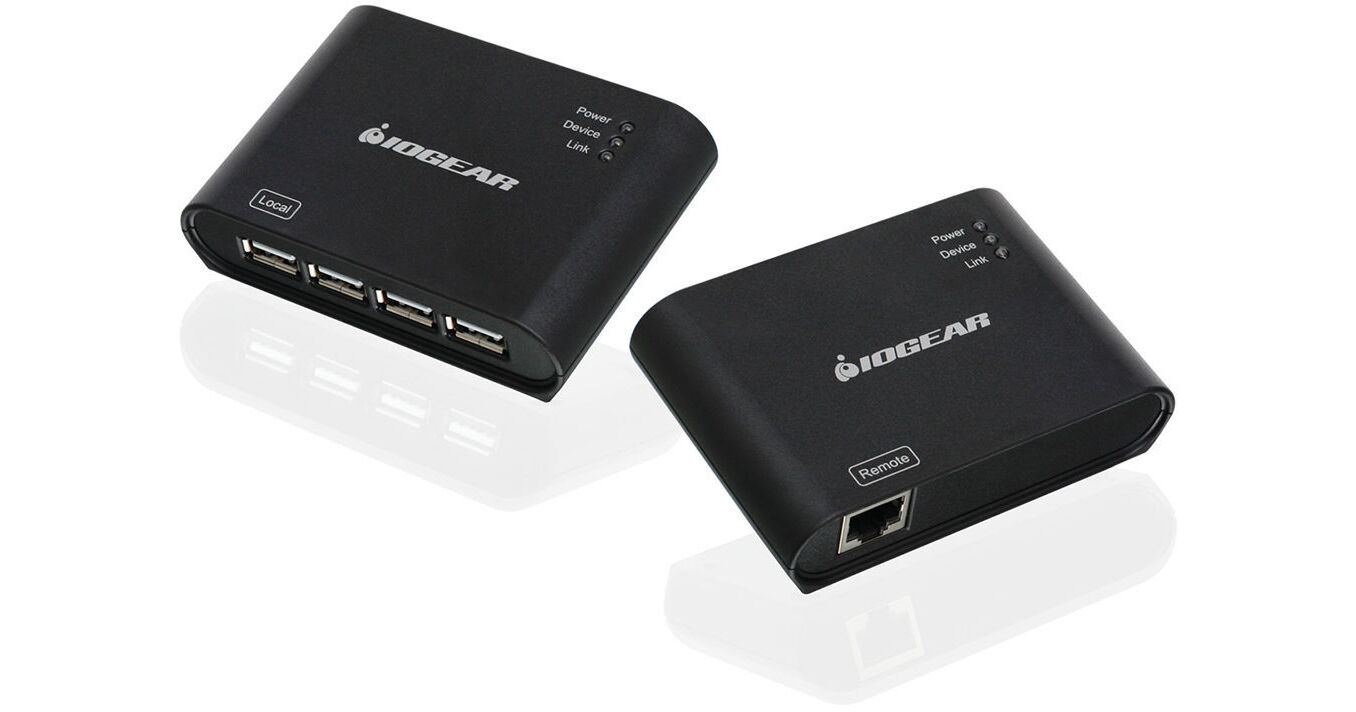
- Extend USB 2.0 or 1.1 via Ethernet
- Extend USB 2.0 or 1.1 up to 164'
- Supports Cat5, Cat5e or Cat6 Ethernet
- Built-in Hub Supports up to 4 Devices
IOGEAR GUCE64 Overview
IOGEAR GUCE64 Specs
| Operating System | |
| USB Specification | |
| Cable Connections | |
| Transfer Rate | |
| Cable Length | |
| Cable Distance | |
| Cable Type | |
| Connectors | |
| Max Output Power | |
| Power Supply | |
| LEDs | |
| Operating Temperature | |
| Dimensions | |
| Weight |
| Package Weight | |
| Box Dimensions (LxWxH) |
IOGEAR GUCE64 Reviews
Does not work epson scan
Easy to install, works well with canon pro 100 printer, does not work with epsonscan & epson's v800 scanner
Performed well - Im very pleased!
I bought this kit to see if it would be possible for me to control my telescope/camera with my laptop from a distance. I normally drive to remote sites in the countryside, set up my gear and record asteroid occultations. I have spent many cold nights outside pursuing this hobby. I have 4 USB devices connected to the laptop that I need to support. First is the telescope mount connection to the control software on my laptop, second is the wi-fi antenna for the wireless gamepad that I use to control the scope if Im at the eyepiece, third is a GPS puck that syncs time, position and elevation to the mount and the planetarium program on the laptop and fourth (most difficult and most important) is the camera connection where the camera outputs avi or FITS files to the SSD on the laptop via USB. This camera connection has to provide enough bandwidth to avoid dropping any frames. Besides being uncomfortable in the winter sitting outside with the laptop, I also started experiencing very poor performance with the laptop when the temps were below freezing. Last night I sat comfortably in my van watching my laptop (also warm in the van) while all other equipment was at the other end of a 50 CAT6 cable. Performance was flawless and I recorded 4 minutes of video without a single dropped frame. I really cant think of a better endorsement. For me, it was as if the 4 devices were plugged directly into the laptop. I had NO reliability issues and NO performance issues. Plus, installation is as painless as can be. Just plug it in. No software to install. Completely transparent. Im really happy with this product.