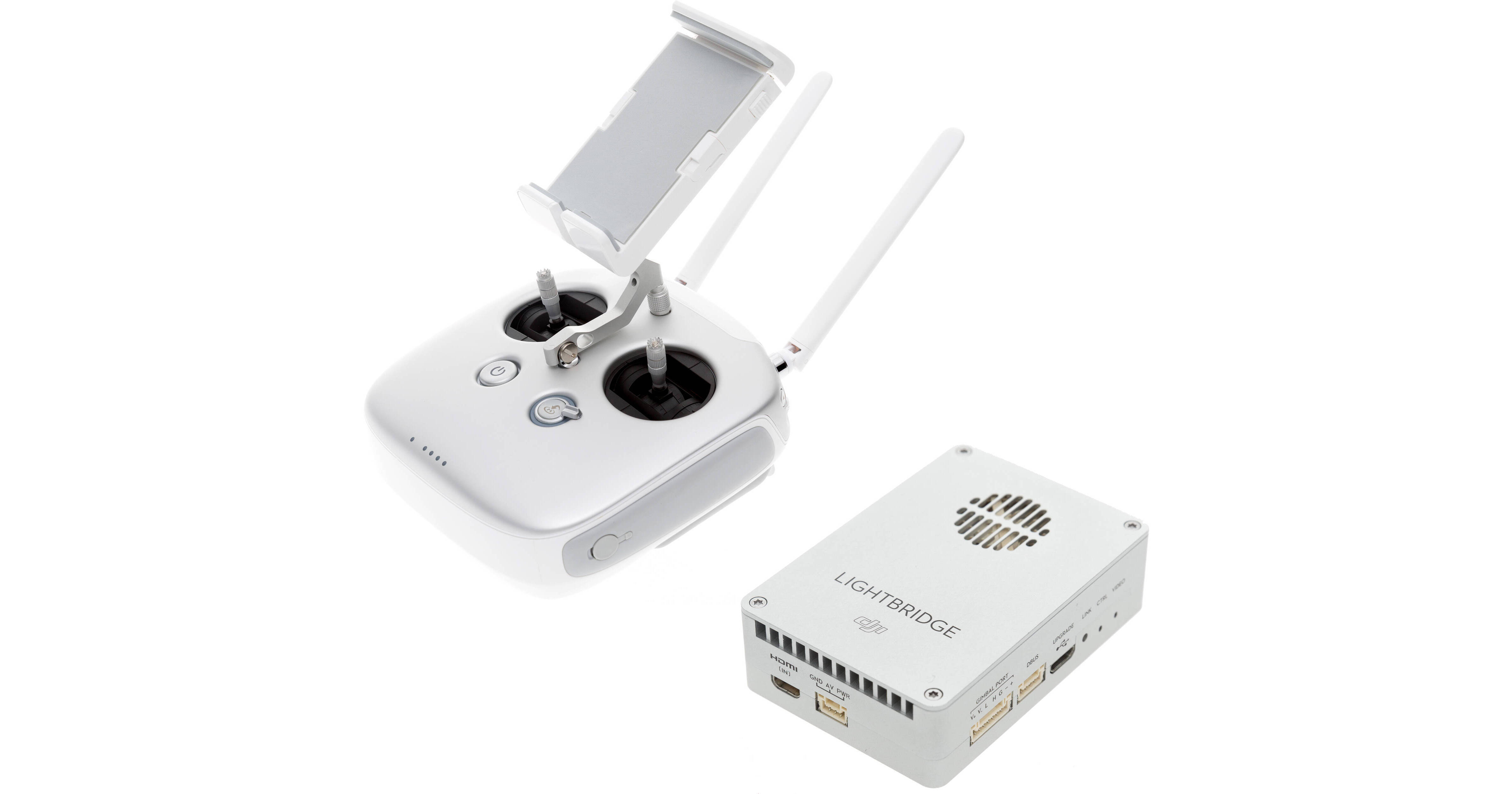
DJI's Lightbridge 2 is an all-in-one solution that combines video downlink (complete with OSD), aircraft control, gimbal control, and video monitoring in a unified system. It breaks into two key components: the first, an air unit that includes connections for select Zenmuse Z15 gimbals as well as connection for an A2 or a WooKong-M flight controller; the second, a special transmitter (radio controller) that incorporates the Lightbridge ground unit (a separate module on previous systems). The controller features mini-HDMI and 3G-SDI video outputs for connecting an HD display and a USB port for connecting a mobile device such as a smartphone or tablet. The controller provides dedicated camera and gimbal controls for convenient operation, while more advanced features can be accessed via the DJI GO mobile app.
Ask Our Experts800-606-6969
Hello, Log InAccount & Orders
Key Features
- Low-Latency HD Video Downlink
- Up to 1.2 Mile Range Line-of-Sight
- Picture-in-Picture for Second FPV Camera
- View Video and OSD on Mobile Device
DJI's Lightbridge 2 is an all-in-one solution that combines video downlink (complete with OSD), aircraft control, gimbal control, and video monitoring in a unified system. It breaks into two key components: the first, an air unit that includes connections for select Zenmuse Z15 gimbals as well as connection for an A2 or a WooKong-M flight controller; the second, a special transmitter (radio controller) that incorporates the Lightbridge ground unit (a separate module on previous systems). The controller features mini-HDMI and 3G-SDI video outputs for connecting an HD display and a USB port for connecting a mobile device such as a smartphone or tablet. The controller provides dedicated camera and gimbal controls for convenient operation, while more advanced features can be accessed via the DJI GO mobile app.
More DetailsNo Longer Available
DJI CP.AL.000027.02 Overview
Integrated Design
To simplify both installation and setup, Lightbridge 2 features just two key components: an air unit and a special transmitter (radio controller) that features the ground unit built in
Dedicated Controls
In addition to standard control sticks for piloting, the remote provides direct access to key functions. It has dedicated hardware controls for photo and video capture, gimbal pitch control, Return To Home, as well as customizable buttons
App-Based Control and Monitoring
Use the DJI GO app to control your camera, access intelligent navigation settings,
and receive a live HD view of what the camera sees, all on your paired mobile device. Flight
information including current status, full telemetry, location, heading, and more is displayed and updated live
Multiple Output Options
A combination of 3G-SDI, USB, and mini-HDMI ports enables the controller to be connected to a variety of display devices – TVs, field monitors, FPV goggles, mobile devices, and more. You can even output video to several devices simultaneously by using a combination of ports
Dual Video Stream
Lightbridge 2 can transmit video from two cameras simultaneously: the main camera used to capture video and photographs, and a second camera showing the First Person View (FPV). Output a picture-in-picture view via mini-HDMI or 3G-SDI to a TV or other external display, where the FPV is layered with the main camera view. The views and controls are completely independent so that the gimbal control will not affect the pilot view or the aircraft's navigation, and vice versa
Built-In Battery
An internal, rechargeable 6,000 mAh LiPo battery lets you fly longer than AA-powered alternatives and simplifies charging
Dynamic Radio System
To help ensure uninterrupted transmission, a high-speed processor chooses the best channel and bandwidth based on current distance and presence of any sources of potential interference. Additionally, when using the DJI GO app, you can choose to maximize video quality or focus on lower latency as well as manually change to your desired transmission channel
DJI CP.AL.000027.02 Specs
Air End
| Antenna Gain | |
| Antenna Connector | |
| Supported Input Resolutions | |
| Power Consumption | |
| Power Requirements | |
| Operating Temperature | |
| Dimensions | |
| Weight |
Ground End
| Antenna Gain | |
| Connectivity | |
| Supported Output Resolutions | |
| Power Consumption | |
| Built-In Battery | |
| Operating Temperature | |
| Charging Temperature | |
| Dimensions | |
| Weight |
Battery Charger
| Output Voltage | |
| Rated Power |
General
| Compatibility | |
| Operating Frequency | |
| Transmission Distance | |
| EIRP |
Packaging Info
| Package Weight | |
| Box Dimensions (LxWxH) |
DJI CP.AL.000027.02 Reviews
See any errors on this page?